.png)

AI Fashion Stylist Tools: Automated Outfit Styling For Ecommerce Merchandising
AI fashion stylist tools are no longer about moodboards. They are about whether you can generate production grade outfit imagery for 500 to 10,000 SKUs per month without blowing up SLA adherence or QC loops.
AI styling looks impressive in a demo. Inside a real catalog pipeline it exposes every weakness in your merchandising rules, data hygiene, and post production capacity.
What Are AI Fashion Stylist Tools In An Ecommerce Pipeline?
AI fashion stylist tools sit in a specific part of your stack. They decide what goes with what, how products appear together, and how that content feeds PDPs, "styled with" modules, and seasonal stories.
Used well, they remove a major post production bottleneck. Used naively, they create beautiful but unshoppable looks that drift off brand in days.
Why Outfit Merchandising Is Hard At Scale
Single SKU imagery is largely solved. Your studio has playbooks for ghost mannequin, on model, and flat lay. Outfit level merchandising is where complexity spikes.
You need to balance:
- SKU churn: new colorways and sizes dropping weekly
- Merch strategy: margin, stock depth, and promo priorities changing constantly
- Visual consistency: identical lighting, texture mapping, and perspective across thousands of images
Traditional workflows force you to over shoot combinations in studio or stitch looks together with heavy retouching and clipping paths. Both approaches push your SLA and cost per image in the wrong direction.
What Does AI Fashion Stylist Software Actually Automate?
Most AI fashion stylist tools today automate three things.
Outfit pairing logic. They take a base item and recommend complementary SKUs using rules and similarity models. This sits closer to recommendation systems than pure image generation.
Visual composition. They create an outfit image using virtual models or ghost mannequin style composites. Tools based on Stable Diffusion, Imagen 3, or Flux Pro typically live here.
Variant expansion. Once you have a hero look, they spin colorways and minor style swaps for regional or seasonal needs. LoRA training and lightweight fine tuning carry much of this load.
Teams often confuse the category with one click, ready to publish output. In reality, you get structured starting points that still require human art direction and QC.
Where Does Styled Imagery Actually Improve Conversion?
Outfit context is one of the few content levers that reliably lifts AOV and units per order.
You see impact when:
- Accessories appear on body instead of isolated cutouts
- Tops and bottoms are shown together for fit and drape clarity
- PDPs mirror campaign outfits instead of generic studio shots
Automated outfit styling lets you push these visuals deeper into the SKU long tail, not only on hero products. The win is not simply a nicer PDP. It is more SKUs carrying "complete the look" and "styled with" imagery without doubling studio time.
What Output Types Should You Expect From AI Fashion Stylist Tools?
Many tools marketed as an AI fashion stylist actually wrap a mix of recommendation logic and generative models. Knowing which output type you are buying will prevent disappointment. Broadly, you will see four patterns.
Text or rules based pairings. No imagery, just attribute and sales based pairing logic. Often surfaced via internal tools or generic recommendation systems.
Outfit flats. Flat lays auto arranged on a canvas: shoes at bottom, bag at top right, outerwear over base layer. Effective for email, weaker for deep PDP context.
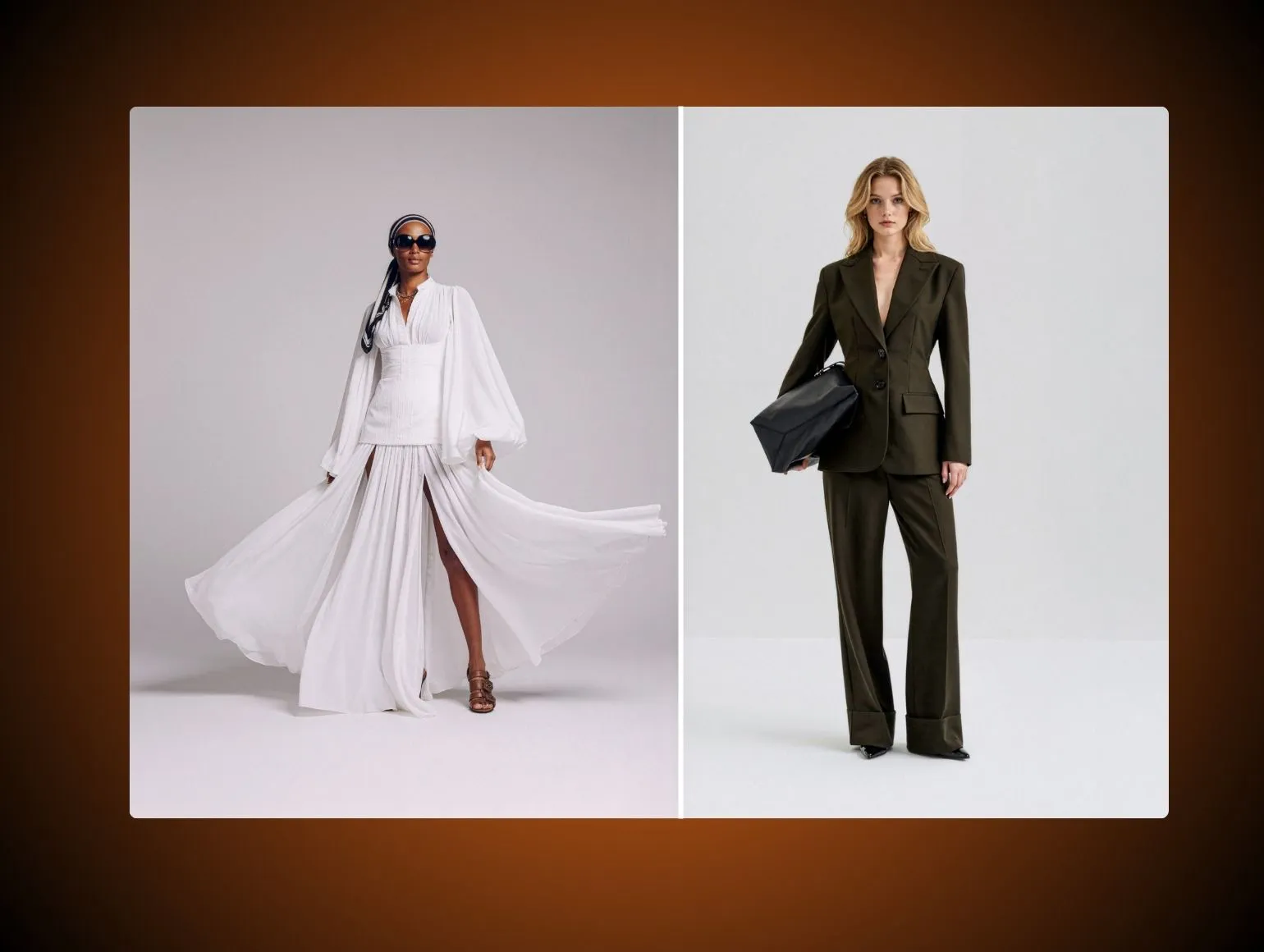
AI on model outfits. Virtual models wearing multiple SKUs together, generated from references or prompts. Stable Diffusion derivatives, Midjourney, Flux Pro, and similar foundations are common sources.
Augmented studio images. Adding a missing item to an existing shot, for example placing a jacket over a dress while preserving original lighting from the original capture.
Much fashion AI generator marketing blurs these lines. You need to know whether a tool is promising pairings, pixels, or both.
Which Outputs Are Production Ready Vs Concept Only?
Some outputs are strong enough to slot into ecommerce workflows today. Others belong in decks and inspiration boards.
Closer to production ready:
- Adding a simple accessory to a clean studio shot
- Auto generating outfit flats for email or category banners
- Filling minor gaps in look books for editorial pages
Mostly concept only right now:
- Full body on model outfits at 4K where fabric must withstand zoom
- Complex jewelry under hard light without reflection artifacts
- Tight studio beauty shots where skin and hair must match real models
Generative video from tools like Runway Gen 4, Kling, or Imagen 3 still skews to top of funnel or campaign needs. It is not yet catalog grade for most brands.
What Are Buyers Actually Searching For With "AI Fashion Stylist" And "Fashion AI Generator"?
When people search these terms they usually want one of three outcomes: fast concepting for styling decks and briefs, automated look building for long tail SKUs, or synthetic model imagery to reduce shoot days.
Use cases that actually land in production include:
- Auto generating seasonal outfit grids for merch teams to approve, then translating into real shoots
- Testing different styled with strategies on PDPs, such as heavy accessories versus minimal styling
- Creating virtual models that stay consistent across hundreds of outfits once LoRA training locks faces and body types
Any use case that touches the product itself at pixel level must pass your regular QC standards. That is where many fashion AI generator promises fall apart.
Where Do AI Fashion Stylist Tools Break Down At Catalog Scale?
On a single test image, AI often looks flawless. The failures appear when you hit catalog patterns and real volume.
Why Does Lighting Drift Across Batches?
Generative models do not care about your lighting diagram. They approximate it based on training.
Across 200 generated outfits you may see subtle exposure variance that breaks grid views, specular highlights jumping side to side on shoes or leather, and background tone shifts that make clipping paths harder.
For a merch team managing five colorways of the same dress, this drift is not cosmetic. It affects how accurate color and texture feel at PDP zoom level.
Why Do AI Tools Produce Color And Fabric Inconsistency?
Delta E tolerance that feels acceptable in a moodboard becomes a clear problem in a catalog. AI tends to warm or cool whites unpredictably across looks, blur fine textures such as ribbing, tweed, or performance knits, and change sheen on satin so it reads as polyester in one shot and silk in another.
At 1 to 10 images, you can manually fix this in Photoshop. At 500 to 10,000 SKUs the compounding retouching cost is painful. Many tools also struggle with consistent texture mapping when garments bend or fold around virtual models.
Where Does Garment Shape Distortion Show Up In Edge Cases?
Generative systems perform worst at extremes. When you push plus sizes, unusual cuts, or complex layering you often see shoulder warping on ghost mannequin inspired compositions, waistbands that buckle unnaturally or misalign with belt loops, hem lengths that change between views for the same SKU, and hand or finger anomalies when a model interacts with a bag or pocket.
Jewelry remains a persistent pain point. Reflections and chain geometry often fail QC, especially in tight crops. You can retouch individual shots, but you cannot rely on clean output without human review.
Why Do AI Fashion Stylist Tools Still Need Human QC?
Treat AI styling like a very fast junior stylist and junior retoucher combined. Anything customer facing still requires senior oversight.
How Does Art Direction Keep AI Outfits On Brand?
AI does not understand your merchandising intent. It only imitates images it has seen. Without human art direction you will see off brand pairings that technically match but miss customer expectations, over accessorising that turns clear product stories into editorial clutter, and seasonal mismatches such as trench coats with sandals in a winter drop.
Art directors should set rules before any AI run: silhouette balance, color mixing preferences, and how many hero items can appear together. These constraints anchor the output so looks feel coherent with campaigns rather than random social feeds.
What Does Human Review Catch Before Publish?
Even when compositions are strong, AI output is rarely pixel perfect. Reviewers need to correct color drift to within your Delta E threshold, smooth plastic AI skin while preserving studio contrast, fix artifacting around hair, hands, jewelry, and fine straps, and clean clipping paths so images work on existing backgrounds and templates.
The bigger risk is not aesthetic weakness. It is incorrect product representation that triggers returns. Review has to catch wrong SKUs appearing in "complete the look" sets because ID mapping drifted, colorways that do not exist in inventory being hallucinated into outfits, and fit misrepresentation, such as body hugging garments shown looser than reality.
AI tools usually work well at 1 to 10 images but fall apart at 500 to 10,000 SKUs when lighting, color fidelity, and garment proportions drift without a review layer in place.
How Do You Build A Hybrid Workflow For Catalog Scale?
You do not need to rebuild your studio from scratch. You need a controlled entry and exit point for AI in the pipeline.
How Do You Select Reference Products And Set Styling Rules?
Start with constraints, not poetic prompts. Lock a finite set of hero silhouettes per category, define styling rules by region and season, and hard code exclusions such as no more than one print per outfit.
Collect clean reference imagery from your existing studio sessions. These become feedstock for LoRA training and style conditioning so the tool mimics your actual studio lighting and posing language.
How Do You Generate Outfit Sets In Batches?
Run AI in tightly defined batches. Consider all tops styled into three looks each using in stock bottoms, all dresses paired with two outerwear options and two accessory sets, or seasonal capsules with predefined palettes and price bands.
Use consistent prompts or configuration settings per batch. Avoid mixing rules mid run. This reduces visual drift and makes downstream retouching predictable.
How Do You Review, Retouch, And Approve Finals?
Treat AI output as a pre comp layer, not final art. A practical workflow: merch and creative review outfits for pairing logic and stock priorities, a retouching pass corrects color, shape, and detailing, and a final QC loop validates SKU accuracy, size representation, and technical specs such as file naming and dimensions.
How Do AI Fashion Stylist Tools Support "Styled With" Content?
The highest ROI use case in ecommerce right now is rarely hero campaign imagery. It is routine styled with content your current team cannot afford to build manually.
How Do You Build Cross Sell Modules That Feel Native?
Cross sell sections perform best when they look like an intentional outfit rather than a row of random products. AI styling helps you generate shared background or platform shadows so items feel co present, standardize camera angle across shoes, bags, and accessories, and create cohesive color stories that still respect merch and margin rules.
Map these visual sets into your existing cross sell logic. The visuals make the module feel like genuine styling influence, not pure algorithm output.
How Do You Use AI For "Complete The Look" On PDPs?
Complete the look performs when it shows the exact outfit imagery a shopper already considered. AI can add missing items to existing PDP shots so head to toe outfits are visible, create alt views where the hero SKU appears with priority SKUs, and fill gaps where you never shot full looks due to model time or sample limits.
Retouchers must then ensure garment edges, folds, and fabric shine match the original capture. This is especially important for collars, blazer lapels, knitwear cuffs, and other areas where distortion is obvious.
How Do You Match Seasonal Collections To Campaign Themes?
Your campaign imagery sets expectations that PDPs rarely meet. Using AI fashion stylist tools you can generate outfits that mirror campaign color palettes and layering logic, create regional variants such as heavier outerwear in colder markets while preserving core styling language, and extend a small campaign shoot into a larger perceived collection through consistent AI generated visuals.
Tight alignment between top of funnel creative and mid funnel PDPs supports both conversion and brand perception.
How Do You Keep Quality Consistent At Catalog Scale?
Many vendors can demo attractive AI outfits. Few can push those through to catalog grade output at scale without SLA issues. The requirements are distributed QC capacity, enough retouched volume to have already hit the common failure modes, and a delivery SLA that matches your publish cadence.
In practice this means:
- A distributed retouching team large enough to run continuous QC regardless of your home timezone and absorb spikes when a seasonal drop doubles normal volume overnight
- Enough retouched image history to have already encountered common AI failure modes such as repeating fabric patterns that misalign at seams, ghost mannequin shoulder distortions around armholes, and jewelry reflections that break realism in tight crops
- A delivery SLA that holds even at higher SKU counts, so AI handles repetitive layout and first pass styling while humans focus on QC and nuanced retouching without extending the production calendar
The practical outcome is AI level throughput paired with traditional studio reliability.
What Metrics Prove AI Styling Is Working?
If AI styling does not move hard numbers, treat it as a prototype, not production.
How Do You Track AOV And Units Per Order?
Tie styled outfit initiatives directly to change in AOV for SKUs with outfit imagery versus control, units per order when styled with sections feature coherent outfits instead of generic recommendations, and attach rate of key margin accessories when shown on body or in outfit context.
Run controlled tests with stable pricing and promo conditions. You are measuring whether AI fashion stylist tools plus human QC meaningfully alter basket composition.
How Do You Measure Time To Publish?
Your key operational KPI is days from shoot to live. Monitor change in average time to publish for SKUs with AI assisted outfits versus manually styled SKUs, production hours spent per styled SKU including retouching and QC loops, and new bottlenecks that appear when AI batches hit your current review layers.
If AI enriches visuals but pushes your average from four days to nine days, you have simply shifted the post production bottleneck.
How Do You Watch Rework Rate And Color Accuracy?
Rework quietly kills ROI, especially at volume. Track the percentage of AI generated outfit images that fail initial QC, main failure reasons such as color mismatch, garment distortion, or off brand styling, and color deviation for key fabrics measured against in hand samples using a clear Delta E threshold.
If rework stays within an agreed range, AI plus retouching is paying for itself. If it spikes, revisit batching strategy, prompt design, and LoRA training inputs.
What Mistakes Should You Avoid With AI Fashion Stylist Tools?
Letting AI publish without QC. Mistake: treating AI output as final and skipping human review to save time. Consequence: wrong SKUs in outfits, color drift, plastic skin, and subtle garment distortions that damage trust and increase returns. Fix: enforce a mandatory QC loop for every AI generated image, with clear criteria for color accuracy, fit, SKU mapping, and styling rules.
Mixing rules across batches. Mistake: changing prompts, styling rules, or virtual model settings mid batch. Consequence: lighting, pose, and styling drift inside a single drop which breaks grid consistency and confuses shoppers. Fix: lock configuration per batch. Only adjust after review and apply changes to the next batch, not halfway through the current one.
Using styled imagery without merch goals. Mistake: generating outfits because AI makes it cheap without defining what the imagery must achieve. Consequence: attractive PDPs that do not increase AOV, units per order, or sell through for priority SKUs. Fix: tie every AI styling initiative to clear merch goals, such as pushing specific categories, clearing overstock, or supporting new fit stories, then measure against those KPIs.


.png)
.png)
