.png)

AI Product Images in 2026: What Works, What Fails, and How Fashion Brands Can Scale Them
AI product images have moved from novelty to production conversation. Fashion and ecommerce teams are no longer asking whether AI can create a good-looking product image. They are asking a harder question:
Can AI product images stay accurate, consistent, and on-brand across 500, 5,000, or 10,000 SKUs without damaging customer trust?
That is where the real challenge begins.
In a single demo, AI can generate a polished apparel image, swap a background, create a lifestyle scene, or place a garment on a virtual model. But ecommerce teams do not operate in demos. They operate under launch calendars, merchandising deadlines, return-rate pressure, brand guidelines, color standards, and weekly product drops.
For fashion brands, AI product images are useful only when they help products go live faster without misrepresenting the garment. A beautiful image that changes the color of a jacket, softens the structure of a blazer, distorts a neckline, or makes satin look like plastic is not an efficiency gain. It is a commercial risk.
This article takes a production-focused view of AI product images: where they help, where they fail, how to use them responsibly, and why the strongest workflows combine AI generation with human retouching and quality control.
What Are AI Product Images?
AI product images are ecommerce or marketing visuals created, edited, enhanced, or adapted using artificial intelligence. They can be generated from prompts, built from reference images, created from flat lays, extended from existing photography, or modified through AI-powered editing tools.
In ecommerce, AI product images usually fall into five categories:
- Background-swapped product images
- AI lifestyle product images
- AI model shots
- AI-enhanced studio images
- AI-generated campaign or concept visuals
For fashion brands, AI product images are most valuable when they support speed, variation, and production scale. They are less reliable when exact fit, fabric behavior, color accuracy, reflections, or garment construction need to be represented with complete precision.
That distinction matters. A fashion PDP image is not just a visual asset. It is part of the buying decision. Customers use product images to judge color, fit, shape, texture, length, quality, and styling. If AI changes any of those details too aggressively, the image may look impressive while becoming commercially misleading.
The goal is not to use AI everywhere. The goal is to use AI where it improves the production process without weakening product truth.
Why AI Product Images Matter for Ecommerce Teams
AI product images matter because ecommerce content production is under pressure from every direction.
Brands need more images per SKU, more localized campaigns, more seasonal variations, more social content, more marketplace assets, more PDP angles, and more creative testing. At the same time, teams are expected to reduce costs and shorten time to market.
Traditional product photography and post-production workflows are stable but resource-intensive. Shoots require models, studios, stylists, photographers, equipment, sample coordination, retouching capacity, and approval cycles. For brands managing large catalogs, even small delays can push product launches back by days.
AI can help reduce friction in specific parts of this workflow. It can generate background options quickly. It can create lifestyle variations without building a physical set. It can support virtual model shots for selected categories. It can help creative teams test concepts before committing to a shoot. It can also speed up repetitive editing tasks that previously consumed large amounts of retouching time.
But speed alone is not enough.
The real value of AI product images comes when they help brands publish more high-quality assets without increasing inconsistency. A faster workflow that creates color drift, distorted silhouettes, or off-brand imagery simply moves the cost from production into returns, customer complaints, and brand erosion.
For ecommerce teams, AI product images should be judged by operational metrics, not by novelty:
- Do they reduce time from shoot to live?
- Do they lower rework?
- Do they preserve color accuracy?
- Do they maintain visual consistency across the catalog?
- Do they support conversion rather than just creative experimentation?
- Do they reduce pressure on internal teams without creating extra QC burden?
When AI product images pass those tests, they become a real production advantage.
Where AI Product Images Work Best
AI product images work best when the task is visually repetitive, low-risk, and easy to check against a clear brand standard. They are especially useful when the output does not need to prove exact fabric behavior or fit.
1. Background Swaps and Background Standardization
Background generation is one of the strongest use cases for AI product images.
Fashion teams often need the same product shown across white backgrounds, light grey backgrounds, subtle studio textures, seasonal campaign environments, or marketplace-specific formats. Traditionally, this involves clipping paths, masking, shadow work, manual cleanup, and repeated export variations.
AI can accelerate this process when the original product image is clean. If the lighting, perspective, edges, and shadow direction are already strong, AI tools can generate background variations quickly while preserving the product as the visual anchor.
This is especially useful for:
- Simple apparel
- Footwear
- Bags with matte surfaces
- Non-reflective accessories
- Social and email assets
- PLP tiles
- Campaign landing pages
The key is control. AI background work should operate inside approved templates, not open-ended creative prompts. A brand might define three approved background families: clean studio, soft neutral texture, and seasonal lifestyle environment. AI can then generate within those boundaries while human QC checks whether the product still looks accurate.
2. Lifestyle Product Images
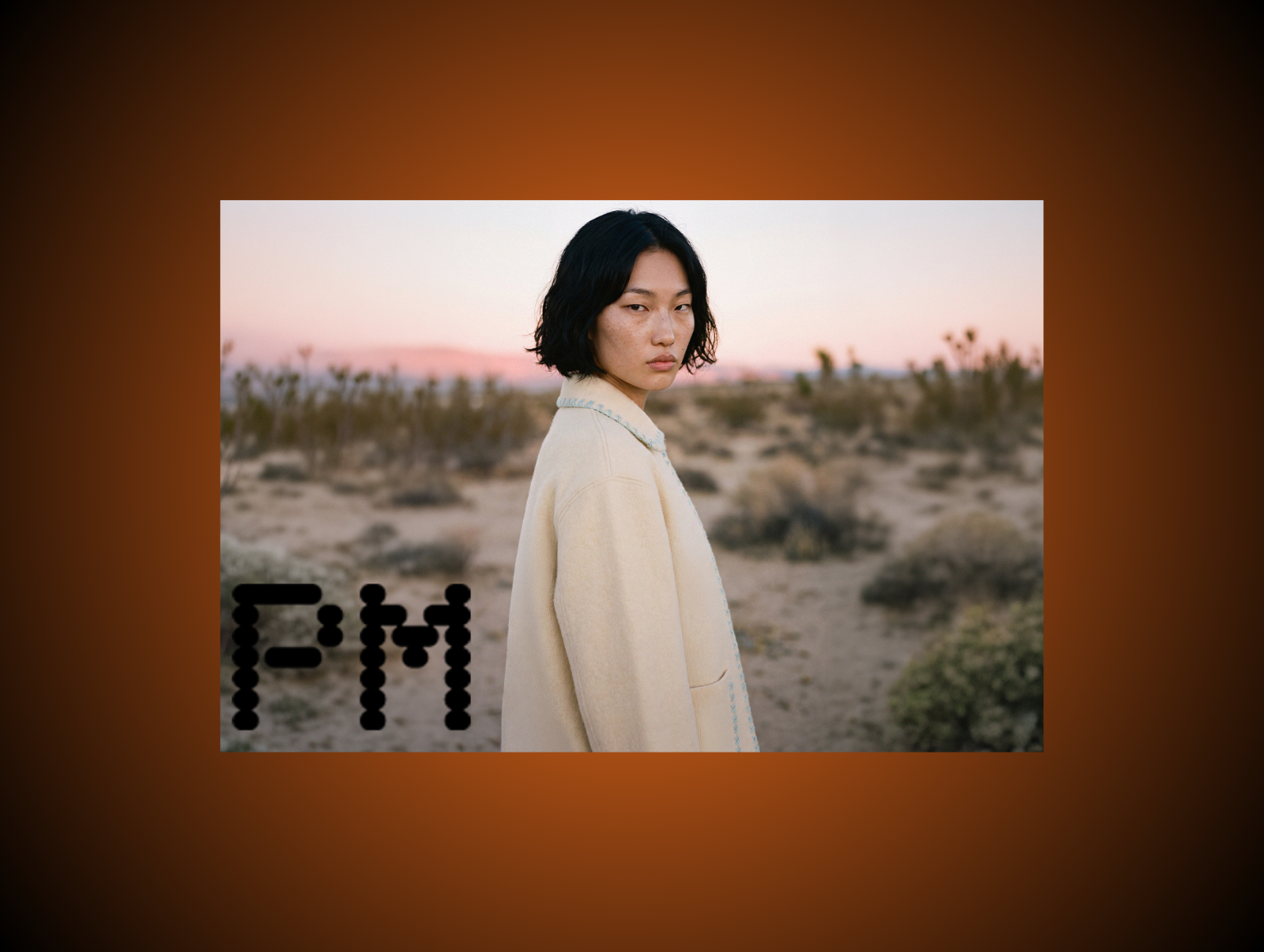
AI lifestyle product images are useful when brands need more visual context without organizing a full production shoot.
For example, a fashion brand might want to show a coat in a city street setting, a linen shirt in a summer travel environment, or sneakers in a minimal studio-lifestyle composition. AI can generate these scenes faster than traditional production, especially for campaign testing, email banners, paid social, and landing page visuals.
This works best when the lifestyle image supports mood rather than precise product evaluation. A customer may not rely on a wide lifestyle banner to inspect stitching or fabric texture. They use it to understand the brand world, styling direction, and emotional context.
That makes AI lifestyle imagery valuable around the PDP, but riskier as the main PDP image.
A practical rule: use AI lifestyle product images to support inspiration, not to replace the core product truth.
3. Campaign Concepting and Creative Testing
AI product images are extremely useful in pre-production.
Creative teams can explore lighting, environments, model direction, composition, and seasonal themes before committing budget to a physical shoot. Instead of building one expensive concept deck, teams can generate multiple directions and test them internally.
This is useful for questions like:
- Should the collection feel minimal or editorial?
- Should the campaign use clean studio lighting or environmental storytelling?
- Should the model poses be static, dynamic, cropped, or full-body?
- Should the product be shown close-up or in a wider lifestyle frame?
- Which visual direction works better for paid media?
At this stage, AI does not need to produce final ecommerce-ready images. It needs to accelerate decision-making. Slight imperfections are acceptable because the output is being used for creative alignment, not final product representation.
4. Secondary PDP and PLP Assets
AI product images can be effective in secondary ecommerce placements where the risk of misrepresentation is lower.
For example:
- Secondary PDP lifestyle tiles
- PLP hover images
- Category banners
- Email campaign visuals
- Paid social creative
- Retargeting assets
- Seasonal collection pages
These placements benefit from visual variation. They do not always require the same level of forensic product accuracy as the main PDP hero image.
That does not mean quality control can be skipped. It means AI can play a larger role, provided the product remains recognizable, accurate, and consistent with the brand’s existing visual standards.
Where AI Product Images Still Fail
AI product images still fail in predictable ways. The most common problems are color drift, garment distortion, unrealistic textures, plastic skin, inconsistent lighting, and physically impossible reflections.
These issues are not minor for fashion ecommerce. They directly affect how customers understand the product.
1. Color Inaccuracy
Color is one of the biggest risks in AI product images.
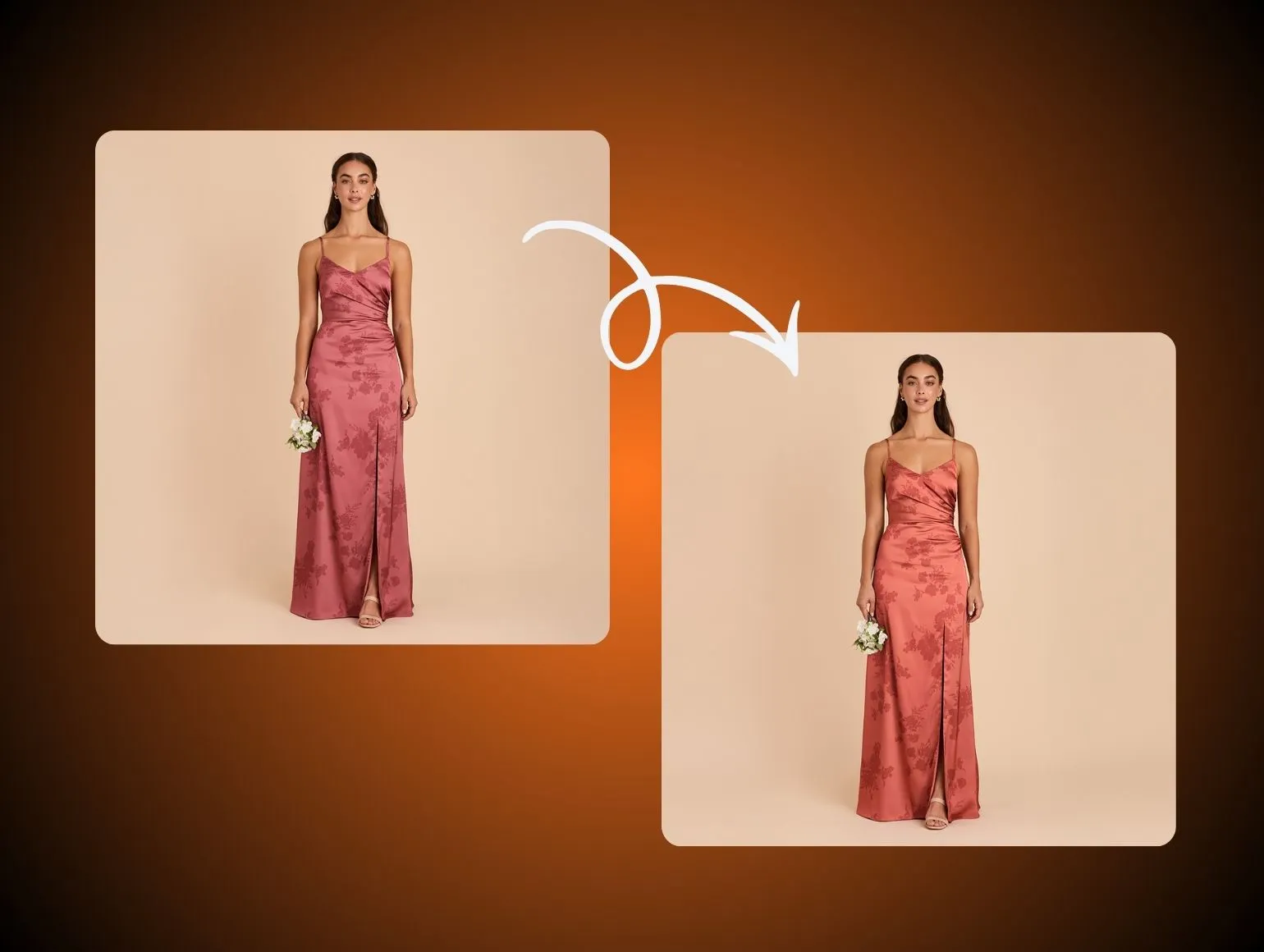
AI models generate visually plausible colors, not necessarily accurate colors. A navy jacket might become slightly warmer. A burgundy dress might shift toward red. A cream knit might become too yellow. A black garment might lose detail or become artificially glossy.
On one image, the difference may seem small. Across a product page, category page, email campaign, and social ad, those differences become confusing. Customers may see the same product represented as multiple different shades.
For fashion brands, color inconsistency can lead to:
- Higher returns
- Lower customer confidence
- More customer service questions
- Weaker perceived quality
- Inconsistent brand presentation
AI product images need color management. Human retouchers should compare AI outputs against reference photography, approved color standards, lab dips, or known garment references before images go live.
2. Garment Distortion
AI often struggles with garment structure.
This is especially visible in:
- Blazers
- Tailored trousers
- Dresses with complex drape
- Collars
- Lapels
- Waistbands
- Sleeve openings
- Necklines
- Pleats
- Structured outerwear
The image may look polished at first glance, but the garment may no longer behave like the real product. A shoulder may slope incorrectly. A hem may float. A neckline may widen. A waistband may twist. A sleeve may change length.
These errors are dangerous because they can misrepresent fit. Customers buying fashion online rely heavily on images to understand silhouette. If AI changes that silhouette, the product image stops being trustworthy.
3. Texture and Fabric Errors
AI can struggle with fine material detail.
Common texture issues include:
- Knit ribs becoming irregular
- Satin looking plastic
- Denim losing authentic grain
- Lace becoming blurred or simplified
- Sequins becoming muddy
- Metallic fibers becoming unrealistic
- Embroidery losing pattern accuracy
For low-risk lifestyle images, these details may be acceptable. For PDP images, they matter.
Customers use texture cues to judge quality. If AI makes a premium fabric look synthetic or makes a structured garment look soft, the image can harm conversion even if it looks visually clean.
4. Inconsistent Lighting
AI product images often suffer from lighting drift across batches.
One image may have soft shadows. Another may have harder contrast. Another may look cooler or warmer. Each image may look acceptable alone, but together they create a catalog that feels inconsistent.
This is especially damaging for brands that rely on a premium or highly controlled visual identity. A product grid should feel coherent. If AI outputs vary too much in lighting direction, exposure, shadow density, or contrast, the site can start to look like a marketplace rather than a unified brand.
Human QC is still essential here because consistency is not always captured by a single automated metric. A trained retoucher can scan a grid of 100 images and immediately spot where the visual system is drifting.
5. Unrealistic Reflections
Jewelry, watches, glossy bags, patent leather, metallic footwear, glass, and fragrance bottles remain difficult for AI.
The problem is physical plausibility. Reflections need to make sense. Highlights need to respond to the product’s material, shape, and environment. AI can create reflections that look attractive but impossible.
For premium products, this is a serious issue. Customers subconsciously read reflections and micro-details as signals of authenticity and quality. If the reflections feel fake, the product can feel fake too.
For now, high-gloss and reflective products should remain heavily human-controlled.
Why AI Product Images Break at Catalog Scale
Most AI demos show one image. Ecommerce teams need thousands.
That difference changes everything.
A single AI product image can be carefully prompted, selected, corrected, and approved. A senior creative can manually guide the process until the image looks right. But when a brand needs hundreds or thousands of images per week, small inconsistencies become systemic problems.
Ten Images Are Easy
At ten images, quality control is manageable. You can inspect each output carefully. You can regenerate weak images. You can correct mistakes manually. You can compare every asset against the brand standard.
That is why many AI pilots look successful.
The team selects a narrow product category, uses strong references, spends time refining prompts, and manually chooses the best outputs. The result can be impressive.
But a pilot does not prove production readiness.
Ten Thousand Images Are Different
At ten thousand images, AI product images reveal their weaknesses.
Small shifts accumulate:
- Slight color changes across batches
- Inconsistent model proportions
- Different shadow behavior
- Different background depth
- Subtle garment shape changes
- Fabric texture variations
- Repeated artifacts
- Inconsistent cropping
- Unstable lighting
The issue is not that every image fails. The issue is that too many images require review, correction, or regeneration. If the QC process is not strong enough, flawed assets reach the site. If the QC process is too manual, AI no longer saves time.
This is why AI product images need a production system around them. The model alone is not the workflow.
The Best Workflow for AI Product Images
The strongest AI product image workflows combine structured inputs, controlled generation, human retouching, and final QA.
A practical workflow looks like this:
- Start with clean source photography
- Define approved use cases
- Generate controlled AI variations
- Review outputs against category-specific standards
- Correct issues through human retouching
- Compare batches for consistency
- Approve final assets before publishing
- Track performance and rework over time
Step 1: Start With Clean Source Images
AI performs better when the source image is strong.
That means:
- Correct exposure
- Consistent white balance
- Clean garment preparation
- Proper steaming
- Stable camera height
- Consistent framing
- Sharp focus
- Good lighting
- Clear product edges
- Accurate color references
AI will not reliably fix poor capture discipline. In many cases, it amplifies the problems. A wrinkled flat lay may become a distorted on-model image. Mixed lighting may create inconsistent color. Poor garment positioning may produce strange fit behavior.
The fastest way to improve AI product images is often to improve the source photography.
Step 2: Decide Which Asset Types AI Can Touch
Not every image should be AI-generated or AI-edited.
A practical allocation looks like this:
This prevents teams from forcing AI into the wrong parts of the workflow.
Step 3: Generate Controlled Variations
AI product images should be generated inside a system of constraints.
Those constraints may include:
- Approved prompts
- Locked style references
- Brand-specific background templates
- Reference images
- Category-specific rules
- Fixed crop ratios
- Approved lighting direction
- Defined shadow density
- Model and pose guidelines
- Color correction standards
The goal is repeatability, not surprise.
Creative freedom is useful during concepting. Production requires control.
Step 4: Apply Human Retouching and QC
Human review is the difference between AI experimentation and production-grade output.
Retouchers should check for:
- Color shifts
- Garment distortion
- Fit misrepresentation
- Neckline or collar errors
- Sleeve length issues
- Plastic skin
- Unrealistic hands
- Fabric texture changes
- Incorrect shadows
- Background inconsistencies
- Cropping problems
- Reflections that do not make physical sense
This review should be category-specific. Jewelry needs a different checklist from denim. Sneakers need a different checklist from knitwear. Outerwear needs a different checklist from beauty packaging.
AI product images become scalable only when QA is systematic.
Step 5: Compare Across Batches
Reviewing images one by one is not enough.
Fashion catalogs need consistency across weeks, months, categories, and seasons. That means teams should review product grids, not only individual files.
Cross-batch QA helps answer questions like:
- Are black garments becoming warmer over time?
- Are shadows getting softer across recent drops?
- Are AI model shots changing body proportions?
- Are backgrounds becoming too varied?
- Are colorways consistent across PDP, PLP, and campaign assets?
- Are regenerated images drifting from older approved images?
This is where human visual judgment remains extremely valuable. Automated checks can help, but they do not fully understand brand coherence.
AI Product Images vs Traditional Product Photography
AI product images should not be framed as a simple replacement for traditional product photography. The better question is: which workflow should own which job?
Traditional Product Photography Is Best For Accuracy
Traditional photography remains strongest when customers need to understand the real product.
It is especially important for:
- Main PDP images
- High-AOV products
- Tailored garments
- Technical apparel
- Jewelry
- Watches
- Beauty packaging
- Reflective products
- Complex textures
- Fit-sensitive categories
Real photography captures the actual garment, material, color, structure, and fit. It gives retouchers a truthful base to refine.
AI Product Images Are Best For Speed and Variation
AI is strongest when teams need more creative options quickly.
It works well for:
- Background variation
- Lifestyle concepts
- Paid social testing
- Email campaign visuals
- PLP creative
- Seasonal landing pages
- Secondary imagery
- Low-risk product categories
AI helps brands create more visual variety without expanding every shoot.
Hybrid Workflows Are Best For Scale
For most serious ecommerce teams, the answer is hybrid.
AI handles the fast, repetitive, or exploratory parts of the process. Human retouchers handle accuracy, consistency, and final approval.
That creates a stronger operating model:
- AI improves speed
- Humans protect product truth
- Retouchers correct edge cases
- QC prevents catalog drift
- Brands publish faster without losing consistency
This is the direction high-volume fashion production is moving toward.
How Pixofix Helps Brands Scale AI Product Images
Pixofix helps fashion and ecommerce brands use AI product images without sacrificing quality, consistency, or trust.
The Pixofix approach is built around a simple principle:
AI can create the foundation faster, but humans still need to perfect the final image.
That matters because fashion imagery is not only about looking good. It is about representing the product accurately enough for customers to buy with confidence.
AI Speed With Human Quality Control
Pixofix uses AI to accelerate parts of the image production process, including AI model shots, background workflows, lifestyle variations, and visual content scaling. But AI outputs are not treated as final by default.
They go through human review and retouching to catch the issues that AI still misses:
- Garment distortion
- Skin texture problems
- Color drift
- Fabric inaccuracies
- Lighting inconsistencies
- Cropping issues
- Unrealistic shadows
- Visual mismatches across batches
This hybrid model gives brands the speed benefits of AI while keeping experienced retouchers in control of the final quality.
Built for Catalog Scale
AI product images become more difficult as volume increases. Pixofix is built for brands working with large SKU counts and recurring production cycles.
For brands shipping hundreds or thousands of products per month, the key challenge is not creating one strong image. It is maintaining consistency across every image that goes live.
Pixofix supports high-volume workflows with:
- More than 200 retouchers
- Coverage across the US, EU, and Asia
- 24 to 48 hour turnaround for standard catalog batches
- Experience across more than 5 million retouched images
- Human QC designed for ecommerce and fashion standards
This capacity helps brands avoid the common problem of AI outputs piling up in review queues or going live without enough scrutiny.
Consistency Across Every SKU
Pixofix focuses on making AI-assisted images feel like part of the same catalog.
That means aligning:
- Color
- Lighting
- Shadows
- Backgrounds
- Cropping
- Model presentation
- Garment shape
- Texture accuracy
- Category-specific visual rules
For ecommerce teams, this is where the commercial value sits. AI can generate many images. Pixofix helps make those images usable, consistent, and ready for publication.
Metrics to Track When Using AI Product Images
To understand whether AI product images are helping, brands should track more than output volume.
The most important metrics are quality and operational metrics.
1. Rework Rate
Rework rate measures how many AI-assisted images need manual correction after the first generation pass.
A low rework rate means the workflow is controlled. A high rework rate means AI is creating hidden production cost.
Track rework by:
- Product category
- Asset type
- AI tool
- Prompt set
- Source image quality
- Retoucher corrections
- Failure reason
This helps teams decide where AI should be scaled and where it should be limited.
2. Time to Publish
AI should reduce the time between asset request, shoot, generation, retouching, approval, and upload.
If AI adds too much review complexity, it may slow the workflow instead of improving it.
Track time to publish by comparing:
- Fully manual workflows
- AI-assisted workflows
- Different asset types
- Different categories
- Different approval paths
The goal is not just faster generation. The goal is faster approved final assets.
3. Color Accuracy
Color accuracy should be measured against reference images, approved standards, and customer outcomes.
Track:
- Color correction frequency
- Delta between source and AI output
- Return reasons related to color
- Customer service complaints
- PDP vs PLP consistency
- Colorway consistency across batches
AI product images should never create uncertainty about what color the customer will receive.
4. Approval Rate
Approval rate shows how many AI-generated images pass QC without regeneration.
A low approval rate means the team may be using AI for the wrong category or with weak controls.
Approval rate should be reviewed by asset type. AI might perform well for lifestyle banners but poorly for structured garments. Those differences should guide production rules.
5. Conversion and Return Impact
Ultimately, AI product images should support business performance.
Track:
- PDP conversion rate
- Add-to-cart rate
- Return rate
- Return reasons
- Engagement with secondary images
- Paid creative performance
- Email click-through rate
- PLP interaction
AI visuals that look impressive but increase returns are not successful. The best AI product image workflows improve speed while protecting the customer’s understanding of the product.
Common Mistakes Brands Make With AI Product Images
Mistake 1: Using AI for Every Image
AI should not touch every asset equally.
Some images carry more risk than others. Main PDP images, high-value products, tailored garments, jewelry, and technical products need more control.
The fix: define approved AI use cases by asset type and category.
Mistake 2: Skipping Human QC
AI product images still need human review.
Skipping QC may save time in the short term, but it increases the risk of distorted products, color inconsistency, and customer complaints.
The fix: build human QC into the workflow before images enter the DAM or ecommerce platform.
Mistake 3: Treating Prompts as the Whole Strategy
Better prompting helps, but it does not solve every problem.
AI product image quality also depends on source photography, reference images, model choice, style controls, retouching standards, and final QA.
The fix: treat prompts as one part of a production system.
Mistake 4: Ignoring Catalog Consistency
A single AI image can look good while the full catalog becomes inconsistent.
The fix: review AI-assisted images in grids and compare them across batches, categories, and seasons.
Mistake 5: Replacing Product Truth With Visual Polish
A product image can be beautiful and still misleading.
If AI changes fit, color, fabric, or structure, the image may hurt trust.
The fix: use AI to enhance production, not to invent product characteristics that do not exist.
Final Thoughts
AI product images are not a shortcut around quality. They are a way to increase production speed when used with the right controls.
For fashion and ecommerce brands, the winning workflow is not pure AI and not fully manual production. It is a hybrid model: AI for speed, variation, and scale; human retouchers for accuracy, consistency, and final approval.
The brands that succeed with AI product images will be the ones that treat them as part of a disciplined production system. They will define where AI belongs, measure its impact, control its outputs, and keep humans in the loop where product truth matters most.
That is how AI product images become more than impressive demos. They become reliable ecommerce assets that help products go live faster, look better, and stay consistent at catalog scale.


.png)
.png)
