.png)


How to Use Nano Banana for Ecommerce: The Workflow, Prompts & Pro Techniques That Actually Work
Why Nano Banana Matters for Ecommerce
Enhancing Image Quality for Sales
The scroll is ruthless. You get maybe two seconds to capture someone’s interest, and if your product doesn’t pop? They’re gone. Nano Banana tightens up image clarity, removes distractions, and enhances texture — so every detail pulls your customer in instead of pushing them away.
It’s not just about sharpness. Nano Banana helps reinterpret realism with a polish that feels expensive but approachable. That difference at the pixel level translates to confidence at the buy button. Teams that use it see bounce rates drop and conversion rates climb.
Impact on Brand Perception
Low-effort visuals say low-effort product. That’s the trap. Nano Banana helps brands speak a visual language that feels intentional, modern, and built to last — every swatch of fabric, every edge of packaging. When the product imagery feels cohesive and elevated, so does the brand.
Pixel quality influences perceived value. With Nano Banana, you’re not just editing photos. You’re reshaping how people emotionally register your price point, your ethos, and where your brand sits in their shopping hierarchy.
Streamlining Workflow for Creative Teams
Product drops move fast. Campaigns get approved on a Monday, and by Friday you need 200 images cleaned, cropped, mood-matched, and tagged. Nano Banana slots into that chaos with a structure that elevates volume without compromising nuance.
Creative teams using platforms like Pixofix pair Nano Banana into studio pipelines to reduce editing time and round-tripping across software. Instead of multi-app coordination, Nano Banana handles batch touch-ups, relights, fills, and background cleaning with a few prompts — freeing up human energy for storytelling.
Understanding Nano Banana Pro Features
Key Capabilities of Nano Banana
Nano Banana isn’t another “enhance” button. It’s a toolset built around real ecommerce use cases — not just visual tricks. You can automate backdrop removal without flattening the subject, regenerate lighting schemes for different channel needs, and clean fabric wrinkles without losing texture fidelity.
It excels in situations where ecommerce images break down: uneven exposures, color mismatches, incorrect shadows. With the right model and prompt, Nano Banana adapts fast — allowing teams to match their visual identity frame by frame.
Advanced Editing for Image Generation
Pro users go beyond cleanup. Nano Banana allows direct image generation and fine-tuned reconstructions. That means out-of-stock colors? You can visualize them accurately. Seasonal backgrounds? Done in a single prompt. It’s not generic AI rendering — it's trained to preserve your angles, lens look, and stylistic feel.
Combined with tools like Capture One, Photoshop, or platforms like Pixofix, Nano Banana becomes part of a broader hybrid workflow. AI handles the structure. Humans add the soul.
Setting Up Your First Project
Choosing the Right Model for Your Needs
Model selection isn’t about choosing the most powerful one. It’s about fit. If you're shooting high-end fashion or skincare, lean toward a model tuned for texture retention and tonal softness. If your catalog is fast-moving consumer goods, you want speed, edge clarity, and hyper-consistency.
Pixofix helps brands test different Nano Banana configurations to build presets that match the exact lighting, color, and framing controls they need. Find a balance between realism and enhancement — that’s where trust lives.
Initial Configuration and Setup Steps
Start light. Set up your Nano Banana workspace by defining the resolution, export format, and visual parameters that match your studio output. Anchor on your brand’s visual guide — not the default settings.
Make sure GPU acceleration is enabled if working locally, and check your version compatibility if integrating it into an existing retouching pipeline. Small glitches multiply when you batch-process product images at scale.
Recommended Tools for Effective Use
- Capture One for raw ingestion and tethered shooting control.
- Photoshop for manual adjustments and texture overlays.
- Pixofix to test and refine outputs within a creative partner feedback loop.
- Miro or Figma to visually map your creative direction for prompt consistency.
Crafting Effective Prompts
Establishing Vision: Story, Subject, and Style
Prompts aren’t instructions. They’re invitations. Start by defining the narrative. Is this a luxury product or an everyday essential? Is your subject bold, soft, quirky?
Be clear about your margins of style. For example: “A cropped shoulder-up beauty shot of a model wearing high-gloss lipstick in soft sunlight. Clean skin, editorial mood, 35mm lens feel.”
This sets boundaries around the vibe. Less guesswork. More visual cohesion.
Refining Details: Camera, Lighting, and Format
Get specific on tech flavor. Words like “shot with softbox lighting from 45° left” or “medium format look with shallow DOF” tell Nano Banana what visual physics to mimic.
Detail the framing too: square crop for marketplaces, vertical for mobile-first launches. Call out reflections, natural blemishes, and fabric weights if those interactions are vital to your brand’s realism.
The prompt isn’t just for AI. It’s a codified brief. Teams using Pixofix build prompt libraries that evolve with each seasonal campaign, refining visual grammar across channels.
Practical Prompting Examples for Fashion Images
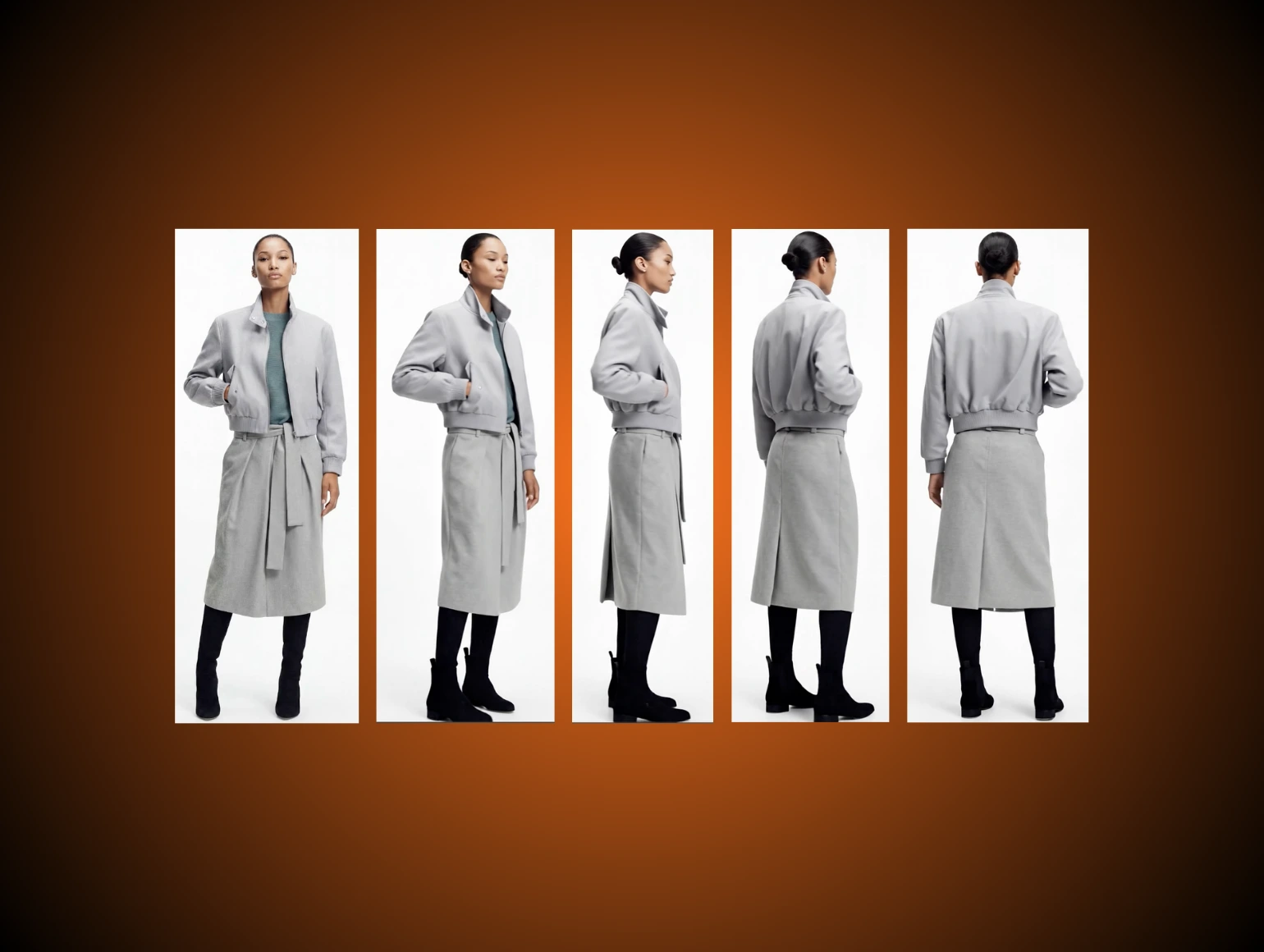
- “Studio shot of a jacket with soft shadows, model waist-up, neutral beige background, 85mm lens look. Light texture retouching only. Crisp fabric edges, true-to-life color.”
- “Outdoor editorial mood, golden hour lighting. Model walking toward camera in slow motion. Emphasis on dress flow, hair movement. Looks shot on 35mm film.”
- “Flat lay of accessories on textured stone surface. Natural sunlight casting diagonal shadows. Clean background clutter. High contrast, Leica lens feel.”
Good prompts don’t just mimic photography. They curate it.
Step-by-Step Editing Workflow
Ingestion of Raw Images
Start with raw. If your source material erodes quality before you even bring in Nano Banana, the downstream results will always miss the mark. Run your raw files through Capture One or Lightroom to normalize exposure and white balance without burning in contrast.
Name, tag, and file smart. Don’t lose images in a sea of “final_final_v2” folders. Your future self — and your team — will thank you.
Applying Nano Banana Techniques
Once the assets are clean, bring them into your Nano Banana environment. Use batch prompts for common corrections — like removing lint, fixing shadow softness, or reshaping light falloff — but layer in image-specific prompts for hero shots or campaign builds.
This is where hybrid workflow shines. Pixofix, as a post-production partner, often takes AI-processed drafts and refines skin tone blend, edge halos, and compression quirks for launch-ready polish.
Exporting and Finalizing Edited Images
Export in the formats tuned to purpose: WebP for fast-loading ecommerce, high-res TIFFs for print campaigns. Be surgical about compression levels — don’t squeeze the life out of your gradients.
Before publishing, cross-check across devices and brightness settings. What looks premium in your suite might blow out on mobile.
And remember, exporting is the last step, not the final one. The best teams, from fashion studios to marketplace brands, archive prompt settings and output logs. So the next shoot doesn’t start from scratch. It starts from smarter.## Best Practices for Using Nano Banana
Maintaining Image Consistency Across Projects
Nano Banana is powerful, but it doesn't work in a vacuum. Visual consistency lives in the nuance — the shadows, the angle depths, the way fabric falls under specific lighting. To maintain that across projects, you need to treat prompts like recipes, not wishes.
Build and archive visual templates. Save prompt frameworks for each campaign or product line. That way, when new shots come in, you're not guessing tone or lighting mood. You're locking into a system your audience already trusts.
Brands working with Pixofix take it further. They align Nano Banana’s outputs with their existing house style — turning AI editing into a repeatable layer, not a gamble. The result? Launches feel like chapters of the same book, not a new genre every time.
Avoiding Common Editing Mistakes
Speed breeds sloppiness if you're not careful. Nano Banana thrives on clarity, but vague prompts or poor source files can introduce artifacts, mismatched lighting, or over-smoothed details that kill realism.
Watch for these red flags:
- Overprocessing: If skin starts looking like plastic or fabrics lose weave detail, dial it back.
- Shadow confusion: Misaligned light directions break believability. Check angles.
- Hue drift: Slight shifts in product color can erode customer trust fast. Always sample against brand color codes.
The easiest fix? Build a feedback relay. Teams using Pixofix loop in editors early to flag these issues at scale — not after assets go live.
Dos and Don’ts of Prompting Techniques
Prompting is precise. Phrase wrong, and Nano Banana fills gaps with its best guess — not yours.
Do:
- Lead with context. (“Indoor studio shot, model seated, soft ambient bounce light.”)
- Use tangible terms. Reference lenses, materials, and lighting rigs.
- Edit in layers. Use primary prompts for the overall look, then isolate finer tweaks with secondary passes.
Don’t:
- Say “high quality” — it’s meaningless without qualifiers.
- Stack contradictions. (“Flat lay with depth blur” creates mixed cues.)
- Ignore teleportation quirks. If your prompt is too broad, Nano Banana might invent geometry that doesn’t exist.
Treat your prompt like a creative brief, not a magic spell.
Tips for Measuring Success
Metrics to Track: Quality Score and Turnaround Time
Gut feel isn’t a strategy. If you're using Nano Banana inside a busy ecommerce pipeline, performance needs to be trackable.
Focus on two leading metrics:
- Quality Score: Tie this to rejection rates from your creative leads or client feedback rounds. A rising score means fewer corrections per batch.
- Turnaround Time: Measured from shot delivery to asset approval. Faster is great — unless quality drops. You're aiming for speed with repeatable polish.
Pixofix clients often bake both metrics into post-launch audits. Nano Banana reduces back-and-forth, but what matters is how much time you saved without sacrificing visual conviction.
Benchmarking Against Industry Standards
Competition is visual. Look at top-performing brands in your niche — not just what they post, but how often, how consistent, how responsive their visuals are to trends.
Ask:
- How many hero shots per product?
- How fast are edits rolled out across SKUs?
- Are retouches invisible, or do they overpower?
When you integrate Nano Banana into your workflow, compare your results against these benchmarks. If your visual cadence slows the team down or loses brand story, it’s time to recalibrate.
Pixofix helps teams identify these performance gaps and wire Nano Banana usage deeper into their pipeline — not just for pretty pictures, but measurable upgrades.
Before-and-After Comparisons
Showcasing Success Stories from Ecommerce Brands
Nothing sells like side-by-side proof. Take a product shot pre-Nano Banana — uneven lighting, cluttered backdrop, lifeless color. Then pair it with the cleaned, sharpened, fully composed version.
Fashion brands, for example, have used Nano Banana to reclaim unusable shots from lookbook shoots that missed lighting cues. Same frame, totally different polish.
When Pixofix publishes these turnarounds, you see the delta in clarity, mood, texture integrity. It’s not about aggressive enhancement. It’s about pulling out the vision that was always there — just buried under production mess.
Visual Analysis: Impact on Sales and Engagement
Image upgrades don’t just look better — they perform better. Zoom into metrics post-edit: CTR rises on ads with retouched product shots. Bounce rates drop when category pages look tight from top to bottom.
Pair your before-and-after visuals with data overlays:
- Time on page
- Thumbnail interaction rates
- Cart adds per view
Consistency plus quality equals momentum. Nano Banana makes that possible. And when paired with careful post-production feedback (like Pixofix offers), these aren’t just prettier pictures — they’re quieter growth engines.
Optimization Strategies
Fine-Tuning Settings for Best Results
Default settings are a great starting point — but not where you end. Fine-tune for edge cases: reflective packaging, transparent materials, saturation-heavy fabrics.
Test passes with multiple temperature and shadow configurations. Build alternate prompt libraries for different lighting conditions or target platforms. The same image might need softer contrast for mobile view and punchier highlights for desktop banners.
Consider this an extension of your brand’s visual DNA. Nano Banana isn’t a button. It’s a dialogue between realism and aspiration. The better you set it up, the less chasing down corrections later.
Leveraging Feedback from Clients and Stakeholders
Feedback loops fuel optimization. When your team or your client flags a visual misfire, don’t just patch it — rewrite the prompt logic or setup.
Keep a running log of feedback per image batch:
- What stalled approval?
- What got a “wow” from stakeholders?
- What triggered reshoots or retouches?
Pixofix integrates this kind of feedback directly into post-processing workflows. Their team tracks visual audit notes and evolves Nano Banana prompts across campaigns. That way, you’re not learning the same lesson twice.
Current Limitations of Nano Banana
Understanding Constraints and Workarounds
Nano Banana is sharp, but not omniscient. It works best with solid inputs. Grainy source files, vague prompts, or complex overlaps (think jewelry on reflective surfaces) can break its logic.
Current constraints to watch:
- Perspective complexity: It may miscalculate depth or deform elements in busy scenes.
- Lighting inconsistency: If the original has multiple cast shadows, corrections may skew realism.
- Fabric details: Intricate textures like mesh or lace can sometimes be smoothed out too aggressively.
Workarounds? Break scenes into parts. Prompt with narrower focus. Or run a two-stage process — AI base pass, followed by human-led refinement via partners like Pixofix.
Future Developments to Look Forward To
Nano Banana’s roadmap is promising. Expect more granular control over material perception — like distinguishing silk from suede under varying light.
We’re also seeing advances in context sensitivity. Soon it won't just recognize “shoes on white background” — it’ll know this is a luxury brand and prompt differently from a budget sneaker line.
For teams already working with Pixofix, these updates fold naturally into workflows. When AI matures, the question won’t be “can it do that?” but “do we have the visual clarity to steer it right?”
The future is hybrid. And smart creative teams are already drafting their next moves


.png)
.png)
