.png)

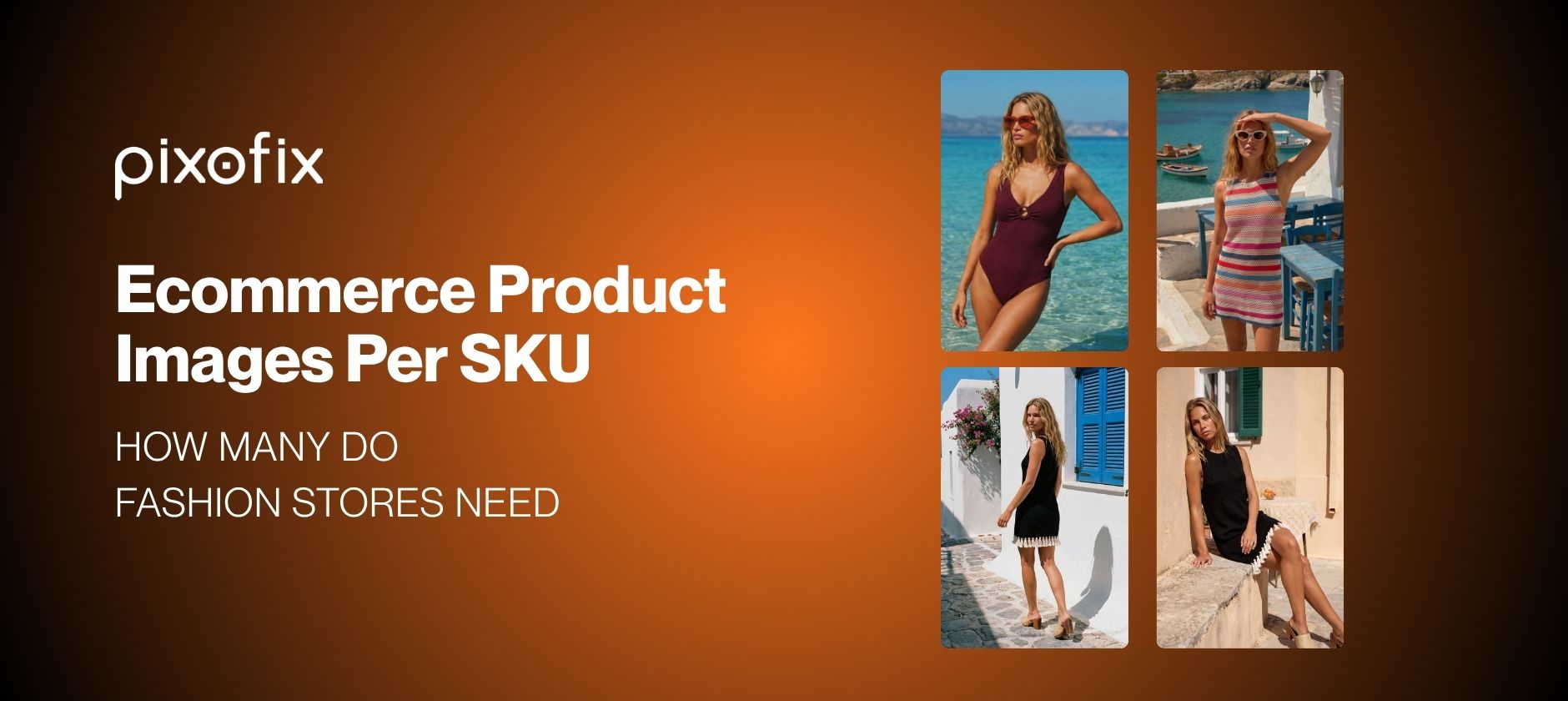
Ecommerce Product Images Per SKU: How Many Do Fashion Stores Need
Most fashion ecommerce teams inherit their image count from whoever set up the first catalog shoot. Five images per SKU became a default, not a decision. And when returns climb or conversion stalls, image count is rarely the first thing audited.
It should be. Ecommerce product images are not just a visual asset, they are the primary selling surface for a buyer who cannot touch, try, or hold the product. For brands running 500 to 10,000-plus SKUs per month, the number of images per SKU is a production and revenue variable, not an aesthetic preference. Get it wrong and you pay twice: once in post production costs, once in returns from buyers who could not assess fit, scale, or fabric from what you showed them.
This article gives you a tiered framework for deciding how many ecommerce product images per SKU your fashion catalog actually needs, what each frame should earn, and how to keep that image set consistent at scale without turning post production into a bottleneck.
How Many Product Images Per SKU
The answer is not a single number. It's a category-specific baseline you can replicate, measure, and adjust.
Think in tiers based on visual complexity. Then assign a minimum image set to each tier, rather than running a flat 5 shots across everything from socks to structured coats.
Set The Baseline By Category
Category is your most reliable starting point. A dress is not a belt, and your production pipeline should reflect that.

The point is not to add angles for vanity. It is to align image count to how hard it is for a buyer to understand fit, construction, and use case from static photography alone. Start with these tiers, then adjust by monitoring conversion and return reasons by category.
Match Images To Buyer Questions
Buyers flick through a carousel to answer specific questions, often in under 10 seconds. For each category, map image slots to those questions.
Tops and dresses: How does it hang front, side, and back; how low is the neckline; is the fabric opaque or sheer; how long are the sleeves and hem.
Denim and pants: Rise and waistband height on body; thigh and calf fit; pocket placement and back view; stretch versus rigid visual cues.
Footwear: True profile and toebox shape; heel height perception; sole grip and finish; on body with trousers or bare legs for scale.
Bags and accessories: Relative size in use; strap drop length; hardware quality; interior compartments.
Assign at least one frame to each high-priority question in the tier. If you cannot cover them with 3 images, plan for 6 or 8. If you still miss critical questions at 8, move that category to 10 or 12.
Why Fashion Ecommerce Product Images Need More Frames
Fashion is not electronics. A spec sheet cannot replace visual clarity.
The more subjective the purchase decision, the more images carry the weight of communicating fit, fabric behavior, and finish under realistic conditions. Higher image density often aligns with lower size-related returns and stronger conversion on borderline SKUs, provided each frame has a clear purpose.
Show Fit, Fabric, And Finish
Three studio angles on a ghost mannequin can technically cover a T-shirt. They cannot tell a buyer whether the rib at the neck collapses or if the fabric clings at the midsection.
For fit and fabric, the image stack must approximate a store mirror:
- Present front, 45-degree, and side angles so volume is clear
- Use close detail shots to communicate texture, stitching, and print quality
- Include at least one on-model or virtual model shot to show real body interaction
This is where AI model generation from flat lay or on-hanger shots can help, as long as you stay realistic about its limits. Tools running Stable Diffusion with LoRA training or Imagen 3 can generate convincing creases and drape, but they also hallucinate tension lines or misalign stripes if human QC does not check the outputs. Build a checklist for shoulders, waistlines, and hems, and reject anything that distorts the pattern.
Reduce Returns From Mismatched Expectations
Return rate often tracks expectation alignment more than design quality. If the PDP sells a fantasy instead of the reality, you pay for it in reverse logistics.
Under-supported SKUs typically fail on one of three axes:
Color: Studio lighting flattens saturation; AI color augmentation shifts hues between colorways; cross-batch inconsistency confuses repeat buyers.
Scale: Bags look larger than they are; heels feel higher in person than on screen; jewelry appears daintier in macro shots than in reality.
Movement: Fabrics expected to flow look stiff; rigid denim appears soft; sleeves or hems ride up in use more than imagery suggests.
Add frames that directly target these failure points, such as color-accurate detail shots, on-body scale references, and one motion frame for fluid fabrics. Then monitor "not as described," "color different," and "fit different" return reasons after the change, and refine the stack where returns remain high.
How Many Product Images Per SKU In Practice
Treat these as baselines for minimum viable clarity, then add images for hero SKUs, complex variants, and margin-critical items.
Use 3 Images For Simple Items
Reserve three images per SKU for items where buyer risk is low and fit is almost binary: solid color basics, simple socks, low price-point underwear, and low-margin add-on items.
A clean 3-image stack looks like this:
- Hero front on ghost mannequin or model
- Back view
- Detail crop of neckline or fabric texture
If expectation-related returns rise for an item that only has 3 frames, test adding one detail or scale shot before changing the whole category.
Use 8 To 12 For Fashion SKUs
For genuine fashion SKUs, 8 to 12 product images per SKU is typically where returns and conversion start to move in a measurable way.
A real-world example: A mid-market womenswear brand running approximately 2,000 SKUs per season moved their dress category from 5 images to 10, adding a dedicated scale shot, a fabric detail close-up, and a walking frame. Over the following two months, "fit different" returns in that category dropped by roughly 18%, and PDP conversion on dresses increased compared to the prior season's equivalent. The incremental post-production cost per dress was offset within the first month of trading.
For a dress, denim, or structured top, a solid 10-frame structure looks like this:
- Hero front on model
- Hero 45-degree front
- Full back on model
- Side view on model
- Ghost mannequin or flat lay front for construction clarity
- Key detail: neckline or waist
- Key detail: fabric texture or print
- Movement or walking shot
- Scale comparison frame if length is ambiguous
- Alternate styling option, for example layered or accessorized
Add More For Complex Variants
Variants are where catalog scale stresses weak pipelines. Three rules help keep variant image counts under control:
Anchor variant set: Shoot or generate the full 8 to 12-frame set for the hero color. Use this as the style and lighting reference for every other colorway.
Tiered variant coverage: High-velocity colors get 8 to 12 frames; long-tail colors get 3 to 5 frames, reusing compatible angles from the hero color with accurate recoloring or AI retexture plus manual checks.
Variant-specific must-haves: Add a frame when print alignment changes across sizes, sheerness differs clearly by color, or hardware and trims change.
At 500-plus SKUs, AI texture mapping and recoloring defects are manageable. At 10,000-plus SKUs, you will see color drift and inconsistent shadows unless you budget time for manual checks on every variant set and track rework rates per batch.
Build A Better Product Image Stack
Once you know your target count, the structure of the stack determines whether that count actually improves performance. Think in terms of narrative: discover, assess, then confirm. Each frame should move the buyer from first impression to confident add-to-cart.
Lead With A Hero Shot
The first frame does most of the work. You have one image to make the SKU legible in grid view and compelling on PDP.
For most fashion categories, a high-performing hero has:
- On-body presentation, real or virtual models, rather than flat lay
- Clean styling with minimal accessories that distract from silhouette
- Cropping that leaves space for mobile thumbnails and social placements
- Lighting that matches your catalog standard, not the whims of the last photographer or AI batch
Virtual models can reduce production time for hero shots when starting from flat lays, but quality swings by tool and category. Misaligned shoulders on ghost mannequin conversions, plastic skin under studio lighting, and warped hands remain common in tools built on Stable Diffusion or Flux Pro when prompts are rushed or LoRA training is generic. Have a retoucher sign off every hero on both desktop and mobile previews before it goes live.
Add Angles, Details, And Context
Once the hero does its job, the next slots should answer structural questions:
- Secondary angle: A 45-degree front shows volume better than a flat side view for many tops and jackets.
- Back view: Back design and seam placement are key for dresses, outerwear, and denim.
- Critical construction details: Closures, zips, buttons, hooks; stitching and seaming; pockets, vents, slits.
- Contextual shot: Light styling with a bag, coat, or shoes that matches brand direction.
AI-generated environments can supply context cheaply, especially for lookbook-style shots. For PDP carousels, keep environments restrained so they do not distract from the garment and so background clipping paths remain predictable for downstream repurposing.
Include Scale And Motion
Two content types help bridge what static angles cannot capture:
Scale references: Bags held in hand or over shoulder; jewelry on neck, wrist, or ear; shoes shot next to a leg or trouser hem.
Motion indicators: Walking frames that show fabric swing; turning poses for denim and suiting; short generative video loops when margin justifies it.
Generative video is improving quickly, but it tends to subtly distort garments or repeat short frame loops that feel uncanny. Use outputs from tools like Runway Gen 4 or Kling as starting points, then have a human check for warping at hems, sleeves, fastenings, and bag straps before sign-off. Track play rate and PDP dwell time when you add motion so you can decide whether to scale it beyond high-AOV categories.
Ecommerce Product Images On Mobile
Mobile is already the dominant surface for fashion ecommerce, which changes how many images buyers realistically interact with. The constraint is not total carousel length. It is how many frames users will swipe through during a 3 to 7-second evaluation window. Getting your ecommerce product images right for mobile is a separate discipline from desktop optimization, and most teams treat it as an afterthought.
Prioritize Fast Scannability
Most mobile users decide whether to keep engaging with a PDP within the first two frames. To optimize for mobile behavior:
- Pack the first 3 images with maximum informational density
- Avoid near-duplicate angles in those first positions
- Use cropping that keeps the silhouette readable in a small viewport
- Ensure any generative edits compress cleanly to mobile resolutions
Run regular tests where you watch screen recordings of mobile sessions and note how many frames buyers typically reach before bouncing or adding to cart. Use that data to decide which frames belong in positions 1 to 4 and which can sit later in the carousel for highly engaged shoppers.
Keep The First Carousel Slots Clean
Visual noise kills mobile conversion faster than low image count. Guardrails that usually help:
- Minimal props in frames 1 to 3
- No extreme skin retouching that reads as plastic on small screens
- Avoid dramatic lighting that obscures garment details
AI retouching pipelines often overshoot skin smoothing thresholds or introduce subtle banding when compressed for mobile, especially on darker fabrics. Add a mobile QC pass to your workflow where a retoucher checks a random sample of new SKUs on an actual phone before a collection goes live.
Use AI Plus Human QC For Ecommerce Product Images
AI has sharply reduced the marginal cost of an extra frame. The question is whether your production stack can create that extra frame without introducing visual debt that costs more in rework and returns later.
Speed Up Production Without Drift
Once you move from 10 images to 500 to 10,000 SKUs, pure AI pipelines tend to fail in exactly the places that matter most:
- Lighting drift across batches, where backgrounds shift slightly warmer or cooler per run
- Color inconsistency between size sets and colorways
- Garment distortion, especially around shoulders on ghost mannequin shots and at fabric tension points like waistlines and elbows
- Jewelry reflections that inherit impossible environments or artifacts from training images
Treat AI tools as accelerators for angle exploration and rough composition, then bake human QC into your process as a non-negotiable step before publishing.
Protect Color, Fit, And Consistency
Human retouchers remain your only reliable control system for the visual invariants that buyers subconsciously rely on. Core QC tasks that cannot be safely automated yet:
- Color calibration against swatches or lab dips, including across multiple lighting setups and cameras
- Shape and proportion checks for sleeves, shoulders, and hemlines that AI often misrepresents on ghost mannequin or virtual model outputs
- Hand and finger corrections, where AI still routinely creates anomalies or warped accessories
- Batch-level style consistency, catching subtle drift in contrast, saturation, and shadow depth
Build QC loops at both image level and batch level. For high-impact categories, require two-person approval for new style guide applications or new AI workflows, and record rejection reasons so you can tune prompts, LoRA training data, and retouching presets over time.
How Pixofix Keeps High-Volume Catalogs Consistent
Increasing ecommerce product images per SKU creates a second problem immediately: keeping everything visually coherent across time, teams, and seasonal drops. The operational discipline required to solve that problem is as important as the models or prompts you use.
One fashion brand that came to Pixofix was managing 3,000-plus SKUs per season across five colorways each, using a mix of AI generation and two in-house retouchers. Batches were drifting visually between drops: backgrounds were shifting cooler, skin tones were inconsistent across colorways, and garment shoulders were regularly distorting on ghost mannequin conversions. The result was a catalog that looked like it came from three different studios.
The fix was not a new AI tool. It was enforcing a single style guide, implemented by a distributed team of retouchers working from the same QC checklist and reference boards across every batch. Post-production SLAs stabilized at 24 to 48 hours, and first-pass QC approval rates improved significantly within the first two months.
Pixofix supports brands running 500 to 10,000-plus SKUs per month, with more than 200 retouchers across the US, EU, and Asia operating from aligned style guides. That geographic distribution also provides redundancy for seasonal spikes and fast-moving trend capsules that demand fresh imagery across dozens of categories simultaneously.
Track Metrics For Product Images Per SKU
Treat image count as a controlled variable. Change counts by category and watch what happens to conversion, returns, and production efficiency.
Measure Conversion And Return Rate
- Conversion rate delta by image tier: Compare 3 to 5-image PDPs versus 8 to 12-image PDPs in the same category, controlling for price and traffic source.
- Return rate by reason code: Track "not as described," "color different," and "fit different" segments before and after image count changes.
- Margin impact per SKU: Model the gross margin effect of extra images by combining incremental conversion gains with reduced returns. Use that model to set different image count policies for basics versus high-AOV items.
Watch Rework Time And Approval Speed
- Cost per image: Include AI inference cost, retouching, and QC time. Many large studios work to keep blended cost flat or slightly decreasing as they increase images per SKU by improving batch size and automating repetitive steps.
- Days from shoot to live: For competitive fashion ecommerce, 2 to 5 days from final capture or AI draft to live PDP is typically the threshold to hit.
- QC pass rate on first submission: If this drops when you increase image count, your AI settings, capture consistency, or style guide clarity likely needs revision.
- SLA adherence: Any consistent miss signals either over-ambitious counts or under-resourced post production. Rebalance counts toward high-value categories first.
Common Mistakes To Avoid
Overusing Redundant Angles
Mistake: Shooting or generating too many near-identical views, such as three frontal shots with minimal pose variation.
Consequence: Buyers swipe quickly through non-informative frames, disengage before reaching useful details, and your cost per image rises without improving clarity.
Fix: Define an angle matrix per category that bans redundant frames and assigns a specific buyer question to each slot.
Ignoring Variant-Specific Needs
Mistake: Copying the hero color image set to all colorways without validating differences in sheerness, print alignment, or hardware.
Consequence: Higher returns on specific colors, inconsistent PDP experiences, and more support tickets around color accuracy.
Fix: Create a variant checklist that flags when extra images are mandatory. Budget at least one variant-specific detail frame for any colorway that changes fabric behavior or print complexity.
Letting Style Drift Across Batches
Mistake: Running AI generation and retouching with slightly different prompts, LUTs, or lighting per batch, especially when multiple vendors or teams are involved.
Consequence: Catalog-level inconsistency, where some drops look cooler, flatter, or more saturated. Buyers subconsciously lose trust, and comparison shopping within your own brand becomes harder.
Fix: Maintain a single, tightly defined style guide that specifies exposure, contrast, saturation, skin finish, and background for each category. Use reference boards in Photoshop or Capture One, and have QC approve at batch level with clear rejection codes when images drift from the standard.
Ready To Increase Your Images Per SKU Without Adding Production Overhead?
If your team is already at capacity managing existing SKU counts, adding frames per category puts immediate pressure on post-production timelines and QC bandwidth. Pixofix works with fashion and ecommerce brands running 500 to 10,000-plus SKUs per month to increase image counts by category without slipping launch dates or sacrificing consistency.
You get a sample batch retouched to your brand standard within 48 hours, so you can see exactly what the output looks like before committing.



.png)
.png)
