.png)


Holiday Product Photography: A Q4 Retouching Timeline
Why Q4 Retouching Timelines Slip
Most Q4 production schedules don't fail because a shoot ran late. They fail because retouching turnaround got scoped for a normal month, and the holiday catalog got treated like every other batch.
I've looked at enough fashion ecommerce launch calendars to notice the same pattern every year: teams plan backward from a launch date using the shoot schedule, not the retouching schedule, and the gap between "images are shot" and "images are live" gets treated as a rounding error. It isn't. Roughly two out of every five holiday shoppers start browsing and buying before November, and holiday sales in November and December have historically made up about 19% of total US retail sales over the past several years. Retailers have responded by stocking holiday merchandise earlier and pushing sale events as early as October. That means the real deadline for your holiday imagery usually lands weeks before Black Friday, not on it.
This guide isn't about how to light a Christmas product shot. It's about the part of the calendar that actually breaks: when to lock your assets, how far ahead to brief a retouching partner, and what a Q4 production timeline needs to survive contact with a real SKU count. If you're staring down a catalog that has to be retouched, approved, and live before the season starts in earnest, the sequencing below is what decides whether that happens.
When to Lock Your Holiday Assets
"Locking" an asset means the product, angle, and spec are final enough that retouching can start without the batch getting reopened halfway through. Skip this step and the same images get partially re-edited three or four times as merchandising swaps a colorway or marketing changes a background note, which is how a two-day retouching job turns into a two-week one.
The lock date should be set against the earliest point your customers might actually see the images, not the date marketing wants to announce the campaign. If a meaningful share of shoppers are already browsing before November and retailers are running sale events in October, working backward from Black Friday alone puts your lock date weeks too late.
A practical way to set it: take your intended go-live date, subtract your retoucher's turnaround window, then subtract a buffer for at least one revision round. For a catalog running through a 24 to 48 hour turnaround, that's still at least a few days per batch once revisions are factored in, and Q4 volume means multiple batches, not one.
The other reason to lock early has nothing to do with retouching speed. Once a batch is finalized, your production partner can plan capacity around it. Once it isn't, every downstream deadline is provisional, and provisional deadlines are the ones that slip first.
How Far in Advance to Brief a Retouching Partner
Most brands underestimate how much a retoucher needs to know before touching a single image, and that gap is usually what costs the time back later, not the editing itself. Vague specs and scattered feedback are what turn a straightforward batch into a revision loop that eats the week you built in as buffer.
A brief that actually holds up under Q4 volume needs to define, in writing, before the batch starts: your color, lighting, crop, shadow, and skin-finish standards; which tasks can go to a faster AI-assisted first pass versus which need a senior retoucher's attention; and one single system of record for feedback, whether that's a DAM comment thread or a shared proofing tool, so merchandising, creative, and ecommerce aren't sending three versions of the same note through three different channels. Most revision cycles in fashion ecommerce come from briefing gaps, not from retoucher talent, and those gaps only start to hurt once a batch pushes into the hundreds or thousands of SKUs, where every small unresolved detail multiplies across the catalog.
The lead time this requires depends on your volume, but the brief itself should exist well before your asset lock date, not the same week. A retoucher working from a locked spec on day one moves faster than one waiting on clarification mid-batch, and that difference compounds across a Q4 SKU count in a way it doesn't for a routine monthly refresh.
For a fuller breakdown of what a working brief actually needs to specify, I've written more detail on how to brief a photo retouching team to cut revision cycles and protect the launch calendar.
What Breaks Under Q4 Deadline Pressure
Even a well-planned Q4 catalog runs into three things that don't happen in a normal month: backlog, drift, and burnout.
Backlog builds because Q4 batches rarely land as one clean handoff. Drops stagger, revisions come in waves, and a retoucher who's fine at a steady 200 images a week can fall behind fast once three collections hit the queue in the same ten days. Drift shows up in color and garment consistency: rush a batch and the fifth colorway starts looking slightly off from the first, which is invisible in a single product page and glaring the moment a customer compares two listings side by side. Burnout hits in-house teams hardest, since a small internal team sized for routine volume has no slack for a seasonal spike, and the people absorbing that spike are usually the same ones responsible for catching errors before launch.
That last point is where a pure AI-only pipeline tends to fail under pressure, not before it. AI handles volume and speed well, generating consistent first-pass edits across hundreds of SKUs in a fraction of the time a manual pass takes. What it struggles with, especially at Q4 speed, is exactly the kind of nuance that causes returns: fabric texture that goes flat, reflections on jewelry or footwear that render slightly wrong, skin tones that drift a shade off-brand across a batch. Without a human QC layer checking that output before delivery, those errors don't get caught, they get shipped, and the retouching that was supposed to save time ends up creating a second revision cycle right when there's no buffer left for one.
This is the specific failure mode a 24-hour retouching workflow built for seasonal drops is designed to prevent, combining an AI first pass with human QC to hit tight SLAs without pushing rework back onto the calendar.
Matching Retouching Capacity to Your SKU Volume
The question that actually determines whether Q4 goes smoothly isn't "who's the best retoucher," it's "does this partner's capacity match my batch size." A team built for a steady 300 images a week and a team built for 5,000 to 10,000 SKUs a month are solving different problems, and the mismatch usually only shows up once volume spikes and it's too late to fix.
If you're staying in-house, the math is worth doing honestly before the season starts, not after the first missed deadline. In-house retouching carries its own real costs once you account for the depreciation on equipment and the recurring salaries of the people doing the work, and those costs don't scale down in a slow month the way an outsourced per-image model can. I've broken down that comparison in more detail, including where the total cost of ownership actually lands across in-house, outsourced, and hybrid models, in a piece on retouching TCO for 10k SKU catalogs, built to compare those three models on cost per approved image and launch-delay risk, not just sticker price.
If you're outsourcing or considering it, the capacity question becomes about proven throughput, not promised throughput. Batch retouching at real Q4 scale, in the 5,000 to 10,000 SKU per month range, depends on AI plus human QC working together to keep color, fit, and lighting consistent across every batch, which is what actually protects an SLA under volume rather than a turnaround number that only holds at low volume. Ask any partner you're evaluating what happens to their turnaround at your actual peak SKU count, not their advertised baseline.
A Sample Q4 Retouching Timeline
Working Backward From November 1
Sections above cover the individual decisions: when to lock assets, how far ahead to brief a partner, what breaks under pressure, how to size capacity. Laid out on a calendar, those decisions form a single sequence, and seeing them in order is what usually exposes a schedule that looked fine in isolation but doesn't actually hold together.
NRF defines the winter holiday season as running from November 1 through December 31, and roughly two out of every five shoppers are already browsing and buying before that date. That's the fixed point everything below works backward from, not Black Friday, and not the date marketing wants to send the campaign email.
This isn't a universal schedule. A smaller catalog can compress it, a larger one may need to start the audit earlier, and your actual dates should come from your retoucher's real turnaround and your own SKU count. What has to hold regardless of size is the order: capacity gets checked before the brief is written, the brief gets locked before the shoot wraps, and a revision round is built in on purpose rather than found missing at the worst possible moment.
Choosing a Partner for the Q4 Crunch
By the time you're evaluating who actually retouches the catalog, the question isn't who has the nicest portfolio. It's whether their process survives your peak week, not just an average one.
Three things are worth checking before you sign anything: what their turnaround looks like at your actual SKU volume, not their advertised baseline; whether their QC process catches drift before delivery or after; and whether their workflow combines AI and human review, or leans on one alone. Pure AI moves fast but misses exactly the details that cause returns, fabric texture, reflections, off-brand skin tones. Pure manual work catches those details but doesn't scale to a Q4 spike without adding headcount you don't need in January. A hybrid model, AI handling the first pass at volume and human retouchers doing QC on every image, is what actually holds speed, consistency, and quality together at scale, rather than trading one for the other under pressure.
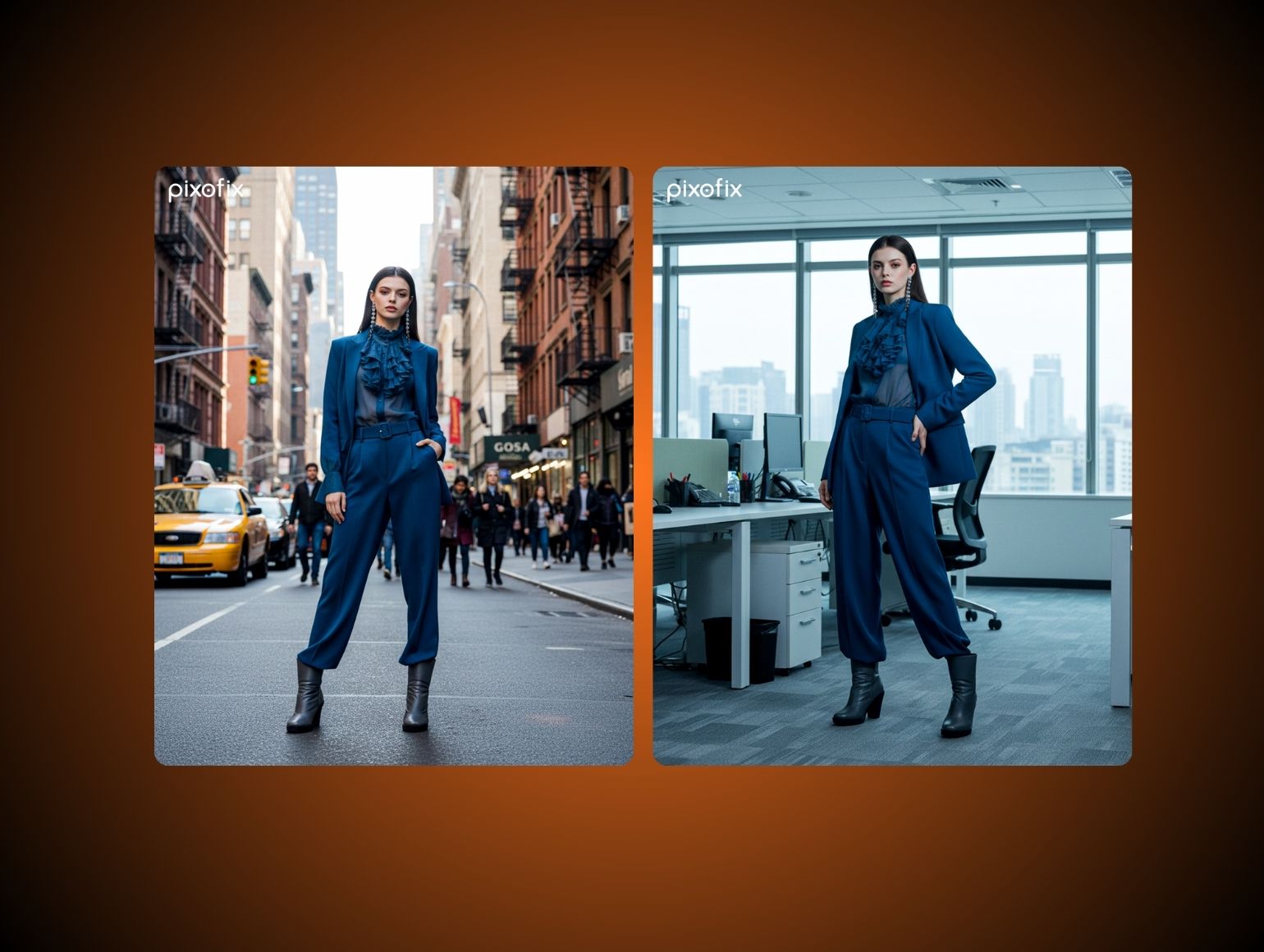
This is the specific problem we built our workflow around at Pixofix. When Fashion Nova needed to retouch 25,000-plus product images a month, we brought their turnaround down from a 48-hour baseline to a consistent 12 hours, cutting production time by 60 percent, by locking their color, garment, and finishing standards into documented SOPs before a single image entered the pipeline, then running every batch through two layers of human QA, technical accuracy first, brand alignment second. That structure, not raw speed alone, is what holds up when three drops land in the same week.
Our retouching starts at $0.85 per image with a 24 to 48 hour turnaround, backed by the same AI-plus-human model, and you can see the fuller breakdown of what that covers on our photo retouching page.
The Bottom Line
A Q4 retouching timeline isn't really about photography. It's about deciding, months ahead of the season, which dates are fixed and which ones are negotiable, and then holding to that split even when a colorway change or a last-minute campaign note tempts you to reopen a locked batch.
The brands that get through the crunch cleanly aren't the ones who shot the best images. They're the ones who briefed early enough, and specifically enough, that their retoucher never had to guess.



.png)
.png)
