.png)


Stable Diffusion AI: How Ecommerce Brands Use It to Create High-Converting Visuals
Why Stable Diffusion AI Matters for Ecommerce
Enhancing Visual Content Quality
First impressions come in pixels. When a product page loads, the imagery either invites a shopper in—or pushes them away. Stable Diffusion AI lifts the floor for visual quality. It generates high-res, stylized imagery that feels intentional and tailored, not templated or stock.
This matters because ecommerce brands aren’t just selling products. They’re selling vibes: chic, rugged, techy, natural. AI can be trained to match that signature aesthetic. Think shots with the right depth, color tone, and lighting — even before retouching. It’s not a shortcut. It’s a better raw starting point, especially when handed off to teams like Pixofix who finesse the final polish.
Speeding Up Product Photography Workflows
Set design. Lighting. Reshoots. Post-production delays. Every product launch stalls when creatives wait on photos. Stable Diffusion compresses this whole cycle.
With AI-generated renders or concept art, brands can go from sample to sales page before physical production wraps. It’s a game-changer for drops or preorders. Photo studios also use it to preview lighting setups, sketch background layouts, and model outfits — without calling in five people and renting gear.
Then, in the retouching phase, teams like Pixofix can layer in realism, keeping that AI-generated universe grounded in the brand’s reality.
Driving Conversion Through Better Imagery
Cool photos don’t just look better — they sell better. High-performance visuals create clarity and craving.
AI lets brands A/B test product shots faster, swap backgrounds to match campaigns, or even simulate real-world usage. All without re-shooting. The result? More relatable imagery. Fewer abandoned carts. Higher ROI per session.
And when AI-generated content is polished by consistent production partners like Pixofix, the output doesn’t just perform. It converts and looks on-brand. That’s the difference between one-time buyers and lifelong fans.
Understanding Stable Diffusion AI
Definition and Core Concepts
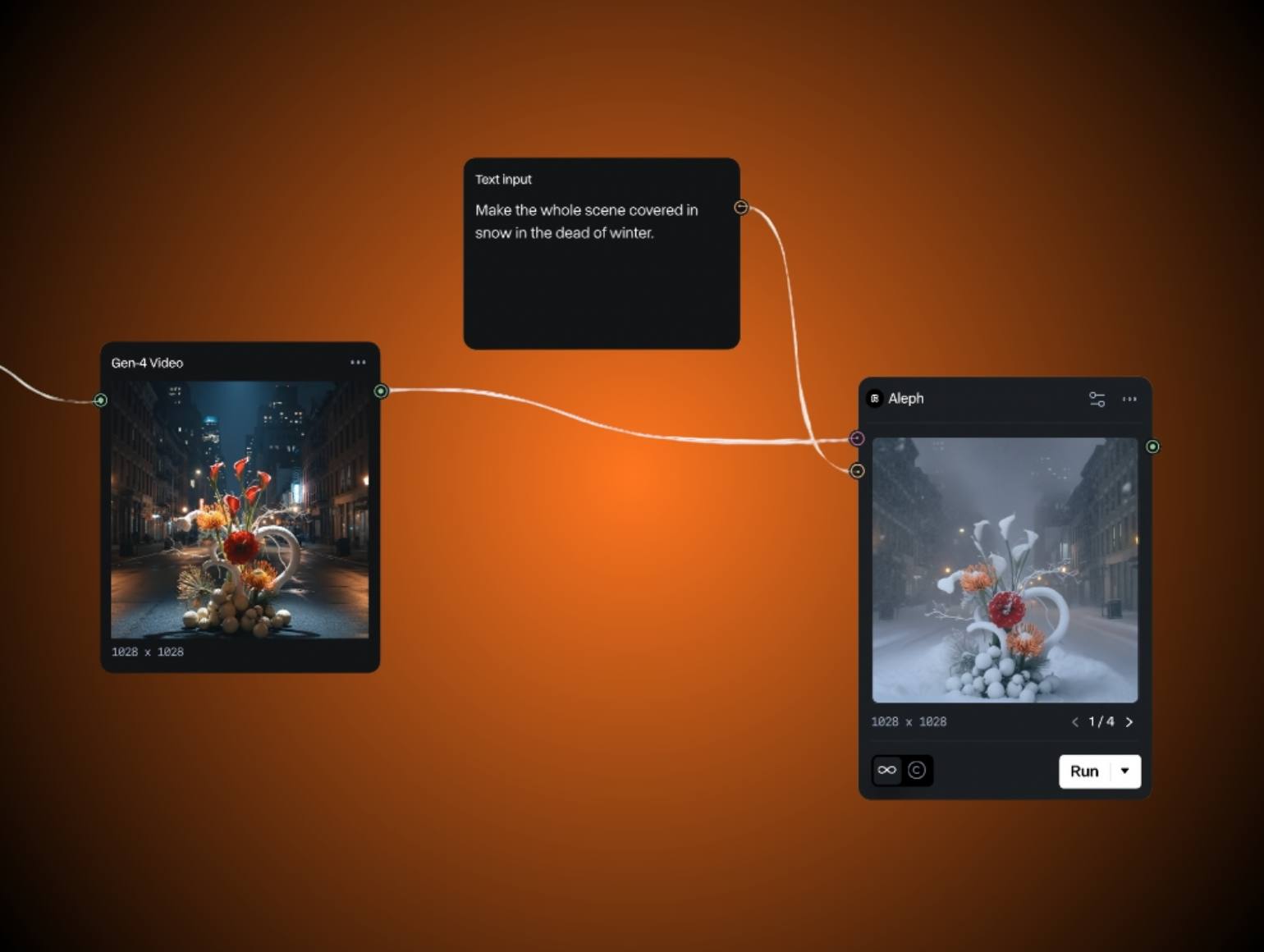
Stable Diffusion is a type of generative AI that turns text into images. You write a sentence — it produces a visual scene. But under the hood, it’s doing far more than drawing. It maps your idea onto noise, then subtracts randomness pixel by pixel until the image emerges.
Unlike older AI models that were limited to fixed data sets or prebuilt styles, Stable Diffusion runs locally. That means brands can fine-tune it on their specific aesthetic: color palettes, lighting kits, fabric movement, even mood.
How Stable Diffusion Works
It starts with text input — a prompt. Then, the model passes that prompt through a neural network trained on billions of images. Instead of guessing the image outright, it starts with pure noise, then refines it over multiple steps to resolve patterns, forms, and lighting.
This reverse-diffusion process mimics how a human might sketch lightly, then define edges, tones, and textures. The result feels designed — not just computed.
Every stage offers tweak points: prompt length, image size, guidance scale. The more control users have, the closer the image matches intent.
Key Features for Ecommerce Brands
- Custom model training: Brands can train Stable Diffusion on their own product shots to maintain visual consistency.
- Inpainting and editing: Isolate small changes like background swaps or color adjustments, instead of rebuilding the whole image.
- Batch generation: Create dozens of product lifestyle shots from a single prompt, speeding up campaigns.
- Transparent pipeline: Unlike black-box tools, you control the model and keep data local — ideal for sensitive product releases.
With that flexibility, creative teams can move faster without compromising brand feel. When it’s processed by experienced retouchers like Pixofix, the line between synthetic and hand-shot becomes indistinguishable.
Practical Framework for Using Stable Diffusion
Step-by-Step Guide to Generating Images
Writing Effective Prompts
Clarity in, quality out. Prompts should be specific in style and function. Instead of “a dress in studio lighting,” try “studio-lit model wearing navy wrap dress, beige backdrop, soft shadows, 50mm lens style.”
Add visual markers your brand uses — fabric names, textures, lighting terms. The closer the prompt matches brand language, the easier the output fits your visual identity.
Adjusting Settings for Optimal Results
Use the “CFG” scale to control how strictly the AI follows your prompt. Higher CFG means more accuracy, lower allows for more freedom and variation.
Play with image dimensions to simulate standard crops — hero shots vs thumbnails. Step count also matters: more steps yield detail-rich images, but increase render time.
For ecommerce, consider defaulting to square or vertical frames. They match most shop layouts and reduce downstream editing.
Downloading and Implementing Generated Images
Once you've got results, download in uncompressed PNG format. Push them into your editing pipeline — whether that’s Photoshop, Capture One, or Pixofix.
AI gets you 80% there. But for ecommerce-ready images, human touch still wins. That’s where teams like Pixofix apply global tone corrections, edge cleanup, and skin retouching so your catalog feels high-end, not uncanny.
Integrating Stable Diffusion in Fashion Photography
Use Cases in Fashion Marketing
Fashion is visual storytelling. Stable Diffusion lets teams create entire moodboards, campaign shots, or product images without a full shoot.
Want to preview a lookbook with concept outfits before samples arrive? Photoshop can't fake wardrobe fit like Stable Diffusion can. Need to match last season’s campaign vibe but without rebooking models or studios? AI fills the gap.
It also frees up budget. Save the full crew for hero content. Fill social or PDP needs with AI generated styles that are brand-matched and post-edit ready.
Workflow Example for Fashion Campaigns
- Creative team builds prompt sets for specific pieces and moods.
- AI generates concept visuals that align with the seasonal direction.
- Art directors review and select top outputs.
- Pixofix refines chosen images: smoothing geometry, correcting fabric sheen, aligning tones with other assets.
- Final images are delivered for social, PDPs, or ad creative.
This kind of hybrid production keeps style consistent, even across global teams or seasonal style shifts.
Ensuring Brand Consistency in AI-Generated Images
Style drift is real with generative AI. Without guardrails, your denim line might end up looking club-ready or ethereal. Brands need style guides not just for photography — but for prompts too.
Test AI outputs against your top-performing product shots. Create feedback loops. Save prompt variations that hit the mark.
Work with visual partners like Pixofix to run a final check. They manage tone harmony, background blending, and surface realism so every image feels handcrafted, even if it came from code.
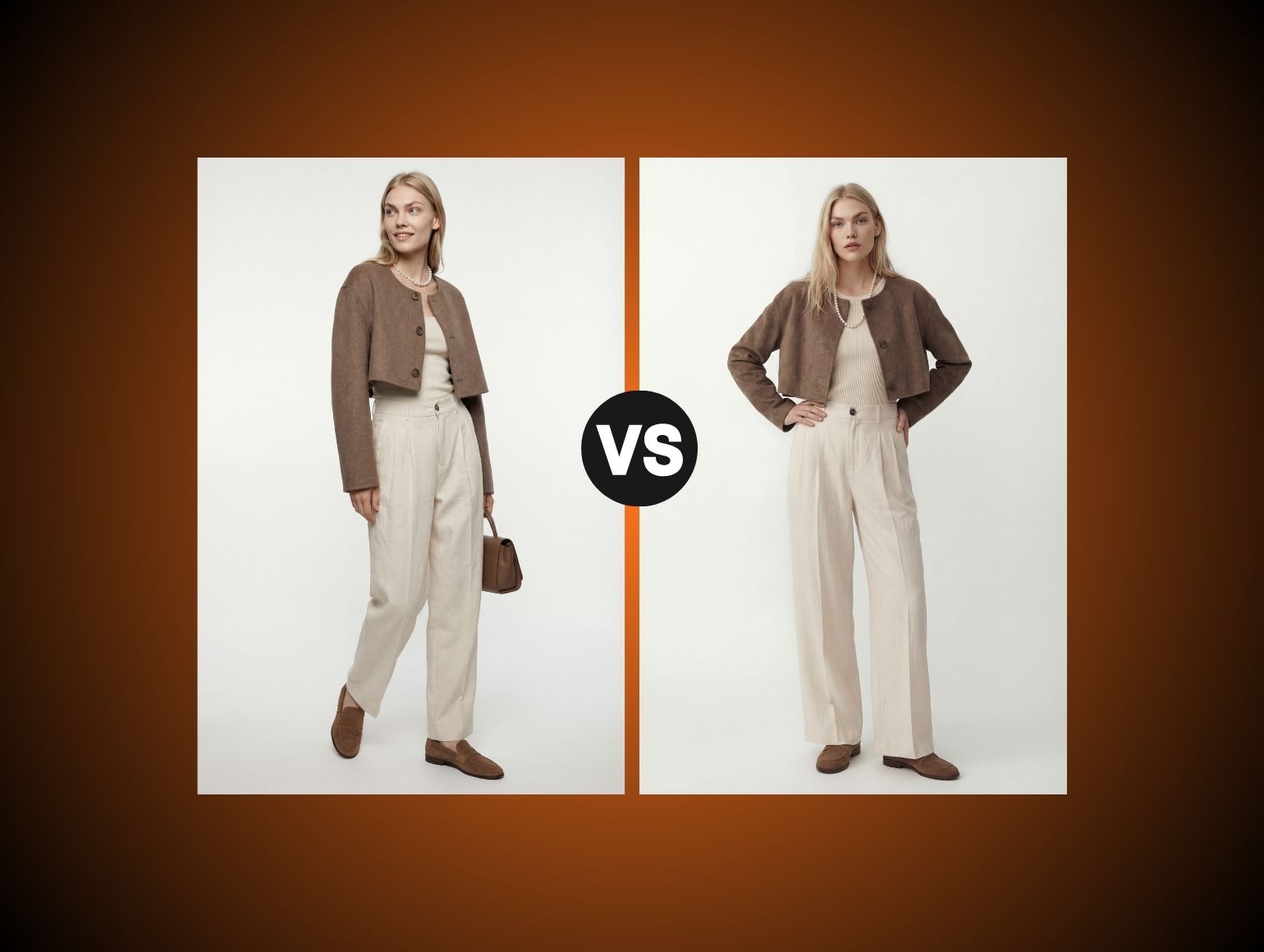
Before and After Comparisons
Measuring Impact on Product Listings
When AI-generated content replaces or supplements traditional shots, the difference isn’t just aesthetic — it’s measurable.
Faster page load, higher perceived value, less bounce. Use image A/B testing tools to track conversion differences. Run heatmaps to see where eyes land.
One brand saw a 14% increase in ATC rates after deploying AI-lifted product images with consistent lighting and backgrounds, curated through Pixofix’s retouching. Visuals weren’t just better. They led customers further down the funnel.
Visual Enhancements: Real-Life Examples
Raw AI images often feel two-dimensional or too polished. But with the right styling and retouching layer, they evolve into assets that blend right into a brand’s visual story.
Before: An AI-generated handbag image looked flat with shadows too soft and colors too saturated.
After: Pixofix layered in directional shadowing, reduced reflectivity, balanced tonality — the image was indistinguishable from an editorial shot.
Before: Clothing renders had fabric folds in awkward places.
After: Post-production corrected edge contouring and added appropriate creases and stretch tension to simulate wear.
The magic isn’t in faking it. It’s in finishing it. That’s what makes stable diffusion viable, not just impressive.
Common Mistakes to Avoid
Over-Reliance on AI Without Human Touch
The biggest trap with Stable Diffusion? Letting it run unchecked. AI is a powerful generator, not a finalizer. Left alone, you’ll get visuals that are technically impressive but emotionally flat.
AI misses subtle cues like material texture shifting in light, or how clothing tension changes on movement. It can’t replicate intentional imperfection — a wrinkle in the right place, a reflection that suggests depth.
That's where production partners like Pixofix elevate the imagery. By layering in realism, correcting anomalies, and bringing the brand aesthetic back into focus, they make sure the final asset feels lived-in, not lab-grown.
Neglecting Brand Voice in Prompts
If your brand feels luxe but your prompts say "fashionable woman in studio," the AI doesn’t know the distinction. Vague descriptors lead to generic imagery. Visuals that misrepresent your tone create disconnect and confusion.
Be specific. If your brand leans minimalist, include terms like "soft directional light," "cool tones," "natural fabric folds." For edgy streetwear, prompt with texture, mood, and scene — “overcast alley, gritty shadows, urban styling.”
Treat your prompts like ad copy. They should communicate more than items. They should tell a brand story.
Ignoring Image Quality Standards
AI can churn out dozens of images in minutes — but volume doesn't equal value. If the resolution is low, edges are blurry, or proportions feel off, you’re sending the wrong signal.
Ecommerce visuals are silent salespeople. Poor rendering erodes trust in seconds. Before anything lands on a site or social feed, it should pass a post-production filter.
At Pixofix, the standard is simple: if it’s not indistinguishable from human-shot, it's not ready. Their teams assess AI outputs for sharpness, lighting consistency, texture realism — and edit until they blend seamlessly with studio sets.
Optimization Tips for Best Results
Fine-Tuning Prompts for Better Output
The difference between a mediocre image and a market-ready one often starts with how the prompt is written. Think of prompts as mini-director’s notes: you’re setting the scene, tone, and focus.
Don’t just describe what’s in the image — define how it feels. Instead of "black boot on white background," try "close-up of matte black leather Chelsea boot, soft studio light, 45-degree camera angle, clean shadow drop."
Test small tweaks. Swapping “clean background” for “studio gradient backdrop” can shift the whole vibe. Save versions that perform well — they become part of your visual playbook.
Leveraging User Feedback for Improvements
Every image is data. Drop AI-generated visuals into your storefront, then watch how they perform. Do users click? Scroll? Buy? Are there recurring support questions about color accuracy or product look?
Use A/B testing tools to measure performance shifts. Run quick polls or heatmaps to track attention. If one style gets more engagement, decode the elements that worked — then bake them back into your prompt structure.
The smartest teams build a feedback loop not just between designer and AI, but between customer and creative. You're not just testing art. You're optimizing for intent.
Enhancing Images with Post-Editing Tools
AI doesn’t clean up after itself. Shadows might look melted, toes might be clipped, and small elements — like stitching or facial symmetry — can derail realism.
Post-editing tools step in here. Photoshop for structural refinement. Capture One for global tone curves. Pixofix for high-speed retouching that preserves brand tone and fixes outliers fast.
Don’t view generative AI as a final file. It's the sketch. Your editing stack turns it into a finished asset ready for product pages, ads, or print.
Key Metrics to Measure Success
Tracking Turnaround Time and Efficiency
Time is your most valuable resource. One of Stable Diffusion’s key wins is how it collapses the timeline between concept and asset. But you still need to track how much faster you're actually moving.
Start measuring:
- Average time from prompt input to usable image
- Time saved versus traditional shooting and editing
- Number of review rounds before final approval
If used right, AI should cut production days, not just hours. And when you plug into teams like Pixofix, that speed doesn’t cost you control. It scales consistent aesthetic across catalogs.
Analyzing Conversion Rates from Generated Images
High-quality images don’t just look good — they sell. Track conversion lift from AI-generated visuals by benchmarking against legacy photo sets.
Are product pages with AI-assisted images seeing better add-to-cart and checkout rates? Are they holding session time longer?
Combine this with click maps on promotional graphics and email campaigns. When the visuals resonate, performance follows. When they don’t — it’s back to prompt and retouch.
Assessing Quality Scores of AI Outputs
Not every image makes the cut. Create scoring models to check each output against internal benchmarks before it enters your pipeline.
Look at:
- Resolution and clarity (especially in zoom states)
- Lighting and contrast consistency
- Proportion accuracy and visual realism
- Brand alignment in tone, mood, and styling
Pixofix’s teams often audit AI batches before edits even begin — removing weak frames so time isn’t wasted fixing what should be tossed. The goal isn’t just quality images. It’s consistent ones that convert.
Collaborating with Team Members
Roles and Responsibilities in AI Image Creation
AI image workflows aren’t one-person shows. Designers prompt, art directors approve, editors refine, marketers deploy. Without clear roles, images get stuck in creative limbo.
Build a flow where each step has ownership:
- Prompt Crafting: Creative lead or visual strategist
- AI Sampling: Production designer or technical artist
- Quality Check: Post-production or brand teams
- Final Retouch: Internal editors or external teams like Pixofix
- Upload & Performance Monitoring: Ecommerce or marketing
When everyone knows their role, the AI doesn’t become a black hole — it becomes a shared visual engine.
Streamlining Communication and Feedback Loops
AI speeds things up, but bottlenecks still creep in — especially during approvals and revisions. Use shared tools like Figma, Frame.io, or Notion to drop image drafts, collect notes, and track what’s live.
Keep comment threads focused. Was the lighting off? Was a background too distracting? Make feedback actionable, not abstract.
Partners like Pixofix are used to high-volume pipelines. They can snap into collaborative systems, syncing with daily drops or weekly batch reviews. The smoother your creative loop, the faster your visuals go from prompt to publish.
Tools and Resources for Stable Diffusion Users
Recommended Software and Frameworks
Stable Diffusion can run locally or through platforms like AUTOMATIC1111 and ComfyUI. These give robust control for batch generation, custom model loading, and visual fine-tuning.
For creative direction, use PromptHero or Lexica to research prompt patterns and image styles. For asset management, tools like Adobe Bridge or Capture One help sort, tag, and edit finished visuals.
If you’re scaling up, consider hiring dedicated production partners. Services like Pixofix integrate seamlessly into these stacks — especially for large ecommerce or fashion brands managing hundreds of SKUs across campaigns.
Accessing Online Communities for Support
When you're deep in prompt loops or troubleshooting image artifacts, community knowledge is gold.
Check out:
- Reddit’s r/StableDiffusion for prompt engineering tips
- Discord groups like Stable Diffusion Artists for critique and workflow sharing
- Hugging Face forums for model updates and training insights
Templated prompts, image samples, and debugging threads are all there. But remember, creative direction still comes from your brand. Don’t just copy prompts that went viral. Build ones that convert for your store, your look, your audience.


.png)
.png)
