.png)


How to Create an AI Influencer Brand Ambassador for Fashion Ecommerce
Most teams thinking about how to create an AI influencer for fashion ecommerce are still in “cool one-off image” mode, not “always-on, owned brand face” mode. That mindset works for three exploratory shots in Midjourney. It collapses the moment you need 3,000 consistent images across colorways, channels, and seasons.
This guide focuses on building a reusable, production-grade AI brand ambassador that your studio can treat like a virtual model in the booking system: same face, same fit logic, same QC expectations, shoot after shoot.
How to Create an AI Influencer Strategy
You do not start with prompts. You start with a job description.
An AI brand ambassador is a tool inside your merchandising and brand system. If you skip the strategy, you will get impressive moodboard images that your studio cannot roll into catalog workflows, SLA adherence, or ROI per SKU.
Define the brand job to be done
Decide where this AI influencer sits in your ecosystem.
Is the job to replace paid influencer UGC on social, to standardize on-model catalog images, or to prototype styling for merchandisers before committing to physical shoots? Each use case implies different requirements for realism, repeatability, and legal scrutiny.
For ecommerce teams handling 500 to 10,000 SKUs per month, typical “jobs” include:
- Always-on fit reference for core categories
- Consistent campaign anchor across seasonal drops
- Localization variants of the same character by market
Write this like a brief. Define channels, formats, volume per month, and which existing post-production bottlenecks you expect to reduce.
Choose a persona your buyers trust
This is not about inventing a fantasy avatar. It is about creating a believable human that aligns with your sizing, style, and audience expectations.
Lock three things early:
- Demographic profile: age band, body type, height, key measurements.
- Lifestyle signal: how “fashion” versus “utility” they read at first glance.
- Market coverage: whether you need one AI ambassador or a family of virtual models to cover size inclusivity and regional representation.
Use current performance data. Check which real models and influencers drive higher conversion, lower returns, and better engagement. Build your AI influencer persona around those patterns, not internal tastes.
Set visual rules before generation
Your AI influencer only works at catalog scale if it lives inside a visual systems framework.
Define non negotiables before anyone opens Flux Pro, Midjourney, or Stable Diffusion:
- Lighting model: soft studio, hard editorial, or environmental.
- Camera conventions: focal length equivalents, angles per view (front, 45°, side, back).
- Skin treatment: realistic texture with visible pores, not plastic; acceptable retouching boundaries.
- Hair logic: default style, allowed variations, hair color consistency.
- Jewelry and accessories policy: when they appear, and when they must not, to avoid distracting highlights and AI jewelry artifacts.
Document this in a visual style guide and feed it into every prompt, LoRA training dataset, and QC checklist. The more precise your guardrails now, the less your team will fight color drift and identity shifts later.
How to Create an AI Influencer With Consistency
The main failure mode for AI brand ambassadors is inconsistency. The “same” character looks five years older in one batch, jawline different in another, or subtly different nose across campaigns.
You cannot fix that with better prompting alone. You fix it with reference discipline and model control.
Build a reference set first
Before training any LoRA or character embedding, create a curated reference set.
You want:
- 15 to 40 images of the same synthetic or cast reference face
- Clean, neutral lighting and minimal makeup
- A spread of angles: full face, three quarter, profile, chin slightly up and down
If you have rights cleared shots of a real model you want to loosely echo, tread carefully. Use them only as directional reference, not as direct training material, unless your legal team has explicit contractual permission for likeness training.
Store this reference set in your DAM, labelled as the “source of truth” for your AI influencer. Every prompt, LoRA, and output review should be checked against it.
Lock face, hair, and body traits
Technical control comes next. Your goal is a persistent character that survives across tools and seasons.
Options:
- LoRA training in Stable Diffusion style models to encode facial structure, hairline, and body proportions.
- Textual inversion or embeddings to create a unique token (for example,
@brand_ambassador_alpha) that reliably calls back your character. - Reference based generators like Flux Pro or Imagen 3 that let you pin facial identity while changing pose and outfit.
Whichever stack you use, test that your character survives across:
- Seated and standing poses
- Cropped and full figure compositions
- Tight beauty shots where skin texture and micro asymmetries matter
If your AI influencer cannot survive a tight headshot without morphing, it is not production ready.
Test across angles and lighting
Once the character is locked, push it hard before involving garments.
Stress tests:
- High key studio versus low key; cool versus warm white balance
- Close range 50 mm equivalent versus 85 mm and 35 mm visual fields
- Side lighting that exposes bone structure and ear shape
This is where AI weaknesses show. You will see jawlines fatten or shrink, irises change color, and hairlines drift.
Document failure conditions. For example, “character breaks under backlit silhouettes” or “hairline artifacts under harsh top light”. Bake these into your production rules. Do not ask the model to do what it clearly cannot do cleanly at scale.
How to Create an AI Influencer That Wears Real Garments
Once the character is stable, the real work begins: putting that face and body into accurate clothing representations without destroying fit, drape, or fabric fidelity.
This is where most “cool AI avatar” workflows fail when they collide with actual catalog production.
Start with clean product flats
Your garment source images dictate everything.
Best input for AI on model pipelines:
- Flat lay or ghost mannequin shots with consistent lighting
- Clean clipping paths and no harsh specular noise
- True color capture via calibrated Capture One sessions
Avoid wrinkled samples, pinned hacks, and mismatched color samples. AI will amplify those defects, not fix them.
Because ghost mannequin workflows are standard in fashion, remember that many generators hallucinate shoulders and necklines around mannequins poorly. Plan human retouch time to clean neck joins and armpit areas where fabric tension must look physically believable.
Composite on model looks accurately
There are two broad workflows:
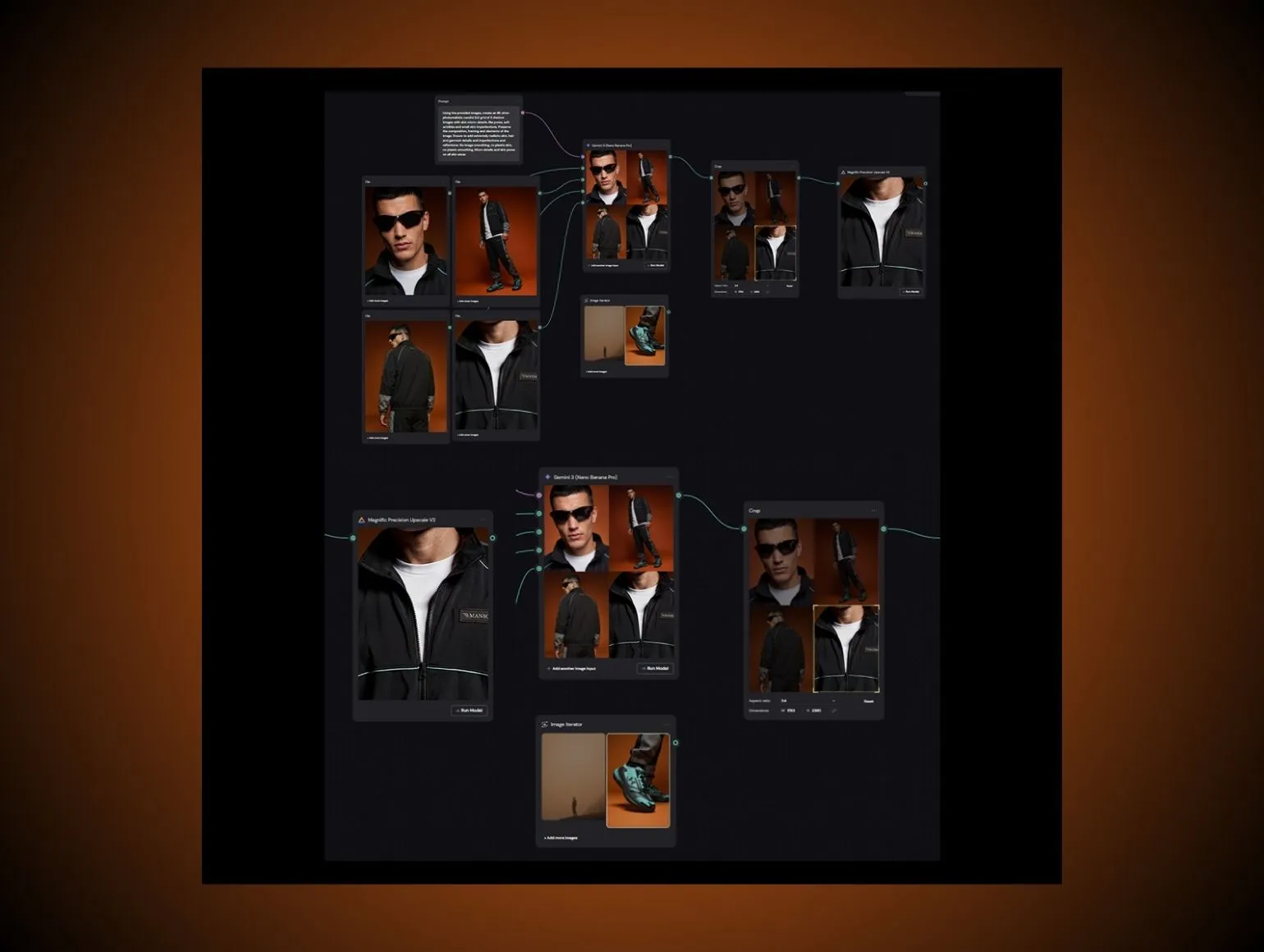
- Full generative replace: use generative tools to create the entire on model image from flat lay inputs, then refine in Photoshop.
- Hybrid composite: generate the model body and pose, then map the real garment onto it using texture mapping and manual retouch.
For catalog volume, the hybrid approach is usually safer. It lets you:
- Preserve true fabric pattern scale
- Maintain stitching details and logos
- Keep control over hem length and sleeve behavior across sizes
AI is weak at perfect hem alignment and can distort necklines when asked to “wrap” garments. Your team must expect manual fixing around collars, plackets, and shoulder seams.
Preserve fit, drape, and texture
Your AI influencer will only be trusted internally if merchandisers and fit teams believe what they see.
Mandatory checks:
- Drape direction respects gravity and pose.
- Tight garments compress realistically over joints, not smoothed into plastic.
- Knit textures do not repeat or smear on curves.
Predefine fit profiles per size. For example, if your brand’s size M tee should have a specific chest ease on the fit model, your AI ambassador should match that visual ease profile. This is where pure generative pipelines often mislead, slimming or stretching garments unrealistically to fit the pose.
How to Create an AI Influencer Workflow
You are not building a one-off “AI influencer shoot”. You are building a repeatable workflow that feeds into your existing SLAs and QC loops.
Generate campaign batches by use case
Segment generation by purpose, not by tool.
Typical streams:
- PDP core views: controlled poses, consistent framing, high color accuracy priority.
- Campaign hero images: more expressive poses, environmental context, looser retouching rules.
- Social and generative video: vertical crops, more movement, potential Runway Gen 4 or Kling clips with your AI ambassador.
Define prompts and presets tied to each stream. Do not reuse a “campaign hero” prompt for PDP. That is how you end up with dramatic lighting on what should be a clean, comparable product grid.
Edit for color, crop, and layout
Treat AI outputs as captures, not finals.
Post steps:
- Normalize exposure and color in batches to hit your standard Delta E tolerances for colorways.
- Enforce cropping rules: headroom, footroom, and relative scale of body within frame.
- Align composition with site templates so your AI influencer stands at consistent size on PLPs and PDPs.
AI tools often drift color on the same garment across different poses. Fixing that requires real retouching discipline, not another round of generation. This is where catalog scale breaks naive AI pipelines.
Route final checks through human QC
Here is the non negotiable reality. AI tools work well at 1 to 10 images, but they fail hard at catalog scale of 500 to 10,000 SKUs. You see lighting drift across batches, inconsistent color on the same style, and subtle garment distortion that only a trained eye spots. The only sustainable fix is AI creation paired with human QC that flags and corrects these issues before go live.
Set up QC loops that check:
- Identity: does this still look like the same AI influencer.
- Garment accuracy: neckline, hem, logo, print placement, sleeve length.
- Anatomy and hands: finger counts, wrist joints, shoulder symmetry.
At Pixofix, over 200 retouchers across the US, EU, and Asia run these checks on high volume AI model imagery so fashion brands can hit 24 to 48 hour SLAs on large batches without accepting plastic skin, broken fingers, or warped seams.
Why AI Influencer Programs Fail At Scale
Many teams think their AI influencer workflow works because they have a nice deck with 20 good images. The problems appear at image 200.
Catch lighting drift early
Generative tools do not naturally respect your lighting system across days.
Warning signs:
- Whites that move warmer or cooler across batches.
- Highlights switching sides because the model assumed a new key light position.
- Shadows that suddenly flatten when the prompt fails to mention contrast.
Fix by:
- Baking lighting cues into prompts in a rigid, templated way.
- Running batch color grading passes to normalize.
- Adding QC thresholds around acceptable variation.
If you treat AI outputs as swingy creative exploration each time, you will never keep PDP grids consistent.
Prevent facial identity changes
Identity drift is subtle. You do not notice it in isolation, only when two images sit side by side.
You may see:
- Nose bridge thickness change.
- Eye spacing widen or narrow.
- Jawlines sharpen in more “editorial” prompts.
Mitigation:
- Use a fixed token for your AI influencer that is always included.
- Maintain a “golden reference strip” of 8 to 12 shots that QC compares against every batch.
- Train LoRA updates sparingly rather than constantly retraining on new outputs, which compounds drift.
Eliminate garment distortion across SKUs
Garment distortion destroys trust.
Common issues:
- Waistbands bending like rubber around extreme poses.
- Button spacing warping on curved torsos.
- Plaid or stripe patterns misaligning at seams.
Do not accept “good enough” here. Your size guides and return rates depend on visual truth. Fix by combining generative base imagery with manual redraws and texture mapping overlays inside Photoshop. Use your retouchers as owners of garment integrity, not just blemish cleaners.
AI Influencer Production at Catalog Scale
Your experience of AI changes once you stop creating moodboard sets and start servicing weekly SKU drops.
Why 10 images is easy
At 10 images, you can:
- Prompt carefully and babysit every generation.
- Manually pick only the best 1 out of 20 outputs.
- Hand correct every weird hand or neckline curve.
You get a false sense of security. The tools look “production ready” because you have not hit real throughput pressure. Studio managers know this pattern from testing new photographers: portfolio looks great, first 50 look day exposes everything.
Why 10,000 images need review
At 10,000 images, issues scale in complex ways.
You face:
- Compounded color drift across dozens of sessions.
- Multiple operators writing prompts slightly differently.
- Batch outputs where a few percent of images have subtle but serious defects.
You cannot spot check your way out of this. You need process. That means automated preflight checks where possible, clear QC gates, and allocated human capacity to retouch and correct at volume. AI is the producer, not the final decision maker.
How Pixofix keeps output consistent
Hybrid production is the only durable approach at catalog volume.
At Pixofix, AI model pipelines ingest flat lay inputs and generate realistic on model images, then dedicated retouchers clean identity drift, fix garment edges, and align color. With more than 5 million images retouched and a 24 to 48 hour delivery SLA for clients running 500 to over 10,000 SKUs per month, the team can combine AI speed with human QC to hold catalog grade consistency.
The principle is simple. AI gives speed and pose range. Human QC and retouching deliver the reliability that ecommerce grids and brand teams expect.
How to Create an AI Influencer That Stays On Brand
Consistency is not just about the face. It is about how that character lives across trend cycles and channel mixes.
Align styling with seasonal drops
Treat your AI ambassador like a recurring campaign model.
For each season:
- Define hair and makeup tweaks that map to the creative direction, within your base persona rules.
- Set outfit styling rules per category so the same character can flex from tailored to athleisure without feeling like a different person.
- Coordinate background and environment choices with merchandising priorities.
Use your styling team to build lookbooks that specify which garments the AI influencer should wear together. Your AI tooling then executes those looks at scale instead of hallucinating random combinations.
Maintain tone across campaigns
Tone is where AI often slides off brand. One campaign looks aspirational, the next looks like glossy sci fi.
Guardrails:
- Lock a small set of facial expression presets: neutral, soft smile, confident. Avoid cartoonish grins that many generators favor.
- Define posing vocabulary: relaxed, grounded, no extreme or meme like gestures for core ecommerce.
- Keep generative video aligned with stills. If you use Runway Gen 4 or related tools, make sure movement style matches the still photography tone.
When you explore edgier creative treatments, do it as a clearly labelled capsule or collaboration concept, not as a random break in your main catalog.
Refresh without recreating the character
You will eventually want to refresh your AI influencer without discarding the persona.
Approaches:
- Hair evolution: cut, color nuance, or styling changes, trained as an additional LoRA layer on top of the base face.
- Aging gracefully: subtle adjustments in skin texture and styling over years, not overnight.
- Variant characters: sibling or friend characters that share enough DNA to feel like part of a universe, not a reset.
Keep the core facial landmarks and proportions stable. Treat modifications as additive layers, not a retrain from scratch that risks identity reset.
AI Influencer Vs Human Influencer
You are not choosing a belief system. You are choosing tools.
Both AI and human influencers have distinct strengths when you are managing large fashion catalogs and campaigns.
Compare cost and control
Human influencers carry appearance fees, usage windows, and often approvals on final usage. You also carry reshoot risk if samples change.
An AI influencer has higher upfront build cost, but marginal cost per image drops sharply after the system is in place. You gain control over timing, exclusivity, and brand alignment. There is no risk of your ambassador posting off brand content on personal channels the next day.
For core catalog and evergreen campaigns, that control often matters more than organic reach.
Compare speed and reuse
Human shoots take weeks to plan, and you can only reuse images within the constraints of original styling and samples on hand.
An AI influencer is available on demand. Need to reshoot a colorway that arrived late? Need to update an entire denim wall to match new washes? You can regenerate with updated garments in days, not weeks.
This speed compounds. Teams under pressure to shorten time from sample receipt to PDP live will see the clearest benefit here, especially once AI and retouching workflows are tuned to your SLAs.
Know when to use each
Use AI influencers for:
- High volume PDP coverage
- Localization variants where influencer logistics are impractical
- Long tail colorways and late sample arrivals
Use human influencers for:
- Community building and authentic storytelling
- Live events and content where spontaneity matters
- Co created collections where a real personality is the selling point
Many brands will run a hybrid model, with a known human face at the top of the funnel and an AI brand ambassador maintaining consistency across the mid and bottom funnel ecommerce experience.
Brand Safety, Disclosure, and Likeness
If your AI influencer strategy ignores legal and ethical guardrails, you are building a liability, not an asset.
Disclose AI use clearly
Regulators and platforms are moving toward explicit AI content disclosure.
Practical steps:
- Label AI generated or AI assisted images in PDP metadata and internal records.
- Use light, unobtrusive notes in help or about sections describing your use of virtual models or AI brand ambassadors if policy suggests.
- Keep internal documentation of which assets involved generative steps, for compliance and customer service reference.
Transparency builds trust. Trying to pass your AI influencer as a human will backfire when customers notice unusual repetition or uncanny details.
Avoid unauthorized likeness mimicry
Do not train on or prompt against real people’s names or unlicensed face datasets.
Rules:
- Avoid prompts like “in the style of [celebrity]” for identities.
- Exclude training datasets containing real models unless contracts explicitly grant likeness training rights.
- Run legal review on any external asset provider claims about “consent” in training sets.
Create your AI ambassador as an original persona. If it happens to remind customers of someone, that is inevitable, but your intent and process must be to avoid direct mimicry.
Set approval gates before publish
Your AI influencer outputs should clear the same or stricter approvals as human shoots.
Define:
- Legal checks on disclosure and likeness risk.
- Brand checks on representation, diversity, and potential cultural misreads.
- Technical checks on anatomy, garment fidelity, and color.
Automate what you can, but keep humans as the final gate. At large scale, even a small rate of problematic images can cause reputational damage if they slip through.
Mistakes When Creating an AI Influencer
Mistake: Treating AI as a moodboard toy
Consequence: You get great concept art that cannot be reproduced at scale or integrated into PDP pipelines.
Fix: Treat the AI influencer like a productized virtual model. Define the job to be done, build reference sets, lock visual rules, and validate that outputs can be generated on demand for thousands of SKUs with consistent quality.
Mistake: Ignoring QC loops
Consequence: Color drift, identity shifts, and garment distortion sneak into live catalogs, hurting conversion and trust.
Fix: Build QC loops with clear checklists for identity, garment accuracy, and anatomy, and assign trained reviewers. Use QC metrics to drive LoRA training updates, prompt templates, and retouch capacity planning.
Mistake: Constantly retraining the character
Consequence: Facial landmarks and body proportions slowly change, breaking continuity between campaigns.
Fix: Treat the base character as frozen. Add new LoRA layers for hair, styling, or subtle evolution, but do not overwrite the foundation. Maintain a golden reference strip to detect drift before it becomes visible on site.
Mistake: Letting every operator write prompts freely
Consequence: Lighting, posing, and styling bounce around between teams and days, wrecking grid consistency.
Fix: Standardize prompt templates per use case, including camera, lighting, and tone rules. Allow controlled variation only where it does not affect comparison on PDPs and PLPs.
Mistake: Overpromising on full automation
Consequence: Stakeholders expect zero human touch, but real production reveals quality gaps at scale.
Fix: Position AI as a production accelerator, not a full replacement for studio and retouching teams. Plan for human QC and correction at scale, especially on critical areas like hands, shoulders, and complex colorways.
Metrics To Track
If you are not measuring your AI influencer program with the same rigor as your studio, it will drift into art project territory.
Measure consistency and approval rate
Track:
- QC pass rate on first review: percentage of images that pass without correction. A mature pipeline should sit above 90 percent.
- Identity consistency score: percentage of images where reviewers do not flag facial drift.
- Color consistency across colorways and views via Delta E or similar metrics.
Use these to tune prompts, LoRA training, QC loops, and retouch resourcing. When approval rate drops, you know your system or operators changed something.
Track time saved per campaign
Benchmark before and after AI influencer rollout.
Key figures:
- Days from sample arrival to PDP live.
- Hours of photographer plus model plus studio time per look.
- Retouching hours per SKU.
Many teams see the largest time reduction in preproduction and reshoot avoidance. Once a flat lay is captured, your AI pipeline and retouching can iterate without booking talent again.
Watch conversion on product pages
Do not assume “more realistic” automatically means higher conversion.
Track:
- PDP conversion rate before and after AI influencer adoption, by category.
- Return rate changes for fit related reasons.
- Engagement metrics on AI driven campaign creatives.
Compare performance against similar products shot on real models. If AI imagery underperforms, treat that as feedback on styling, posing, or realism gaps, not as a failure of the concept.



.png)
.png)
