.png)


Ecommerce Photography Creative Brief Template: What High-Performing Fashion Brands Include That Most Brands Miss
Most fashion brands obsess over styling and mood boards, yet their ecommerce creative briefs read like vague campaign decks instead of production playbooks. The result is predictable: color drift, inconsistent shoulder shapes, confused vendors, and a studio schedule that collapses as soon as volume spikes.
High-performing teams treat the creative brief template as a control system for catalog scale, not a mood document. Generic fields like "Lighting: soft and flattering" or "Retouching: natural" collapse when three studios, two virtual model vendors, and a retouch team interpret them differently. At volume, "natural" becomes plastic skin under one setup, hyper-detailed pores in another, and oversmoothed faces that look synthetic even when they are not.
The template below gives you a field-by-field structure for ecommerce photography briefs. Each field includes a one-line annotation explaining what it controls, a weak example showing what most brands actually submit, and a production-ready example showing what the field looks like when it works. Fields marked with an asterisk are required for every batch. All others become essential as volume and vendor count grow.
For a full explanation of the operational logic behind each section, see our companion guide: How to Build Ecommerce Photography Briefs That Work at Scale.
The Creative Brief Template
Section 1: Business Objective
Field: Campaign or catalog type*
Defines whether this brief covers a PDP catalog, a lookbook, a marketplace refresh, or a paid social push. Each has different shot requirements, aspect ratios, and approval chains.
Most brands write: "Spring/Summer campaign."
Production-ready: "PDP catalog refresh for Spring/Summer, targeting .com and three wholesale partners. Lookbook is handled separately under brief SS-LB-02."
Field: Go-live date and hard deadline*
Separates aspirational timelines from binding ones. Production managers need to know which date triggers a reshoot vs an exception approval.
Most brands write: "ASAP, mid-April ideally."
Production-ready: "Site go-live: April 14. Retailer asset deadline: April 7. Any batch missing April 7 routes to wholesale exception queue, not reshoots."
Field: Merchandising priority and batch tier*
Without a priority hierarchy, studios treat all SKUs as equal and bottlenecks appear at exactly the wrong moment. Outerwear, embellished eveningwear, and reflective accessories cannot share the same timeline or handling rules as basic jersey tops.
Most brands write: "All styles are important."
Production-ready: "P0 (launch-critical): denim 12-pack and hero knit colorways. P1 (in-season core): all other tops and bottoms. P2 (evergreen): accessories and basics. P0 batches must clear QC before P1 shoots begin."
Field: Channel mix and required derivatives*
Each channel has different specs. A brief that ignores this forces reactive rework after delivery and drives marketplace rejections, misaligned crops on mobile PDPs, and poor performance in paid placements.
Most brands write: "Website and social."
Production-ready: "Primary: .com PDP (2000x2500px, JPEG). Secondary: Amazon (2000x2000px, white background, JPEG). Social crops: 1:1 and 4:5 at 1080px. Retail display: provided separately as layered PSD."
Section 2: Shot List
Field: Required views per product type*
A shot list that lives outside the brief causes version drift. Embedding it here means every vendor works from the same document.
Most brands write: "Front and back, plus detail shots where relevant."
Production-ready:
Tops and dresses: Front, back, 45-degree side, neckline detail, hem detail
Outerwear: Front, back, collar detail, lining exposure, closure close-up
Denim: Front, back, pocket detail, waistband close-up, ankle break shot
Accessories: Hero flat lay, 3/4 angle, hardware detail, interior/lining shot
Field: Capture mode per SKU*
Mixing ghost mannequin, AI model shots, flat lay, and in-studio work without flagging it per SKU creates routing errors and color consistency problems.
Most brands write: "We use ghost mannequin and some AI."
Production-ready: "Ghost mannequin: all outerwear and structured tops (list attached). AI Model Shots from flat lay: jersey knits and basics (see flat lay spec in Section 4). In-studio on-model: hero looks only (12 styles flagged in SKU list). Flat lay only: scarves, belts, small leather goods."
Field: Ghost mannequin behavior rules
Ghost mannequin problems are the single most common cause of reshoots in apparel catalogs. Writing the rules once prevents hundreds of corrections.
Most brands write: "Standard ghost mannequin."
Production-ready: "Shoulder slope must match garment pattern grade, no artificial padding. Neckline: show internal label only when sewn in, no digital collar reshaping. Armhole must read as clean finish, not a rough clip. No artificial tuck at side seams. Back pockets on denim must not distort from liquify. See reference images GhM-01 through GhM-08 in shared folder."
Field: Generative video requirements
AI-generated movement clips require separate direction and are often omitted from briefs until post-production, which delays launch.
Most brands write: (left blank)
Production-ready: "5 to 8 second movement loops required for the 12 hero looks only. Movement: walking stride, natural swing, no jump or spin. Output: MP4, 1080x1350px, no audio. Deliver alongside PDP stills as a batch."
Section 3: Model and Styling Direction
Field: Pose library references*
Pose direction that relies on adjectives produces different results from every photographer and AI operator. Pose codes that link to a reference board eliminate interpretation.
Most brands write: "Natural, confident poses. Model should look approachable."
Production-ready: "Core pose library: codes P01 through P12 linked in reference board [URL]. Front view default: P03 (slight weight shift, hands relaxed at sides). Back view: P07 (straight, no hip pop). Detail shots: P11 (hands framing garment feature). No crossed arms. No hands in pockets for outerwear (obscures silhouette)."
Field: Expression and gaze rules
Without a defined range, expression varies across batches and colorways, which reads as inconsistency at catalog scale.
Most brands write: "Friendly, approachable. No big smiles."
Production-ready: "Neutral to soft smile range only. No teeth. Gaze: direct to camera for front views, off-camera (camera left) for 45-degree and back views. Head tilt: maximum 5 degrees. No squint. Reference: expression band EX-02 in shared folder."
Field: Grooming standards
Grooming notes protect consistency across shoot days and are especially important when mixing in-studio and AI-generated model shots.
Most brands write: "Hair and makeup should look clean and polished."
Production-ready: "Hair: tucked behind ears on neckline detail shots to expose collar. No hair over shoulders for back views. No flyaways above crown line. Jewelry: fine gold chain allowed, no statement pieces unless flagged as hero styling. Nails: nude or clear only. No body lotion sheen visible on arms."
Field: AI or virtual model parameters
Without documented model references and known failure patterns, AI operators produce inconsistent results and QC drowns in fixable defects.
Most brands write: (left blank, or "we use AI models sometimes")
Production-ready: "LoRA training set: Brand-Model-v3 (file path). Approved skin texture references: ST-04, ST-07, ST-12. Prohibited prompt patterns: any prompt containing 'detailed hands' or 'close fingers' produces extra digits at this LoRA version. Use handwrap correction pass on all shots below waist. Facial structure: archetype FM-02 only. Flag any output with asymmetric iris or eyelid before QC submission."
Section 4: Retouching and Color Standards
Field: Skin retouching rules*
"Natural" and "light retouch" mean something different to every retoucher. Zone-level instructions with numeric references remove interpretation from the process.
Most brands write: "Keep it natural. Light retouching only. No heavy airbrushing."
Production-ready: "Frequency separation at radius 40 to 60px. No global limb blur. Skin texture must remain visible at 200% zoom. No smoothing of structural bone, jaw, or collarbone. Temporary blemishes: remove. Permanent features (scars, birthmarks, freckles): preserve unless flagged per talent contract. No skin lightening or darkening beyond exposure correction."
Field: Garment retouching rules*
Garment retouch instructions protect design integrity and prevent retouchers from removing intentional construction details.
Most brands write: "Clean up any wrinkles or lint."
Production-ready: "Remove: hanger dents, steam marks, random lint, stray threads. Preserve: construction folds at natural bend points (elbows, knees, waist), intentional texture (crinkle fabric, washed denim, bouclé knit), topstitching detail near seams. Do not liquify garment silhouette. Do not remove design pleats. Refer to tech pack for construction intent on structured pieces."
Field: Jewelry and hardware retouching rules
Jewelry requires a different approach from garments and must be specified separately to avoid over-cleaning or destructive reconstruction.
Most brands write: "Make jewelry look clean and sparkly."
Production-ready: "Clean specular highlights: yes, remove duplicate catch lights and stray flare. Full reconstruction: required only when more than 30% of surface is obscured by shadow or overexposure. Chain links must retain individual definition. No cloning across engraved surfaces. Stones: color match to product code, not to ambient studio light."
Field: Background and shadow treatment*
Background instructions prevent arbitrary choices that produce inconsistent results across vendors and studios.
Most brands write: "White background, clean."
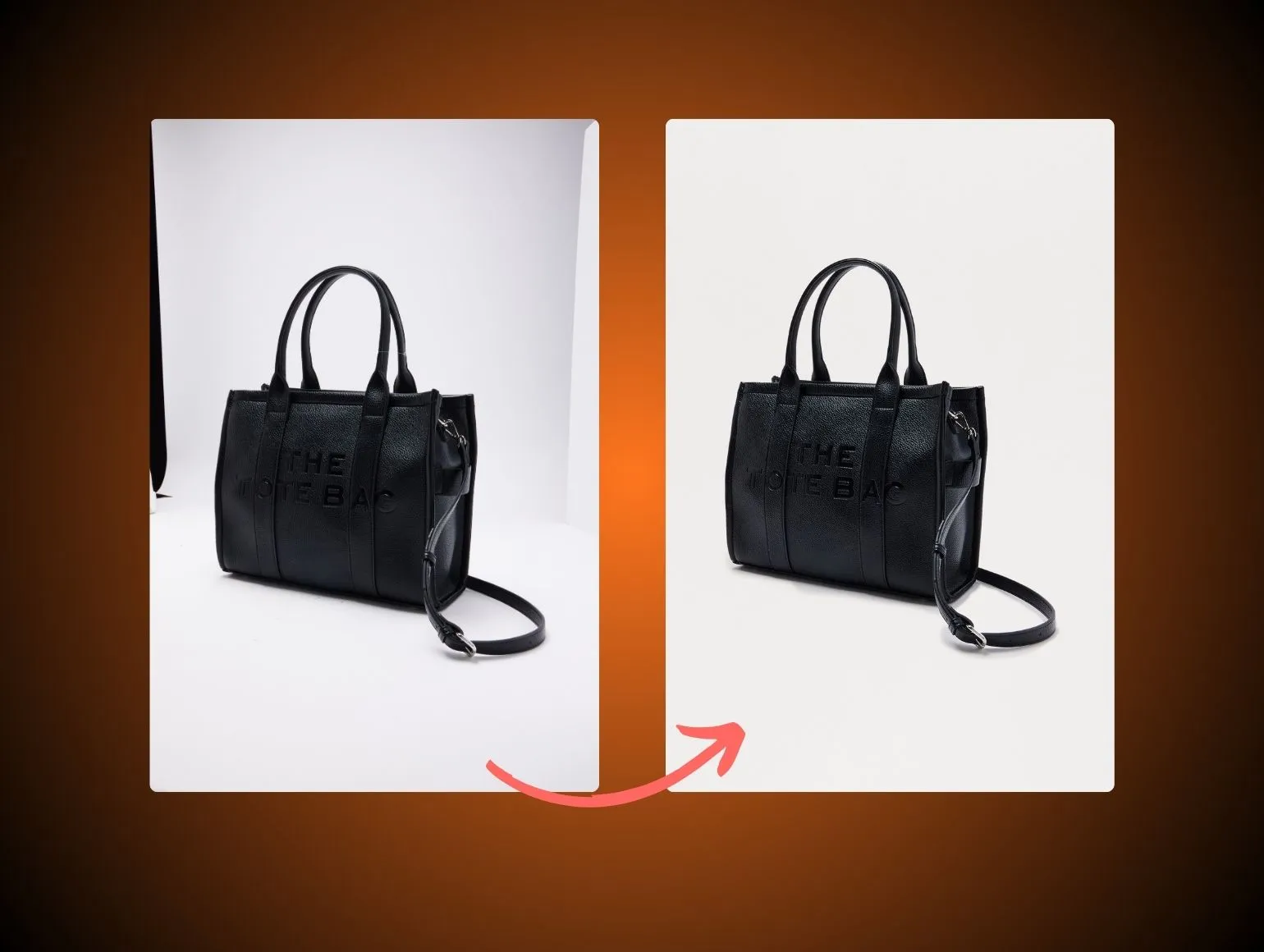
Production-ready: "Pure white (#FFFFFF) for all PDP and marketplace assets. Maintain natural drop shadow for footwear and bags (shadow opacity: 15 to 25%). No cast shadows on apparel. Ghost mannequin base: remove visible stand artifacts, retain neck and armhole geometry. For AI Model Shots: composite on white only, no lifestyle or environmental backgrounds unless flagged as P0 hero."
Field: Color hierarchy and master references*
Without a defined hierarchy, every vendor and retoucher makes local color decisions that accumulate into catalog-wide drift across colorways and seasons.
Most brands write: "Colors should match the actual product as closely as possible."
Production-ready: "Priority 1: Pantone lab values from tech pack. Priority 2: Studio color checker card captured at shoot start. Priority 3: approved legacy PDP images for existing carry-over styles. ICC profile: sRGB IEC61966-2.1 for all web outputs. Capture One base style: Brand-SS25-v2 (file path). Any colorway requiring more than 3 manual overrides in PIM flags for supervisor review before delivery."
Field: Lighting diagrams and white balance policy*
Lighting instructions without diagrams are interpreted differently by every photographer. Diagrams are specifications, not references.
Most brands write: "Soft, flattering light. Clean and bright."
Production-ready: "Primary setup: large softbox camera left at 45 degrees (key), silver reflector camera right (fill at 1:3 ratio), 4x6 scrim behind subject (rim separation). White balance: 5500K fixed, no auto WB. Specialty setups: see outerwear module (OW-LIGHT-01) and knitwear module (KN-LIGHT-02). Lighting transitions between product groups must be recalibrated and a new color checker card captured before continuing."
Section 5: Edge Cases and Exceptions
Field: Flagged materials and finishes
Edge cases that are not declared upfront become the most expensive problems in post-production. This field forces teams to surface them before shooting begins. AI tools often hallucinate reflections, fill sheer gaps, or correct folds that are design features. If the brief does not flag these as protected, AI output becomes believable but inaccurate, and human retouch becomes a rescue operation.
Most brands write: (left blank)
Production-ready: "Sheer panels on SKUs ending in -SH: must not reveal undergarments in any shot. Stylist to layer seamless nude liner, not to be digitally removed. Patent leather SKUs (PL-series): studio gear reflection is a known issue, use dulling spray, flag any unresolvable reflection for specialist retouch. Dark sequin styles (DS-series): base lighting recipe overexposes; use modified low-key setup DS-LIGHT-01. Mirrored hardware: do not clone or reconstruct reflections digitally, capture must be clean."
Field: AI content rules and regional restrictions
Synthetic content rules vary by market and are increasingly regulated. Capturing them in the brief ensures correct routing before assets are tagged or published.
Most brands write: (left blank)
Production-ready: "AI-generated or AI-assisted images must be tagged with internal metadata flag AI:TRUE before DAM ingestion. EU market assets: synthetic face disclosure label required per applicable regulation. Do not use AI Model Shots for children's sizing, intimates, or swimwear categories. Markets where AI model use is restricted: list in Appendix A."
Section 6: Approval Chain and SLAs
Field: Visual approval owner by category*
Informal approvals become the slowest part of the pipeline at scale. Naming the owner in the brief makes SLA tracking possible.
Most brands write: "Send to creative team for review."
Production-ready: "Denim and tops: Creative Director (name). Outerwear and tailoring: Senior Designer (name). Accessories: Merchandising Lead (name). Backup approver for all categories when primary is unavailable: Production Manager (name)."
Field: Technical approval owner*
Color, file specs, and QC sign-off often have a different owner than visual creative approval. Separating them prevents both parties from becoming a bottleneck for the other.
Most brands write: (left blank)
Production-ready: "Color and ICC compliance: Digital Operations Lead (name). File specs and DAM ingestion: Production Coordinator (name). QC first-pass: Pixofix QC Lead per batch manifest."
Field: SLA by pipeline stage*
SLAs that live only in project management tools are invisible to studio teams and vendors. They belong in the brief itself.
Most brands write: (left blank)
Production-ready: "Brief to sample arrival: 3 business days. Sample to first preview: 24 hours. First preview to creative approval: 8 business hours. Approved to final delivery: 24 hours for standard catalog, 48 hours for ghost mannequin and AI Model Shot batches. Approval overdue by more than 4 hours: auto-escalate to Production Manager."
Field: QC acceptance criteria per shot type*
Acceptance criteria that can be verified remove subjectivity from QC and make rejection decisions defensible. When success is defined on paper, AI Model Shots and human retouch passes can be evaluated against the same standard, and creative preference stops driving endless change requests.
Most brands write: "Images should look good and on-brand."
Production-ready: "Jeans PDP front: waistband level, fly aligned to centerline, no artificial side-seam tuck, back pockets undistorted. Outerwear front: shoulder slope matches tech pack, collar lies flat, no shoulder padding artifact, lining not visible unless intentionally shown. AI Model Shots: no shoulder distortion beyond ghost mannequin baseline, hands must pass at 100% zoom, no extra or fused fingers, hemline must match flat lay geometry within 5mm equivalent at standard viewing size. Rejection threshold: batches with more than 5% non-conforming images are returned for full re-pass, not individual file fixes."
Field: Reshoot and exception decision tree
Without a named decision maker, batches stall when QC flags a problem.
Most brands write: (left blank)
Production-ready: "If batch fails QC: Production Manager reviews within 2 hours. Decision options: (a) reshoot, (b) re-render with revised prompts, (c) exception approval for minor non-conformance. Exception approval requires sign-off from Creative Director and notation in batch manifest. Reshoots are re-briefed with updated exception notes before re-entry to queue."
Section 7: File Naming and Delivery
Field: File naming schema per channel*
Inconsistent file naming causes DAM ingestion errors and forces manual renaming that delays go-live.
Most brands write: "Standard naming, talk to our digital team."
Production-ready:
.com PDP master: BRAND_CAT_SKU_COLOR_VIEW_v01.jpg
Amazon: ASIN_VIEW_v01.jpg
Social crop 1:1: BRAND_SKU_COLOR_1x1_v01.jpg
Example: BRD_TOPS_JKT0042_NAV_FRONT_v01.jpg
Field: Required derivatives per asset*
Defining derivatives in the brief means they are produced in the same pass, not chased down after delivery.
Most brands write: "We'll let you know if we need other sizes."
Production-ready: "Per SKU: master file (TIFF, full resolution), PDP JPEG (2000x2500px, sRGB), zoom JPEG (4000x5000px, sRGB), thumbnail (400x500px, sRGB), marketplace square (2000x2000px, white background, sRGB). Social crops produced from hero looks only (12 styles, flagged in SKU list)."
Field: Delivery packaging and DAM requirements*
Folder structure and metadata requirements that are not in the brief are communicated late and create ingestion delays.
Most brands write: "Deliver via WeTransfer or our FTP."
Production-ready: "Deliver via [FTP path] in folder hierarchy: /SEASON/CATEGORY/SKU/CHANNEL/. Metadata required: SKU, colorway, view, capture mode (studio/AI/flat lay), AI flag (Y/N), approval status. PIM-ready CSV required with every batch. DAM ingestion contact: (name and email). Flag any batch with AI:TRUE assets separately before transfer."
What Good Looks Like vs What Most Brands Send
The table below shows the most common brief failures at catalog scale and what the production-ready version looks like instead. These are drawn from real brief reviews conducted during Pixofix onboarding across brands shipping between 500 and 10,000 SKUs per month.
Using This Template in an AI-Assisted Production Workflow
If your pipeline includes AI Model Shots generated from flat lays, Stable Diffusion-based retouching passes, or generative video, the template above supports those workflows with no structural changes. The key additions are:
In Section 3: Document your LoRA training references, approved archetypes, and known failure patterns before any AI operator touches a batch. This is the single highest-leverage brief field for AI quality control.
In Section 4: AI-generated assets must pass the same color and garment retouching standards as in-studio captures. Brief them identically and route through the same QC checkpoints.
In Section 5: Flag AI content rules and regional restrictions upfront. Retro-tagging assets after delivery is slower and error-prone.
In Section 6: Set a drift threshold in your QC acceptance criteria. A practical starting point: if more than 5% of AI Model Shots in a batch show shoulder distortion or hand anomalies, revise the prompts or LoRA settings and rerun the batch rather than correcting individual files.
AI accelerates volume steps well for batches up to around 50 hero images. At 500 to 10,000 SKUs, human QC loops are not optional. Lighting, color, garment proportions, and fabric behavior must stay stable across the catalog, which requires the structured checkpoints this template defines. Pixofix processes more than 5 million ecommerce images per year under a 24 to 48 hour SLA, pairing AI-accelerated volume steps with human QC loops so catalogs stay visually stable at scale. For more on building those loops into your workflow, see AI in Post Production.
Brief Pre-Flight Checklist
Run this check before any batch moves into production. Ten minutes here prevents days of delay.
- Every SKU maps to a category in the shot list with defined views and a confirmed capture mode.
- All edge-case materials and finishes are flagged in Section 5 with SKU-level detail.
- Retouching and color instructions have been checked against marketplace and regional rules for every destination channel.
- Approval owners, SLAs, and backup contacts are confirmed and current.
- File naming schema and required derivatives match what the DAM ingestion team is expecting.
- AI content flags are set correctly for every market the batch will be published in.
Pixofix provides professional photo retouching, AI-generated ecommerce images, and catalog production services for high-volume brands. The team works with creative directors, creative operations leads, and digital production teams at brands shipping hundreds to thousands of SKUs per month. To see how Pixofix can reduce retouch costs and stabilize catalog quality at scale, book a demo.




.png)
.png)
