.png)


Visual consistency at scale: Why Fashion Ecommerce Brands lose Brand Identity as their SKU Count Grows and How to Prevent it
Fashion ecommerce teams often see conversion lift when they standardize model poses, framing, and lighting, then watch that gain erode once they ramp from a few hundred SKUs to a few thousand. The problem is not that the studio forgot how to shoot, it is that visual consistency at scale is a production system problem, not a creative taste problem.
You already know how to make a strong PDP. The hard part is making the ten thousandth PDP look like it came from the same brand as the tenth, under velocity pressure, across multiple studios, vendors, and AI tools. This article breaks down what actually fails as SKU volume climbs, why AI alone is structurally fragile at catalog scale, and how to design an AI plus human workflow that protects brand identity while you hit SLA and margin targets.
Why visual consistency at scale breaks
Visual consistency rarely collapses in a single shoot. It erodes in small increments across seasons, vendors, and tooling changes. By the time anyone notices, fixing it means reworking entire categories or reshooting key styles.
At 500 plus SKUs per month, you are no longer managing images. You are managing systems: capture, post, QC loops, and asset delivery. Any part of that system without hard constraints will drift visually, no matter how strong the original style guide was.
Where SKU growth exposes workflow gaps
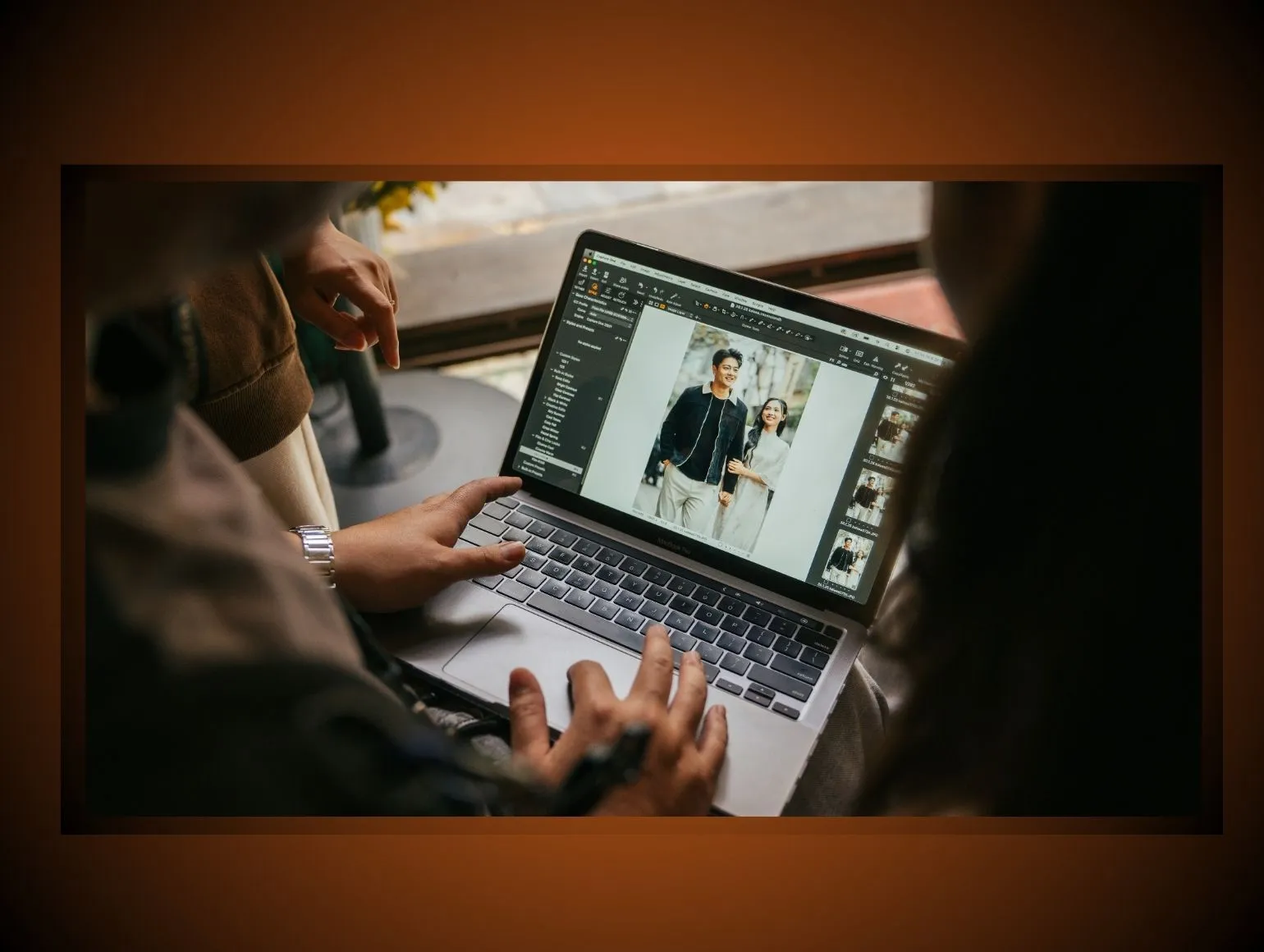
Volume exposes every hidden dependency. That assistant stylist who “just knows” how the denim should stack becomes a single point of failure once you run three parallel sets. That color specialist who manually dials HSL in Capture One does not scale when you add an additional vendor in another time zone.
As SKU counts grow, you add:
- More photographers and stylists
- More studios and capture rigs
- More retouchers and vendors
- More AI tools inserted into the pipeline
Each addition introduces personal interpretation. Without codified, testable constraints, you get micro-variations in pose, crop, white balance, and retouching. Those micro-variations are invisible on a single PDP but very visible on a PLP grid or colorways comparison.
How small variations become brand drift
Brand drift is rarely a catastrophic error. It is the cumulative effect of:
- White backgrounds that are 245, 245, 245 in one drop and 255, 255, 255 in the next
- Ghost mannequin necklines that sit 10 pixels higher per batch
- Slightly different lens choices or camera heights across sets
- Sharpening that is heavier on accessories than apparel
Each of these is acceptable if you look at them in isolation. Line up 40 tops from 6 deliveries on a single PLP and the combined effect is a cheapened aesthetic and inconsistent brand language.
Colorways make this even harsher. If your “ink navy” looks like three different SKUs across seasons, your brand looks unreliable. That is not a creative issue. It is a missed operational standard.
Why premium categories feel it first
Premium and luxury categories have less room for error. Customers scan details: fabric texture, stitching, shine control on leather, specular highlights on jewelry, micro-contrast in knitwear.
Two domains where drift is unforgiving:
- Jewelry and watches: AI tools and junior retouchers often mishandle reflections. You get impossible light sources, warped logos on bezels, and uneven metal tone from angle to angle. Even a tiny inconsistency in reflection or texture mapping instantly breaks the illusion of premium quality.
- Tailored apparel: Lapel roll, shoulder line, and pant break must be consistent. When ghost mannequin or virtual models are used without tight guardrails, shoulder distortions and warped waistlines creep in. One suit looks razor sharp, the next looks like a mid-range marketplace listing.
Premium brands sell trust as much as product. Visual inconsistency reads as operational chaos, which translates directly into lower perceived value and lower AOV.
Visual consistency at scale starts with standards
If your style guide exists only as a PDF in someone’s inbox, you do not have standards. You have opinions documented. At scale, standards must be defined in ways that are measurable and executable at speed.
Define lighting, color, and crop rules
Start with the three levers that affect perception fastest.
Lighting
- Fix angle and distance for each set type. Write it down as numbers, not “soft key from front left”.
- Lock light ratios for front, fill, and hair lights by product category.
- Define acceptable shadow density under feet or product with specific tolerance ranges.
Inconsistent lighting is the main source of “why does this look like a different brand” complaints, even when everything else is technically correct.
Color
- Use a standardized reference target at the start of each set, not just at the beginning of the day.
- Bake your calibration settings into Capture One styles and enforce them by catalog or season.
- Document target values for key house colors and materials, for example the Lab or RGB ranges that define your brand’s “camel” or “signature red”.
Crop
- Define pixel-based crop and horizon rules per product type. Center or off-center is not enough.
- Set explicit rules for headroom, fingertip distance to frame, and shoe-to-bottom margin.
- Bake ratios into templates in Photoshop and DAM ingest scripts, not just in a style doc.
If your team cannot fail a test image for violating a measurable rule, the standard is not actionable.
Turn style guides into shootable checklists
Photographers, stylists, and digitechs do not have time to interpret long-form style decks during production. They need short, binary checklists that map to each shot type.
Example for on-model tops, front view:
- Model’s head tilt: neutral to 5 degrees left
- Hands: at sides, fingers relaxed, no pocketing
- Hem: straight, no visible wrinkles at side seams
- Neckline: centered, no bra strap or label flash
- Jewelry: remove unless specified
For AI model shots generated from flat-lay, you need equivalent checklists for prompts and poses. For example:
- Virtual models: consistent body type ranges by category
- Pose library: 6 locked poses per category, mapped to your PDP layout
- Prompt elements: fixed phrases for lighting mood and camera angle
Checklists compress interpretation. They also make QC loops faster, since approvals are pass or fail against a known list, not “I feel this is off”.
Lock reference assets before production begins
Reference assets are your visual source of truth. Most brands treat them casually. At scale, that is a mistake.
Create a reference set per key category:
- 5 to 10 gold-standard images that define lighting, skin, fabric texture, and posing
- 1 “do not do this” set that shows common errors, for example plastic skin, over-retouched eyes, distorted fingers
- Export in the exact color space and output profile used for production
Lock these assets before each season or major refresh. Share them with every capture team, AI operator, and retoucher. Make comparison to reference a required step in both capture and post.
Visual consistency at scale needs batch control
Even with strong standards, inconsistency creeps in when batches are handled as isolated jobs instead of as pieces of a larger visual system. Batch control is how you keep logic across the catalog.
Group SKUs by fabric, fit, and finish
Processing images in random SKU order is convenient for operations. It is terrible for consistency.
Group by attributes that strongly affect visual treatment:
- Fabric: satin vs cotton vs leather vs denim
- Finish: matte vs gloss, heavy texture vs smooth
- Fit: skinny vs relaxed vs oversized
Why it matters:
- Color grading decisions for matte cotton do not translate directly to high-gloss satin.
- AI upscalers and generative fills behave differently on textured fabrics, creating inconsistent sharpness and false detail if handled casually.
- Silhouette definition and shadow rules should differ by fit type.
Treat each attribute cluster as a batch for both capture and post. This gives your teams local context so they make consistent micro-decisions without needing constant direction.
Use capture templates for every drop
Templates are the mechanical side of standards. They remove variance at the point where it is cheapest to control.
Set up in Capture One and in your tethered workflow:
- Camera presets per category: focal length, distance, camera height
- Lighting presets: per category luma and contrast curves
- Composition grids: horizon, crop guides, model placement
In post, use:
- PSD templates with locked guides for crop and bleed
- Action sets for recurring transforms, for example ghost mannequin shoulder align, neck joint merges, and clipping paths for standard angles
- Export recipes hard coded with color space, output sharpening, and compression settings
If your teams are recreating settings job by job or shot by shot, you are buying inconsistency.
Prevent drift across studios and vendors
The moment you split production across multiple studios, vendors, or regions, you introduce structural drift. Preventing it requires more than sending the same PDF.
Practices that reduce cross-site variance:
- Run a small pilot batch through every new studio or vendor. Compare outputs side by side in a single contact sheet, not per job. Fail aggressively early.
- Share the same reference assets and Capture One styles, not “similar” ones. Version control them and enforce updates.
- Schedule quarterly calibration cycles where each site reshoots a standardized test kit of SKUs under the same brief. Analyze differences in lighting and color numerically.
If you are using AI model shots or other virtual models alongside traditional capture, treat them as another “studio” you calibrate. Do not let model realism, skin tone, or lighting mood drift away from your physical shoots.
Visual consistency at scale depends on post-production
Capture alignment is necessary but insufficient. Brand identity often fails in post, where high-volume teams combine different retouching skill levels, offshore vendors, and multiple AI tools.
Standardize retouching decisions across teams
Retouching inconsistency looks like style but functions like noise. You need clear positions, then you must enforce them.
Define per category:
- Skin philosophy: how much texture to retain, how to treat under-eye shadows, how to handle body shaping requests
- Fabric rules: acceptable wrinkle removal, when to retain vs flatten, how to treat moiré
- Product cleaning: stain and dust removal tolerance, hardware fixes, logo cleanup
Then operationalize them:
- Create layered PSD examples with annotations for “before” and “after” on real images.
- Encode recurrent transforms into Photoshop actions, for example standardized frequency separation, dodge and burn intensity, and sharpening layers.
- Train vendors using these assets and require periodic tests.
Without codified retouching logic, two retouchers can take the same image and deliver outputs that feel like different brands.
Catch color drift before delivery
Color drift is one of the main reasons consistency fails at catalog scale. It often only shows up when variants and colorways are merchandised together.
Implement a color QC loop:
- Use calibrated monitors and enforce regular hardware calibration across all sites.
- For each key colorway, keep a digital reference swatch and, whenever possible, a physical fabric reference at the main studio.
- Build a small set of “canary” SKUs per category, with known target values, and run them through any new AI or post-processing pipeline before you trust the results.
Automate checks where possible:
- Use scripts to sample key LAB or RGB values on critical areas and flag deviations beyond a set delta across batches.
- Compare histograms across variants of the same SKU and alert when curves diverge beyond tolerance.
Human eyes sign off. Automated checks tell you where to look.
Build QC into every approval round
Many teams treat QC as a final gateway step. At volume, that guarantees rework and missed SLAs.
Build QC loops at three stages:
- First sample QC
- First 10 to 20 images from each batch are scrutinized against style guide and reference assets.
- Capture and retouch decisions are corrected here, not at the end.
- Batch in flight QC
- Random sample per hundred images processed.
- Focus on drift: crop, white balance, skin tone, reflections, ghost mannequin joins.
- Pre publish QC
- Category level review in PLP or PDP grid context.
- Check colorways alignment, model pose repetition, and brand level feel.
QC should be owned by a defined role with authority to stop a batch, not treated as side work for whoever is available that day.
Why AI alone fails at catalog scale
Single-image AI demos are impressive. They are also misleading for anyone running a real catalog.
The issue is not that AI tools like Midjourney, Flux Pro, Runway Gen 4, Imagen 3, or Stable Diffusion cannot produce strong outputs. The issue is that they are stochastic systems, tuned for creativity, battling a production environment that demands repeatability.
Fast on ten images, fragile on ten thousand
AI tools perform very well in low volumes. If you generate or retouch 1 to 10 images, you can iterate prompts, cherry-pick the best outputs, and manually fix what breaks.
At 500 to 10,000 SKUs per month, that model collapses. You see:
- Lighting drift across batches for identical categories and prompts
- Color inconsistency for the same colorways as models interpret “gold”, “rose”, “nude”, or “ink” differently during generation
- Garment distortion as AI interprets folds, hems, and seams differently image to image
AI systems optimize for variety unless heavily constrained with LoRA training, tight prompts, and fixed seeds. Even with those controls, minor upstream changes like crop or input lighting can swing the output. That is structurally incompatible with a catalog that must look like one coherent brand story.
Common failure modes in fashion retouching
Some error patterns are especially painful in fashion:
- Jewelry reflections: AI often produces physically impossible reflections and warped refractions on stones and metals. Small logo elements on watch faces or clasps are frequently smeared or invented. At thumbnail size, it passes. At zoom, it signals fabrication.
- Ghost mannequin anomalies: AI neck joint and ghost mannequin effects often give asymmetric shoulders, lumpy necklines, or missing collar depth. Because the viewer intuitively knows what a garment should look like, these distortions reduce perceived quality instantly.
- Plastic skin and hair: Under studio lighting, AI upscalers and skin smoothers often create plastic skin or over silky hair. Combined with over-sharpening, it produces a synthetic look that erodes premium perception.
- Hands and fingers: Generative fill and virtual models still struggle with fingers on poses like pockets, belt adjustments, or bag handles. You get impossible joints, inconsistent finger count in motion blur, or warped nail beds.
At low volume, a human can spot and fix these. At catalog scale, if you rely purely on AI without systematic human QC, these anomalies ship.
When automation creates more rework
Blind automation looks efficient on paper but often increases total cycle time.
Examples:
- Bulk background removal that clips fine details on lace or hair, forcing manual reconstruction later.
- Aggressive AI de noising or upscaling that removes fabric texture, prompting rework when merchandising teams flag the loss of perceived quality.
- Generative model swaps without reference control that produce misaligned poses relative to your PDP templates, so layouts have to be reconstructed.
Automation without structured checkpoints is just front loading errors. The rework cost often explodes under peak volume, exactly when your SLA adherence matters most.
A reality check that needs to be said explicitly: AI tools might look strong on 1 to 10 hero images, but at catalog scale, across 500 to 10,000 SKUs, they routinely break down with lighting drift, color inconsistency, and garment distortion unless a human QC layer is built in. Pixofix combines AI production speed with a 200 plus person retouching team across US, EU, and Asia, so those failure modes are caught and corrected before images hit the site.
The AI plus human fix
The right model is not “AI or humans”. It is AI for throughput and human expertise for consistency. Speed without control is just a faster path to rework.
Use AI for speed, humans for consistency
Decide explicitly what AI should do and what humans must own.
Good AI domains:
- Background removal and clipping paths, with rules for edge tolerance
- First pass ghost mannequin assembly using consistent templates
- Generating virtual models or AI model shots from flat-lay when body type, pose, and lighting are locked via LoRA training and prompt libraries
- Batch exposure and white balance normalization
Non negotiable human domains:
- Final decisions on skin, fabric texture, and hardware realism
- Correction of garment shape issues, especially in tailored or structured categories
- Jewelry, watches, and reflective accessories
- Color approval for key house colors and premium materials
Think of AI as the first operator in the production line. Human experts become line leads and inspectors, not pixel pushers of repetitive work.
Add human QC to every output batch
Human QC is not about distrusting AI. It is about protecting the catalog from compounding small errors.
Build a tiered QC model:
- Tier 1: QC retouchers scan for known AI failure modes. They know where hands, collars, and reflections usually break.
- Tier 2: Senior retouchers or art directors spot check category level batches for brand level issues like pose fatigue, mood drift, or over processing.
- Tier 3: Ecommerce or creative ops sign off at PLP or collection view, not on single images.
For teams that run AI model shots from flat-lay inputs, this tiering is essential. The speed gain is significant, but only if you detect when AI tries to “improve” garment fit, fabric drape, or neckline shape in ways that misrepresent the product. Pixofix runs human QC on every AI model shots batch while still keeping 24 to 48 hour delivery SLAs on standard catalog work, which is the balance you should be aiming for.
Keep the brand look stable across SKUs
Consistency is a multi-batch, multi-season challenge. Your AI plus human system needs to remember what your brand looked like last season and last week, not just what is in today’s brief.
Practical approaches:
- Maintain a brand look library of approved model shots, product details, and PLP grids. Use this library as reference for each new shoot and each AI model iteration.
- Version your LoRA training and generative presets. When you adjust virtual model skin tone or lighting style, run side-by-side tests against old and new references.
- Rotate a small group of senior retouchers or art directors across vendors and internal teams so they carry visual memory and enforce continuity.
The goal is that a customer scrolling between seasons feels evolution, not randomness.
Visual consistency at scale and vendor capacity
Many vendors and internal teams can handle 100 to 200 SKUs per month well. The system strains when you hit four digit monthly volume while maintaining strict SLA adherence.
Match capacity to 500 to 10,000 plus SKUs
Capacity is more than total headcount. It is about elastic throughput and process discipline.
Questions to ask any internal team or partner:
- How do you ramp from baseline volume to peak without compromising QC ratio per image
- What is your maximum concurrent batch handling without overlapping style decisions
- How many retouchers and QC staff are dedicated to my brand vs shared pools
Distributed teams are an advantage only if standards and QC tools are synchronized. A studio with 50 inconsistent retouchers is less useful than a studio with 10 calibrated ones.
Pixofix retouchers have processed over 5 million fashion and ecommerce images across global clients, which matters when you push into the 10,000 plus SKUs per month band and need predictable consistency instead of constant firefighting.
Protect SLAs during peak catalog bursts
Seasonal drops, sale events, and re-platforming phases compress timelines. This is when visual inconsistency usually spikes, as teams relax QC in order to hit launch dates.
To protect both SLA and visual consistency:
- Pre allocate surge capacity weeks in advance. Do not wait until peak week to secure extra retouching or AI resources.
- Freeze non essential creative experiments near peak to reduce variable complexity. Stick to known templates.
- Add an intermediate QC sample at mid batch specifically during peak so any drift is corrected while enough time remains.
Late fixes are the real SLA killers. A small early QC investment keeps you from discovering inconsistency 24 hours before go live.
Reduce bottlenecks with distributed retouching
Geographically distributed retouching can remove post-production bottlenecks if it is orchestrated with discipline.
Key requirements:
- Shared tooling and color management. Everyone must work in the same color spaces, monitor calibration routines, and software stack, for example Photoshop and Capture One versions.
- Centralized style guide and reference asset management. Use a single source of truth DAM, not email attachments.
- Time zone aware scheduling. Route batches so that QC loops overlap working hours and do not introduce multi day ping pong.
With 200 plus retouchers across US, EU, and Asia, Pixofix can move batches to where capacity exists while still feeding one unified QC pipeline. That is a model to emulate if you want distributed speed without distributed inconsistency.
Metrics that protect brand identity
If you do not measure consistency, you will only see the problem when merchandising or customers complain. The right KPIs make drift visible early.
Track rework rate and reshoot rate
Rework and reshoots are where margin and time disappear.
Track:
- Rework rate per batch: percentage of images requiring non trivial post delivery edits. Split by cause, for example color, crop, garment distortion, AI artifact.
- Reshoot rate per category: count of SKUs that needed capture redo because post could not fix the issue acceptably.
Targets depend on your complexity, but as a directional benchmark:
- Aim for rework under 5 percent for standard catalog images and under 10 percent for complex categories like jewelry or tailored suits.
- Keep reshoots in the low single digits per thousand SKUs. Anything higher signals systemic capture or AI generation issues.
Lower rework and reshoot rates translate directly into higher ROI per SKU and shorter time from shoot to live.
Measure color variance across batches
Color consistency is measurable, not just “looks off”.
For each critical colorway:
- Sample LAB or RGB values in defined zones on multiple SKUs across batches.
- Calculate delta E or equivalent variance metrics.
- Set tolerance thresholds by category, for example tighter bands for solid knits than for heathered fabrics.
Monitor:
- Average delta per batch
- Standard deviation across recent batches
- Outlier count per thousand images
If variance trends upward after you introduce a new AI tool or vendor, you have evidence to adjust or roll back. Do not wait for ecommerce or design to raise subjective complaints.
Monitor turnaround time and on time delivery
Speed metrics are familiar, but you need them broken down by stage, not just “shoot to live”.
Track:
- Average time from capture (or flat-lay input) to first post output
- Average time spent in revision per batch
- On time delivery rate against your internal SLA for both standard and complex categories
Concrete guardrails many high-volume programs work against:
- Standard apparel: 24 to 48 hours from capture to ready to publish, assuming no reshoot
- Complex categories (jewelry, handbags): 48 to 72 hours
- SLA hit rate: 95 percent plus for standard work, 90 percent plus for complex
If your SLA adherence drops when volume spikes, your system is not truly scalable. It is throttling on hidden bottlenecks such as QC staffing, AI error correction, or style ambiguity.
Mistakes that break visual identity
Visual consistency usually fails for predictable reasons. Framing them as patterns helps you design better systems.
Letting each studio interpret the brand differently
Mistake
Relying on each studio lead, photographer, or vendor to interpret the brand look from a deck and a few kickoff calls.
Consequence
You get locally coherent outputs that do not align globally. The EU studio develops a slightly cooler, moodier look. The US studio brightens everything. APAC optimizes for efficiency and flattens detail. On the site, it feels like three labels sharing one domain.
Fix
Centralize standards and enforce calibration. Run regular cross studio comparisons using the same SKUs and reference sets, then correct deviations with hard rules and updated templates, not conversational feedback.
Skipping reference checks between batches
Mistake
Treating style alignment as a one time activity at the start of a season, then assuming outputs stay on track indefinitely.
Consequence
Micro drift creeps in. A new shooter on set does slight angle changes. A replacement retoucher favors heavier skin work. An AI setting gets tweaked quietly. By mid season, your PLPs show obvious inconsistencies.
Fix
Mandate reference checks for the first images of every new batch or drop. Compare against the established reference set side by side. Use checklists, not intuition, to decide in or out.
Scaling output without QA ownership
Mistake
Growing volume rapidly without assigning clear QA ownership, assuming production managers or retouching leads will catch issues when they see them.
Consequence
QC becomes reactive and ad hoc. Busy weeks erode attention. Problems get discovered by merchandisers or customers after assets are live, driving emergency rework and occasionally reshoots.
Fix
Define a dedicated QA role or team with explicit authority and accountability. Give them metrics, sampling plans, and escalation paths. Integrate them early into the pipeline, not just at the end.
A practical prevention workflow
You do not need a complete systems overhaul to improve visual consistency. You need a pragmatic workflow that constrains the highest impact variables.
Preflight the shoot brief
Before any capture or AI generation:
- Convert creative direction into technical parameters: focal length, lighting ratios, crop guides, model pose sets, AI prompt libraries.
- Attach reference assets and checklists for each product category.
- Align internal teams and vendors on volume, SLA, and QC sampling plans.
Run a short preflight test: a dozen SKUs across categories. Evaluate outputs strictly before opening the floodgates. Fix style or technical gaps at this stage.
Review first batch before rollout
Treat the first real batch as a calibration tool, not just production.
Process:
- Capture or generate a meaningful sample of SKUs.
- Run full post and QC as if live, including PLP grid mockups and variant comparisons.
- Collect feedback from creative, ecommerce, and merchandising. Capture their issues as concrete rules.
Only once this batch is signed off should you roll the approach across the rest of the drop. Document all decisions so they survive staff rotation and vendor changes.
Audit final assets before publishing
Before assets go live, look at them in the same way your customer will.
Audit:
- Category and PLP views for pose rhythm, lighting consistency, and model diversity within defined ranges.
- Colorways side by side for obvious drift.
- High value categories like tailoring and jewelry at zoom for reflections, shape, and texture accuracy.
Use this audit to feed back into your checklists, templates, and AI configurations. The loop from published to next shoot is how your system gets better instead of just bigger.




.png)
.png)
