.png)

One Shoot, Twelve Formats: How Fashion Brands Repurpose Product Images Across Every Channel Without Reshooting
Fashion ecommerce teams already know the shoot is not the bottleneck. The bottleneck is what happens after: one set of captures needs to become PDP heroes, Amazon listings, TikTok Shop tiles, Instagram carousels, Meta ad units, and email banners, each with different backgrounds, crops, specs, and compliance rules. That is the content multiplication problem, and it is one of the most acute pain points in creative operations right now.
When volume sits at 50 SKUs per month, teams improvise and survive. When it hits 500 or 5,000, improvisation becomes the reason launch dates slip, marketplace listings lag the site by weeks, and paid creative goes live with awkward crops borrowed from PDP exports.
This guide covers how to plan a shoot for multi-channel output from the start, what retouching specifications actually differ by channel, how to build a master file system that makes repurposing fast, and where the post-production team fits in the distribution workflow.
Why Content Multiplication Breaks at Scale
The structural problem is that most fashion shoots are planned around one output: the product detail page. Every other channel then becomes a downstream scramble, with social teams cropping PDP JPGs, marketplace teams waiting weeks for compliant backgrounds, and email teams raising last-minute retouch tickets for hero banners that nobody pre-planned.
Small deviations in lighting, crop, and colorway treatment that seem manageable at 50 SKUs stack into serious SLA failures at 500. Audit your own process with real timestamps: measure from shoot wrap to PDP live, to marketplace live, to first paid creative flight. The longest gap reveals where content multiplication is failing.
Common patterns:
PDP live, ads waiting. PDP heroes publish on time but performance marketing is still waiting for cutdowns, vertical crops, or on-model variants. Master assets were never mapped or tagged for channel reuse.
Marketplaces lagging site by weeks. Your site hits launch dates but Amazon, Zalando, or TikTok Shop listings trail by one or two cycles because each needs custom backgrounds, specific crop ratios, and compliant outputs that were never produced in the initial post-production pass.
Social borrowing from PDP. Social teams crop PDP exports for lack of channel-specific versions. The result is awkward framing, dead space, and weak thumb-stop performance in feed.
The fix is not more retouchers on standby. It is designing the shoot and post-production workflow so that channel-ready variants are a planned output, not an afterthought.
Plan the Shoot for Multi-Channel Output
You cannot fix structural capture gaps in post at scale. True content multiplication begins on set, before anyone opens Capture One or switches on a light.
Build a Per-SKU Channel Grid
Stop treating PDP as primary and every other channel as extras. Before the shoot, map every channel that will need assets from this SKU into an explicit grid. For each category, define exactly what you are capturing and what downstream output it feeds:
- PDP: hero angle, gallery views, detail macros, ghost mannequin or on-model.
- Amazon and major marketplaces: compliant white or light grey background, required angles, specific ghost mannequin poses, logo visibility and crop rules.
- TikTok Shop: lifestyle-adjacent framing for certain categories, white background for others depending on category rules, clean product-forward composition for video thumbnail use.
- Instagram feed and Stories/Reels: vertical crops with room for text overlays, tighter detail framing, lifestyle or contextual variants for organic content.
- Meta and paid social: multiple aspect ratios, tighter framing on product features, space for copy blocks and CTAs.
- Email and CRM: horizontal banner composites, hero plus detail combinations, clean zones reserved for typography.
Turn that grid into a per-SKU capture checklist. On set, you are not getting coverage. You are feeding a precise downstream asset map.
Capture the Right Extra Angles Cheaply
Extra images are inexpensive during capture and expensive later. During the shoot:
- Capture a waist-up and full-length crop in the same pose. This immediately feeds PDP and paid social variants without extra editing.
- For footwear, add a low-angle shot that emphasizes the last shape and heel. This works for social and most marketplace category requirements.
- For bags and accessories, capture interior layouts, hardware macros, and strap-on-body references, even if only some are launched in the first pass.
- For any SKU where you plan to generate AI on-model images from flats or ghost mannequin, ensure consistent garment shaping and clean defined edges so conditioning models receive usable input.
The goal is to avoid future reshoots when marketing asks for alternative layouts or AI-augmented campaigns three months from now.
Standardize Styling Before Post
Post can clean defects. It cannot resolve ambiguous styling intent.
On set: lock styling rules by category, including degree of tuck, pinning conventions, and expected fit tension at seams. Agree on acceptable creasing by fabric type. Over-smoothing in post turns technical fabrics into plastic and destroys shopper trust. Align accessory stacking rules so alternate crops or AI on-model generations still feel like part of a single coherent system.
Your retouchers should never guess whether a strong crease is intentional drape or a problem. Clarity here keeps post-production velocity stable as batch sizes grow.
Retouching Specifications by Channel
This is where most workflows lose consistency. Each channel has different requirements, and treating them with the same retouching approach creates compliance failures, brand inconsistency, and wasted revision cycles. Here is what actually differs by channel.
PDP (Own Site)
Background: Pure white (RGB 255,255,255) or brand-specified off-white. No gradients, no contextual environments unless brand explicitly uses them.
Color treatment: Accurate and neutral. Color should represent the true product as closely as possible. Avoid saturation boosts. Use LAB or HSL targets anchored to approved swatches or lab dips.
Skin and model: Clean but realistic. Minimal body shaping. No aggressive frequency separation that produces plastic-looking skin. Consistent skin tone treatment across all views of the same SKU.
Ghost mannequin: Consistent neck opening shape, shoulder slope, and armhole geometry across all colorways in a style. Identical crop and horizon leveling. No creative interpretation: the mannequin composite should be invisible and structurally accurate.
Detail and sharpness: Preserve fabric texture and surface behavior. Micro-details at zoom level should be honest representations of the product.
File standard: High-resolution TIFF or maximum-quality JPEG. Embedded clipping path or alpha channel. sRGB color space.
Amazon and Major Marketplaces
Background: Pure white (RGB 255,255,255) for hero images. No props, no text, no logos in the product area. Specific platforms have specific compliance requirements around how much of the frame the product must occupy.
Crop compliance: Amazon requires the product to fill 85 percent or more of the image frame. Zalando and ASOS have their own standards. These are not suggestions: non-compliant images are rejected or suppressed in search.
Ghost mannequin and on-model: Platform-specific. Some marketplaces require ghost mannequin on certain categories. Others require on-model. Confirm per platform before building your post-production templates.
Logo and branding: No brand logos or watermarks on hero images on most platforms. Secondary image slots may allow lifestyle use.
Color accuracy: Marketplace imagery is often compared side by side with competitor products. Color drift that is barely perceptible on PDP becomes obvious in a marketplace grid.
Clipping path standard: Clean, tight clipping paths with no feathering on hero images. Loose or feathered edges fail compliance checks on most platforms.
TikTok Shop
Background: White or very light neutral for product listing images in most categories. Unlike Instagram, TikTok Shop is closer to marketplace compliance in its primary image requirements.
Lifestyle framing: Contextual or lifestyle images are expected and perform better as secondary images and in video thumbnails. These should feel naturalistic rather than studio-clinical.
Video thumbnail preparation: If you are producing video content for TikTok Shop, your product images should be planned as potential thumbnail frames. This means considering framing, text safe zones, and the visual clarity of the product at small sizes.
Aspect ratio: Square (1:1) or vertical (9:16) for most placements. Plan crops accordingly at the master file stage rather than emergency-cropping PDP heroes.
Color and contrast: TikTok's feed environment is high contrast and fast-moving. Slightly richer local contrast on the product itself helps it read at scroll speed, but tie any contrast adjustments to fixed offsets relative to your PDP masters so colorways stay accurate.
Instagram (Feed and Stories/Reels)
Feed (1:1 or 4:5): Product-forward with enough breathing room that the composition does not feel clinical. Organic social tolerates and often benefits from retained environmental shadows, mild surface texture, and looser crops that give context.
Stories and Reels (9:16): Vertical with clear text safe zones at top and bottom. Product should be visible and readable even when overlaid with audio bars, stickers, and captions.
Color treatment: Slightly warmer and more vibrant than PDP is acceptable for lifestyle-adjacent placements, but changes must be defined as specific offsets from your master, not per-image creative decisions. Unconstrained per-image adjustments destroy catalog-level consistency.
Grain and texture: Low levels of intentional grain and retained specular highlights are acceptable, even desirable, for organic placements. These should be controlled, not accidental.
Skin treatment: More natural and less corrected than PDP. On-model imagery for Instagram tends to perform better when skin looks real rather than retouched. Preserve natural texture and specular variation.
Meta Paid Social and Display
Aspect ratios: Produce 1:1, 4:5, and 9:16 as minimum. Display adds 1.91:1 horizontal. Plan crop safe zones for all of these at the master file stage.
Copy overlay zones: Leave deliberate clear space at defined edges for headlines, body copy, and CTAs. This is a pre-production decision, not a post-production repair.
Local contrast and micro-detail: Slightly stronger than PDP. Paid creative competes in a high-noise environment. Micro-dodging on product features and tighter local contrast on hero details helps readability at small sizes. Define these as measurable offsets, not subjective per-image choices.
Background treatment: Can be lifestyle, contextual, or clean studio depending on campaign. If you are generating lifestyle backgrounds via AI, produce them from approved master cutouts so color and edge consistency is maintained across the campaign.
Email and CRM
Horizontal banner format: Most email templates require landscape-oriented hero images that PDP never produces. Plan these at capture or derive them from master files with pre-planned text zones, not emergency crops.
Product-only cutouts: Modular email templates often require the product on a transparent or white background, dropped into a branded layout. These should be standard exports from the post-production pipeline, not last-minute retouch requests.
Hero plus detail composites: A hero image paired with one or two detail crops in a single frame is a common email format. Pre-plan these as a production output so CRM teams are not rebuilding them manually from disparate files.
Color consistency with PDP: Shoppers who move from email to PDP will compare the two. Color drift between email creative and PDP heroes creates trust problems and increases returns.
Build a Master File System That Makes Repurposing Fast
Repurposing at scale is an asset management problem as much as a creative one. If your files are inconsistently named, loosely organized, and missing layer structure, every new format variant becomes a repair project.
Layer Discipline in the Master PSD
The master retouch file is the multiplier. Every channel variant is derived from it, which means the structure of the master determines how fast and accurate derivation can be.
For each SKU, the master PSD should contain:
- Product layer, fully retouched, on a transparent background with clipping path embedded.
- Shadow layer, separated from the product, with defined shadow direction and opacity.
- Background layer, set to the PDP standard, but replaceable without touching the product retouch.
- Mannequin composite layers, separated by component where possible, so shoulder and neck corrections can be made independently.
- Adjustment layers for any color or tone corrections, non-destructively applied.
This structure means producing an Amazon-compliant white background variant is a five-minute background swap, not a re-edit. Producing a lifestyle environment variant is a background replacement using a pre-approved plate. Producing a social crop is a canvas resize and crop, not a new retouch.
Naming and Metadata Schema
At 500 SKUs per month, sloppy naming is irritating. At 5,000, it breaks workflows entirely. You need a fixed schema that encodes all the information a downstream system needs to route the file correctly:
[SKU]_[colorway]_[view]_[version]_[channel].[ext]
For example:
- SKU1234_red_hero_v1_master.psd
- SKU1234_red_hero_v1_pdp.jpg
- SKU1234_red_hero_v1_amz.jpg
- SKU1234_red_hero_v1_paid_4x5.jpg
- SKU1234_red_hero_v1_tiktokshop_1x1.jpg
- SKU1234_red_detail1_v1_social_9x16.jpg
In your DAM or PIM, embed metadata for: model ID, set ID, size, shoot date, AI augmentation flags, and channel readiness states (PDP ready, marketplace ready, social ready, paid ready). This enables batch exports, targeted reshoots, and audit trails without relying on one person's institutional memory.
Version Control and Regeneration Protocol
When channel guidelines change (and they do, regularly, particularly on marketplaces), you should be regenerating channel variants from masters, not re-retouching from raw files. The master is treated as your negative. Channel versions are rendered exports.
Define a protocol:
- Masters are never flattened and never directly distributed to channels.
- Channel exports are always generated from the current approved master via templates or scripted actions.
- When a master is updated for any reason, all channel variants are flagged for regeneration.
- AI-augmented variants (on-model, lifestyle environments) are tagged separately and require a human review step before being approved as masters or channel-ready.
Where Post-Production Fits in the Distribution Workflow
Most workflow diagrams stop at "QC approved" and assume the rest handles itself. It does not. Post-production's role extends into how assets move to channel teams, DAMs, and PIMs, and this handoff is where repurposing either works at speed or creates a new queue.
How Post-Production Plugs Into the Downstream Handoff
A well-structured post-production workflow does not end with file delivery. It ends with channel-ready assets in the right system, tagged and named so that downstream teams can pull what they need without raising a retouch ticket.
The integration points are:
DAM ingestion: Master files and channel variants enter the DAM with complete metadata on ingestion. Channel teams search by channel tag, not by hunting through folder structures or asking the post team.
PIM sync: Channel variants are mapped to the correct SKU fields in the PIM so that publishing to the site, marketplaces, and ad platforms can be semi-automated rather than manually assembled per launch.
Briefing templates: Email and paid creative teams receive a brief that references pre-approved master cutouts and detail crops, not a request to "send us the product images." The brief assumes the building blocks already exist.
Marketplace feed automation: For high-volume sellers, marketplace images should be deliverable directly from a structured naming convention and folder system into feed management tools, without manual renaming or reformatting.
When post-production is structured this way, it functions as a production efficiency layer, not a vendor you hand files to. The difference is that channel teams move at the speed of the post-production SLA, not at the speed of whoever is available to answer a Slack message.
How AI in Post-Production Fits
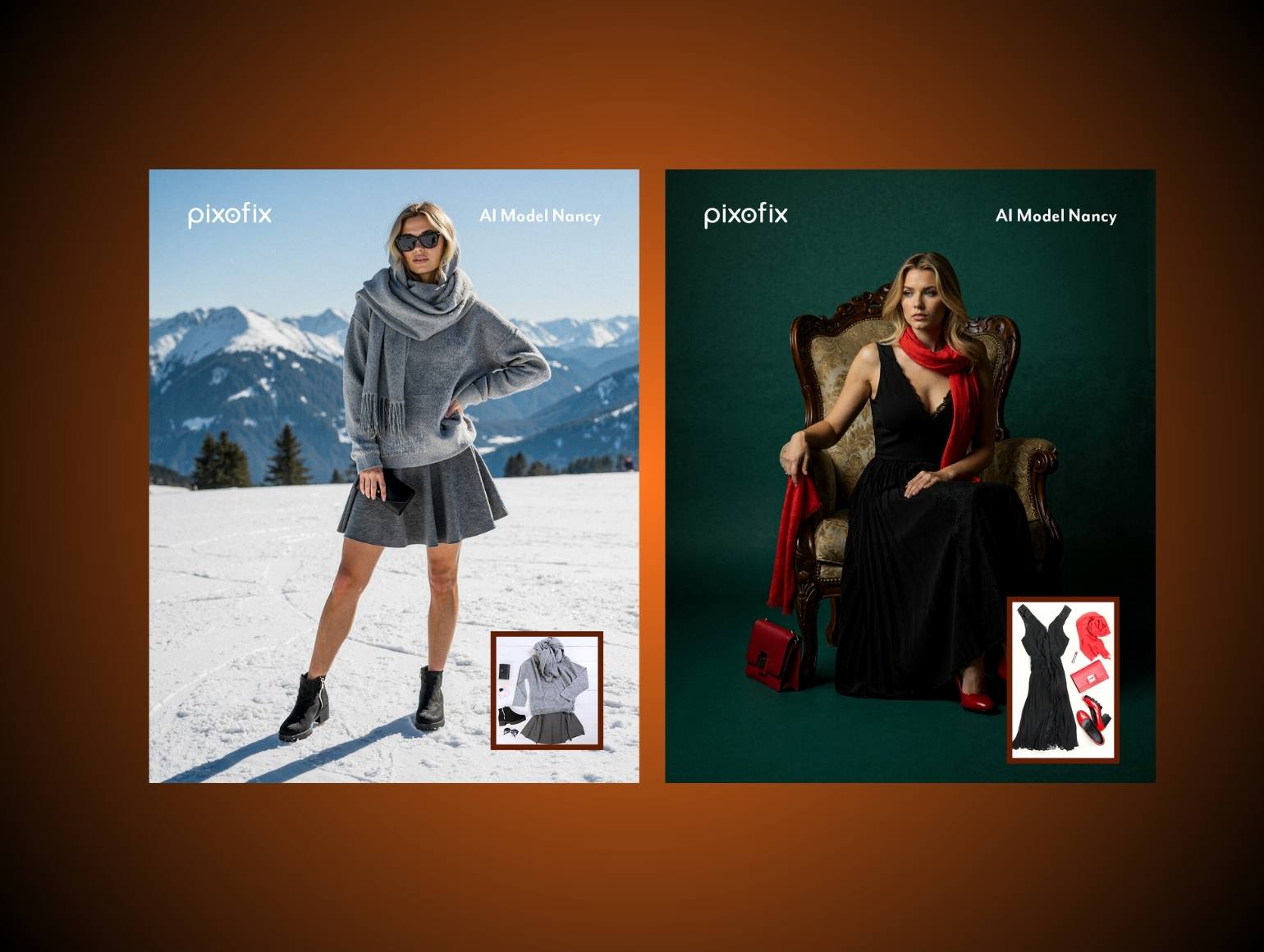
AI accelerates throughput on structured, low-risk tasks: background removal on clean edges, base ghost mannequin composites, initial environment replacement for lifestyle variants, upscaling legacy assets for larger formats.
Where AI reliably struggles at catalog scale:
Jewelry reflections. Models such as Flux Pro or Midjourney generate reflections that ignore real light direction, producing physically impossible highlights that damage brand credibility on high-end accessories.
Ghost mannequin geometry. AI frequently distorts shoulder slopes, neck openings, and armholes, particularly on tailoring and heavy knits. These errors are subtle on one image and obvious across a 200-SKU colorway run.
Skin under studio lighting. Over-smoothing and misread specular highlights produce synthetic-looking skin that is inconsistent across views of the same product.
Color drift across large batches. One group of reds skews cooler, another warmer, based on prompt variation and training bias. At catalog scale this creates visible inconsistency in marketplace and PDP grids.
Define non-negotiable human review points: PDP heroes, marketplace hero images, any asset going into high-spend paid campaigns, and all jewelry, sheer fabric, and reflective material categories. Use AI to accelerate first-pass production and human retouchers to own final quality on critical assets.
Structured QC Loops
The common mistake is not using AI. It is using AI without structured human oversight. AI tools that perform well on 10 test images start failing when applied across 500 or 10,000 SKUs, because small instabilities in lighting, color, and garment geometry accumulate and damage brand consistency.
Design explicit QC stages:
Stage 1: Automated checks for resolution, file naming schema compliance, color space, and basic crop rules. Files that fail do not advance.
Stage 2: Human review for color alignment against masters, fit integrity, pattern continuity, and skin realism. This is where AI failure modes are caught before they reach channel teams.
Stage 3: Channel-specific verification. Marketplace compliance check. Legal review for model usage rights if applicable. Final channel readiness tagging.
Teams that skip Stage 2 on AI-augmented imagery consistently pay the cost later through returns, PDP inconsistencies, and last-minute reshoots.
Derive More Content from Every Shoot
Once your master file system is structured and your QC loops are defined, you can extract significantly more output from the same shooting day.
Social Crops from Masters
From master PDP and campaign images, produce:
- Vertical 9:16 crops centered on product plus one strong detail or gesture, with text safe zones marked.
- Carousel sequences that flow hero, side view, detail, and lifestyle crop in a logical narrative arc.
- Background extensions using controlled generative fill where needed, anchored to the same light direction and color temperature as the master.
Treat masters as negatives. Social and paid creative become systematic derivations, not random zooms of whatever is on hand.
Motion Briefs from Stills
You can drive motion content without always commissioning fresh video:
- Brief generative video tools such as Runway or Kling by referencing approved frames as style anchors and motion guides.
- Build parallax assets by separating product and background layers in the master PSD, then animating them in After Effects.
- Create motion test concepts using still-derived animatics, then only commission full video shoots once the concept is proven in low-cost format.
This keeps visual continuity across stills and motion while controlling production cost.
Cross-SKU Reuse
Repurposing is not only multi-channel. It is also cross-SKU.
Mark evergreen assets, including model portraits, environment plates, generic body crops, and hand poses, that can support multiple products as inputs for virtual model placements or future generative video. Track which SKUs share fabrics or trims so color corrections for one run become starting points for related styles. Feed back performance data on which angles and crops perform best in paid, so pre-production can prioritize those on new shoots.
Measure What Matters
Without quantifiable metrics on post-production, you cannot optimize or argue for better tools and headcount.
Track turnaround per batch: days from shoot wrap to PDP-ready, to marketplace-ready, to first paid social creative in the ad account. Break results down by batch size. Workflows that stay predictable from 50 to 500 SKUs are reliable. Workflows that show random spikes need structural changes.
Track revision rate: percentage of images requiring more than one retouch round, the three most frequent revision causes, and time spent on rework versus first-pass execution. When AI is part of the pipeline, log its specific failure categories, such as incorrect jewelry reflections, loose ghost mannequin edges, or hallucinated fabric folds. Use this data to refine where automation is appropriate and where human-only work remains mandatory.
Monitor channel performance: conversion rate differences between SKUs with full multi-channel coverage and minimal coverage, return reasons citing color or fit not matching imagery, and performance differences between AI-augmented creative and purely photographic creative.
How Pixofix Handles Content Multiplication at Scale
Hybrid production, AI combined with human QC, already powers serious fashion catalogs at scale.
When volume grows from 500 to 10,000 SKUs per month, you need parallel, specialized teams that operate simultaneously across category types, not a single queue that processes everything sequentially. Pixofix operates with more than 200 retouchers across the US, EU, and Asia, allowing work to be split by category and complexity while central standards remain consistent. Jewelry, tailoring, footwear, and bags each follow their own nuance rules without breaking overall delivery timelines.
Standard catalog work runs on a 24 to 48 hour delivery SLA, so PDP, marketplace, and initial paid social variants can all stage within the same commercial week. That speed comes from combining AI in post-production with human specialists in defined QC loops, rather than relying on either slow manual-only pipelines or unsupervised automation.
At catalog scale, generic AI tools that perform well on a dozen test images fail to maintain lighting stability, color alignment, and garment fidelity across 10,000 SKUs. The workable model is AI for production speed paired with human QC at scale. Pixofix delivers channel-ready variants, not master files your team still has to process. The retouching intelligence, channel-specific specs, and QC loops are built into the production workflow, so your creative ops team gets usable assets on the delivery date rather than raw files that need further routing.


.png)
.png)
