.png)

How Much Does Product Retouching Cost in 2026? Pricing Models Explained
Product retouching cost in 2026 is defined less by the rate card and more by how often you have to fix the work after the fact. At 500 to 10,000 SKUs per month, the wrong pricing model quietly taxes your studio with rework, missed SLAs, and inconsistent files that hurt conversion and returns.
This breakdown comes from a production point of view, not a sales deck.
How Much Does Product Retouching Cost in 2026?
For mid to high volume ecommerce, the realistic answer is a range, not a single number.
At catalog scale, pricing depends on how many files sail through first pass, how hard your team pushes on color accuracy, and how much variance you tolerate between shoots, colorways, and suppliers. If you only look at dollars per image, you will misread the true cost of your pipeline.
The Real Price Range
Here is what experienced teams are actually paying in 2026 for external retouching, across common categories:
- Basic ecommerce cleanup
Background to solid color, minor dust removal, simple clipping paths.
Typical: 0.30 to 0.80 USD per image for large, predictable batches. - Standard fashion and ghost mannequin
Body cleanup, neck joins, hem warping fixes, smoothing, light sculpting.
Typical: 0.90 to 2.50 USD per image, depending on brand guidelines and QC loops. - Complex fashion, on model, beauty
Skin work under studio lighting, hair cleanup, fold control, texture preservation.
Typical: 2.50 to 8.00 USD per image. - Jewelry, reflective, high detail
Metal and stone reflections, micro dust, precise color and texture mapping.
Typical: 4.00 to 15.00+ USD per image, often with multiple review rounds. - Hero imagery and campaign composites
Heavy compositing, on figure shaping, virtual models, layout variations.
Typical: 10.00 to 60.00+ USD per final.
The higher numbers often include more generous revision cycles and priority SLAs. The spread inside each band is largely about consistency demands and how your provider handles failures.
Why Product Retouching Cost Quotes Look So Different
Two providers can quote 0.70 and 2.00 USD for what looks like the same product retouching. They are usually not quoting the same work.
Variables that change the cost without being obvious on the quote:
- Scope clarity
Are shoulder and waist shaping included in ghost mannequin, or only background cleanup?
Are they responsible for color matching to physical swatches, or just acceptable on screen? - QC loops and revision policy
Is there structured QC before delivery, or do they ship everything and wait for your corrections?
Are revisions included for spec misses, or billed separately? - Turnaround and SLA adherence
Is “24 hours” a promise for 20 images or for a 1,000 image drop?
Is there a penalty or credit when SLAs are missed? - Who actually touches the file
Automated pipeline only, or a mix of AI and human retouchers?
Senior retoucher involvement changes results on tricky categories like beauty and jewelry.
At scale, small differences in scope and QC quickly swamp any headline dollar difference.
What Actually Drives Product Retouching Cost
Retouching cost is rarely about software. It is about how much controlled judgment each file requires inside your time window.
Complexity, Turnaround, And Revisions
Three variables dominate your spend:
- Complexity per file
- Simple: single angle, flat product on neutral background, obvious clipping paths.
- Medium: multiple angles, ghost mannequin photography, minor shape control and label straightening.
- High: on model, hair, skin, reflective props, transparent or textured fabrics.
- Turnaround time
Compress a 72 hour SLA to 24 hours, cost often jumps 20 to 60 percent. Faster cycles need more retouchers, more shifts, and fewer batch efficiencies. - Revision tolerance
If you demand strict compliance with a style guide, plus approvals from creative and merchandising, the provider must budget for revision cycles. Either they build this into the per image rate or they charge per change.
When studios push all three sliders to the edge, cost climbs fast. Decide which jobs are truly urgent and route the rest through slower, cheaper lanes.
Hero Images Versus Bulk Catalog Work
Hero imagery and bulk catalog work may sit on the same rate card, but operationally they are different businesses.
- Hero images
High scrutiny, many stakeholders, often art directed in Photoshop. You might do five to ten rounds of feedback, sculpt silhouettes, and adjust micro lighting. Cost per file is high, volume is low. - Bulk catalog work
Thousands of images with consistent specs. Here you want tight automation, predictable clipping paths, and minimal manual touch on routine tasks.
Trying to push hero expectations through a bulk catalog pipeline is how budgets explode. Set distinct specs and pricing for each stream, and make sure your brief and approval standards match the stream.
Fashion, Jewelry, And Reflective Surfaces
Fashion and jewelry are where most low cost retouching breaks visibly.
- Jewelry
AI tools still struggle with specular highlights, stone dispersion, and micro reflections of the studio. Incorrect reflections make pieces look plastic or fake. Human retouchers invest real time here, which is why rates are higher. - Ghost mannequin
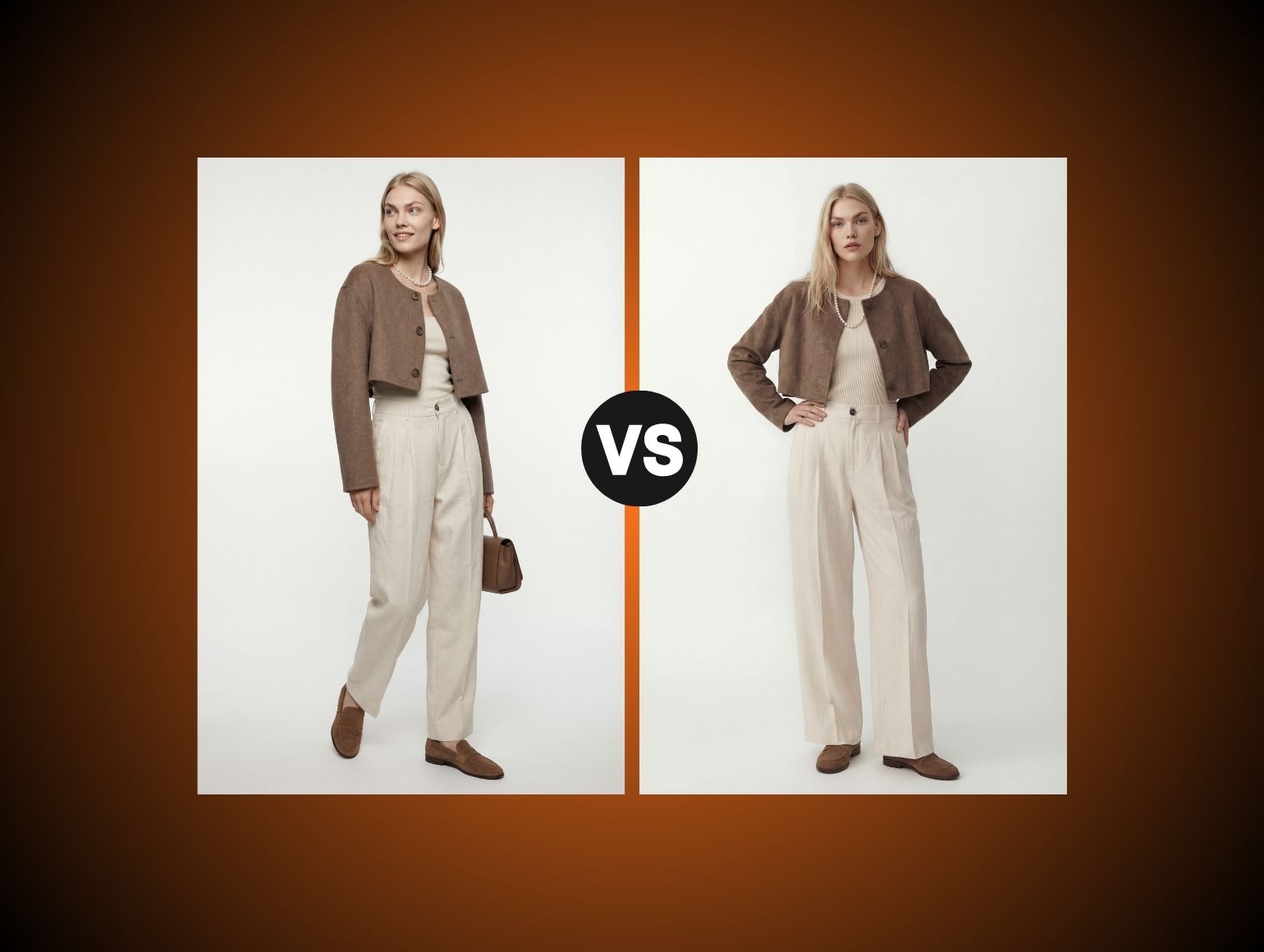
Generative fill can distort shoulders and armholes, warp prints, or misalign seams. At thumbnail size it looks fine. On PDP zoom and returns data, it does not. - Beauty and skin
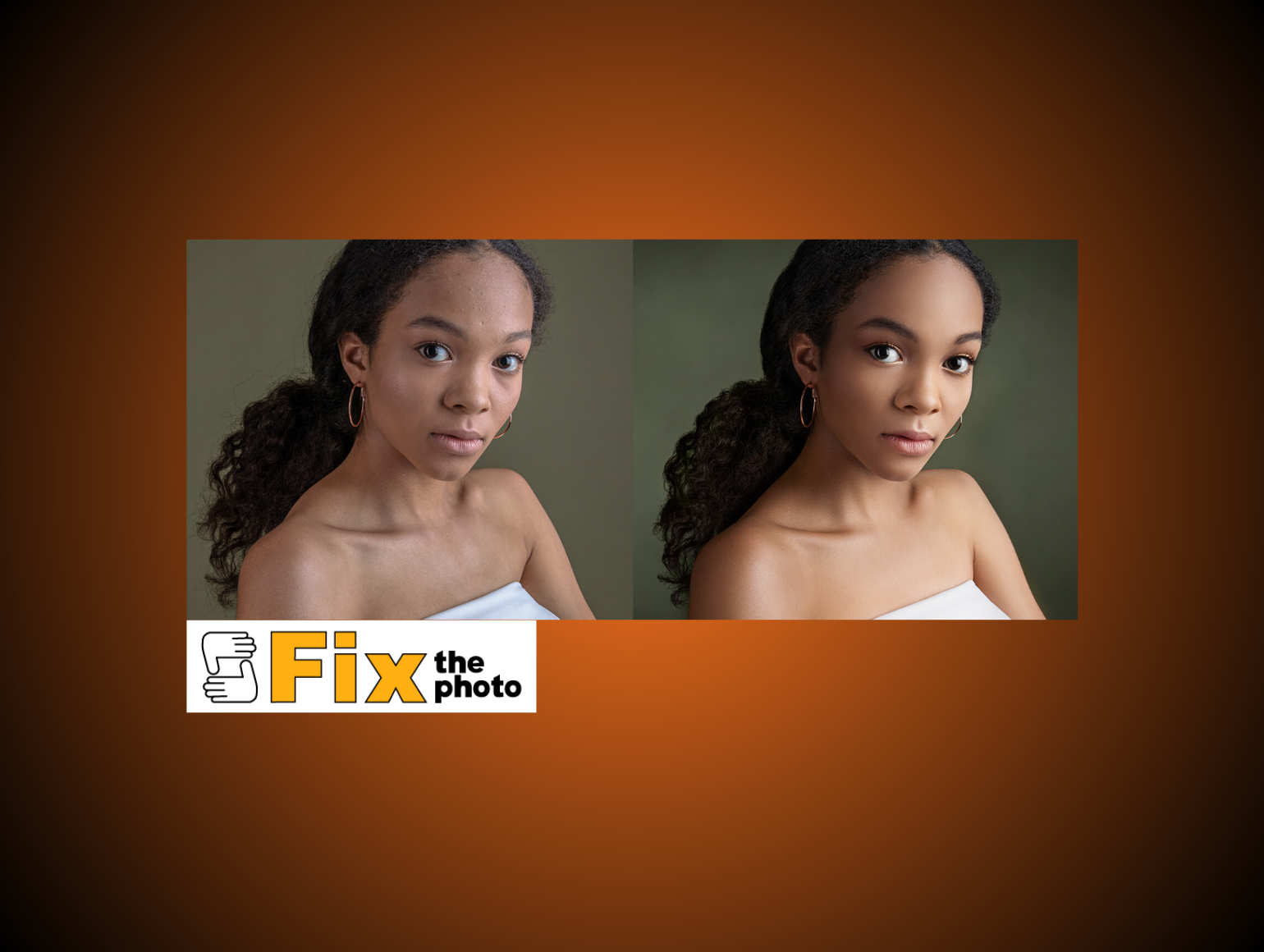
Many pretrained models over smooth skin, flatten texture, and fail under mixed lighting. Fixing plastic skin after the fact costs real money.
If you sell reflective or texture sensitive products, assume you will live at the upper half of standard ranges, or you will pay the difference in rework.
Per Image Pricing For Product Retouching
Per image is still the most common commercial structure. It is familiar, simple to finance, and works for studios with fluctuating volume.
What Is Usually Included
Most 2026 per image quotes include:
- Background cleanup and clipping paths
Cut out, align to template, apply shadows or reflections if specified. - Standard corrections
Exposure, white balance, global sharpening, minor crease cleanup. - Basic ghost mannequin
Neck joins and sleeve fills for simple garments on a consistent mannequin. - One minor revision round
Usually for clear vendor errors only, such as missed dust or failure to remove a tag.
Anything beyond this is usually billed as an add on. That includes complex liquify work, heavy skin cleanup, or precise color matching to physical samples.
When Per Image Pricing Breaks Down
Per image pricing becomes problematic when:
- Your approval rate is unstable between categories.
- You need different QC depth for different SKUs in the same batch.
- Volume swings make it hard for providers to resource accurately.
If you send 1,000 images and 300 come back off spec, the per image rate was not the real problem. The vendor priced for a one pass pipeline, not multiple QC loops and style guide enforcement. At that point your true cost per approved image is far higher than the quote.
Tiered And Subscription Pricing For Product Retouching
Tiered pricing and subscriptions try to give you a predictable monthly bill. They usually package a fixed number of credits for specific services.
When Credit Packs Save Money
Credit models can work well when:
- You have predictable baseline volume around a known average, like 3,000 SKUs a month.
- Your catalog mix is not wildly split between very simple and very complex work.
- You want priority SLA adherence and do not want to renegotiate every quarter.
You often see effective rates drop 10 to 30 percent versus ad hoc per image pricing, in exchange for committing to a minimum.
To get the benefit, track unused credits monthly and dial the commitment up or down based on real usage instead of wishful thinking.
Why Product Retouching Cost Needs QC In Subscriptions
Subscriptions incentivize throughput. Providers are rewarded for shoving as many images as possible through their pipeline inside your credit limit.
If QC loops are not explicitly defined up front, you will see:
- Increased variance between batches
Lighting interpretation and color treatment change with retoucher or AI model drift. - More dependence on your internal team
Your team becomes the real QC layer, catching issues late in the process.
At 500 to 10,000 SKUs, this is where AI in post production and subscription shops tend to fail. AI is strong at small samples of 1 to 10 images. Across months of catalog output, it drifts in lighting, color, and garment geometry. If you want the economics of tiered pricing, insist on measurable QC commitments in the statement of work and tie them to credits or penalties.
Managed Service Pricing For Large Catalogs
Managed service pricing treats retouching as a dedicated production line, not a job by job ticket queue.
How Managed Retouching Is Scoped
Managed agreements usually include:
- Volume commitments by category
For example, 3,000 standard apparel, 500 on model, 150 jewelry per month. - Dedicated pods of retouchers and QC leads
The provider locks in capacity and specific people for your brand. - Custom tooling and LoRA training
Tailored AI models, templates, and style automation tuned to your guidelines. - Detailed SLA and metric reporting
SLA adherence, QC pass rate, rework volume, and cycle times.
Pricing tends to be a blended rate across categories, often lower than ad hoc per image for simple work and higher for complex categories. The gain is stability and predictability.
Where The Product Photography Cost Starts To Normalize
Once you run a managed pipeline for a few months, product photography cost and retouching cost start to normalize into one unit cost per approved SKU.
- Lighting and styling teams can shoot knowing exactly how files will be processed.
- Retouching teams can push feedback upstream to improve capture, which reduces fix time.
- Texture mapping for virtual models or AI Model Shots becomes consistent, so more is done algorithmically.
For larger studios, this is where the real ROI sits. Every point of improvement in first pass approval reduces the total cost of both photography and post production.
AI Product Retouching Cost: Where It Helps
Pixel perfect single images are a distraction if your real problem is volume. Current AI tools are impressive at small scale. The failure mode is consistency.
Where Automation Works Well
AI is effective at:
- Background removal and clipping paths on clean captures.
Use batch tools for white background items, but build in human spot checks for hair, glass, and lace. - Standard exposure and white point normalization.
Apply scripted corrections for studio setups with known lighting. - Simple ghost mannequin fills where shoulder seams and prints are basic.
Reserve complex necklines and patterns for human work. - Virtual models for concepting using tools like Flux Pro, Midjourney, and Stable Diffusion.
Use these for line reviews and internal signoff, not final ecommerce assets. - Bulk cropping, templating, and smart object replacement inside Photoshop.
Lock in PLP templates and automate any alignment a script can handle.
For 1 to 10 hero shots in a deck, outputs from Imagen 3 or Runway Gen 4 can be strong. For early concept signoff, they save days.
Where AI Outputs Start To Drift
At catalog scale, the same tools introduce subtle but expensive problems:
- Lighting drift across shoots
AI pushes contrast and saturation differently batch to batch, eroding visual consistency on PLP. - Color inconsistency between colorways
Reds and blues move around Delta E tolerances, so buyers complain and returns increase. - Garment distortion
Ghost mannequin fills warp shoulder lines and hemlines. LoRA training helps, but fails on odd poses and complex prints. - Jewelry anomalies
Reflections do not match real world physics. Stones lose depth. Prong details disappear.
AI does not understand your brand standards or SLAs. It optimizes for plausible pixels, not production accuracy, so you must budget human review for high risk categories.
AI Plus Human Retouchers At Scale
The real multiplier is not AI or human, it is AI creation plus human perfection in a controlled pipeline.
The QC Layer Brands Actually Need
At scale you need:
- Automated first pass
Background, alignment, base color, and basic cleanup with AI and scripts. - Human QC loops
Trained retouchers catch shoulder distortions, zipper warping, jewelry reflections, and ghosting artifacts. They enforce style guides and color tolerances. - Feedback into the AI layer
Failed outputs trigger updates to LoRA training and templates, so systemic issues disappear over time.
Without the human QC layer, AI tools work acceptably for 1 to 10 images and then collapse across 500 to 10,000 SKUs with lighting drift, color inconsistency, and garment distortion. The cost is not the license, it is the cumulative rework and missed SLAs.
Why Pixofix Fits High Volume Teams
For high volume studios, you want a partner that runs AI at production speed but also absorbs the QC complexity.
Pixofix combines AI Model Shots and automated background workflows with more than 200 human retouchers distributed across US, EU, and Asia, which allows consistent 24 to 48 hour SLAs even on large batches. That scale is what lets AI handle repetitive work while human leads maintain consistency across millions of files, not tens.
Because Pixofix has already retouched over 5 million images for fashion and ecommerce brands in the 500 to 10,000+ SKUs per month range, its LoRA training, texture mapping, and template logic are tuned for catalog scale instead of one off campaigns.
The Hidden Cost Of Cheap Product Retouching
Cheap retouching clips your budget twice. First on quality, then on operational drag.
Rework Tax And Revision Loops
Rework is where your P and L actually bleeds:
- Internal time
Studio managers, art directors, and coordinators burn hours writing corrections and triaging issues in tools like Weavy or Jira. - Additional vendor passes
Each extra round extends cycle time and erodes your delivery SLA. Many follow the slowest queue, not the advertised SLA. - Batch contamination
Corrected images start to look subtly different from first pass images, creating micro inconsistencies in your grid.
Low cost quotes usually bake in minimal QC. If 30 percent of files need a second pass, your real cost per approved image can easily double.
Returns, Drift, And Brand Trust
Soft costs hit revenue as well:
- Higher returns
Weak color accuracy, uneven fabric rendering, and distorted silhouettes create a mismatch between image promise and unboxing reality. - Brand drift
When multiple providers or unmanaged AI pipelines touch your assets, the visual language of your brand shifts month to month. - Internal mistrust of assets
Merchandising and creative teams stop trusting the images, so they insert extra signoff layers. That adds days to your production calendar.
At this point, the original quote is irrelevant. Your speed to market and P and L are paying for that decision every week.
Metrics To Track For Product Retouching Cost
If you want control over product retouching cost, you need a small, concrete metrics stack.
Production And SLA Metrics
Track these every month:
- Cost per approved image by category
Separate basic catalog, fashion, jewelry, and hero work. - Days from shoot to live
From capture to PDP publish, across each product group. - First pass approval rate
Percentage of files that clear internal QC with no vendor rework. - SLA hit rate
Percentage of batches delivered on or before the contracted SLA.
Set targets, such as 95 percent SLA adherence and 90 percent first pass approval, and bake them into vendor contracts.
Quality And Rework Metrics
Quality metrics show where money leaks:
- Average rework rounds per batch
Anything above 1.2 rounds is usually a red flag. - Color variance on key colorways
Measure Delta E for hero reds, blues, and neutrals between shoots. - Return rate linked to imagery complaints
Tag tickets where customers mention color or fit mismatch.
Use these metrics to adjust your mix of AI automation, human QC depth, and pricing model. When KPIs drift, review the pipeline before negotiating another discount.
How To Estimate Your True Product Retouching Spend
To choose a pricing model, you need a way to get from rate card to operational cost.
Build Cost Per Approved Image
Use this formula for each major category:
True cost per approved image
= (Total vendor cost + internal retouching time cost + rework cost)
/ number of approved, final images
Where:
- Vendor cost includes rush fees and out of scope work.
- Internal time uses a loaded hourly rate for the people touching the images.
- Rework cost counts any second pass from any source, internal or vendor.
Calculate this per month for basics, fashion, jewelry, and hero work. The cheapest rate card rarely wins on true cost per approved image.
A Simple Volume And Complexity Formula
For back of envelope estimates, use:
Monthly product retouching cost
= number of images
× complexity weight
× base rate
Where complexity weight is:
- 1.0 for simple catalog cleanup.
- 1.5 to 2.0 for fashion, ghost mannequin, or basic on model.
- 2.5 to 4.0 for jewelry, heavy skin, or complex composites.
Then add:
- 15 to 40 percent for consistent 24 hour SLAs.
- 10 to 25 percent if you demand high approval thresholds and multiple revisions included.
Run this math for different scenarios. The right model is the one where your predictable volume fits the provider’s sweet spot, so you are not paying rush rates forever.
How To Choose The Right Product Retouching Pricing Model
Choosing pricing is about mapping cost structure to your catalog and risk profile, not simply finding the lowest number.
Match Model To Volume
Use this pattern as a baseline:
- Under 1,000 SKUs per month
Per image or small tiered packs make sense. You get flexibility with minimal commitment. - 1,000 to 5,000 SKUs per month
Tiered or subscription pricing usually produces the best effective rate, as long as QC standards are spelled out. - 5,000+ SKUs per month
Managed service with dedicated capacity is almost always more efficient. Your internal team can focus on art direction and upstream capture.
You can mix models. For instance, use managed service for core apparel and per image pricing for ad hoc campaign heroes.
Match Model To Launch Speed
If speed to market is your primary constraint:
- Avoid providers that only quote single SLA numbers without specifying volume limits.
- Favor managed or tiered relationships where you can influence scheduling and capacity.
Track days from shoot to live as a core KPI. A slightly higher per image rate that removes two days from your cycle is usually a win at ecommerce scale.
Match Model To Approval Standards
Your tolerance for variation should drive the QC expectations, which in turn drive price.
- Highly art directed brands with strict color targets, consistent ghost mannequin shapes, and tight texture mapping on virtual models should bias toward managed service or high QC subscriptions.
- Value and marketplace brands that accept more variance might do fine on per image or low friction AI tools, with spot checks.
Be honest about your stakeholders. If merchandising rejects imperfect images, you are a high standard brand whether you plan for it or not. Pay for the QC up front, or pay for the rework later.
Pricing Mistakes To Avoid
Comparing Quotes Without Scope
Mistake
Comparing two per image or subscription quotes on price alone, without a written scope that covers complexity, QC loops, turnaround, and revision rules.
Consequence
You accept a cheaper quote that silently excludes ghost mannequin detail, color matching, or extra revision cycles. Production cost inflates with every batch as you chase exceptions.
Fix
Require each provider to scope specific categories, SLA tiers, and revision policies in writing. Normalize all quotes to true cost per approved image using the formulas above before deciding.
Ignoring Consistency And SLA Risk
Mistake
Assuming all vendors and AI pipelines will hit your SLA adherence targets and style guides as volume grows.
Consequence
You miss campaign launches, scramble to patch inconsistent PLPs, and burn internal time on QC instead of production. Post production bottlenecks appear even though you technically have capacity.
Fix
Write SLA and consistency metrics into contracts: QC pass rate by batch, SLA hit rate, maximum Delta E variation for key colorways. Review weekly at first, then monthly. Treat missed targets as cost, not inconvenience.



.png)
.png)
