.png)


AI Models for Fashion: How to Use Virtual Models for Your Ecommerce Catalog
AI Models for Fashion: How to Use Virtual Models for Your Ecommerce Catalog
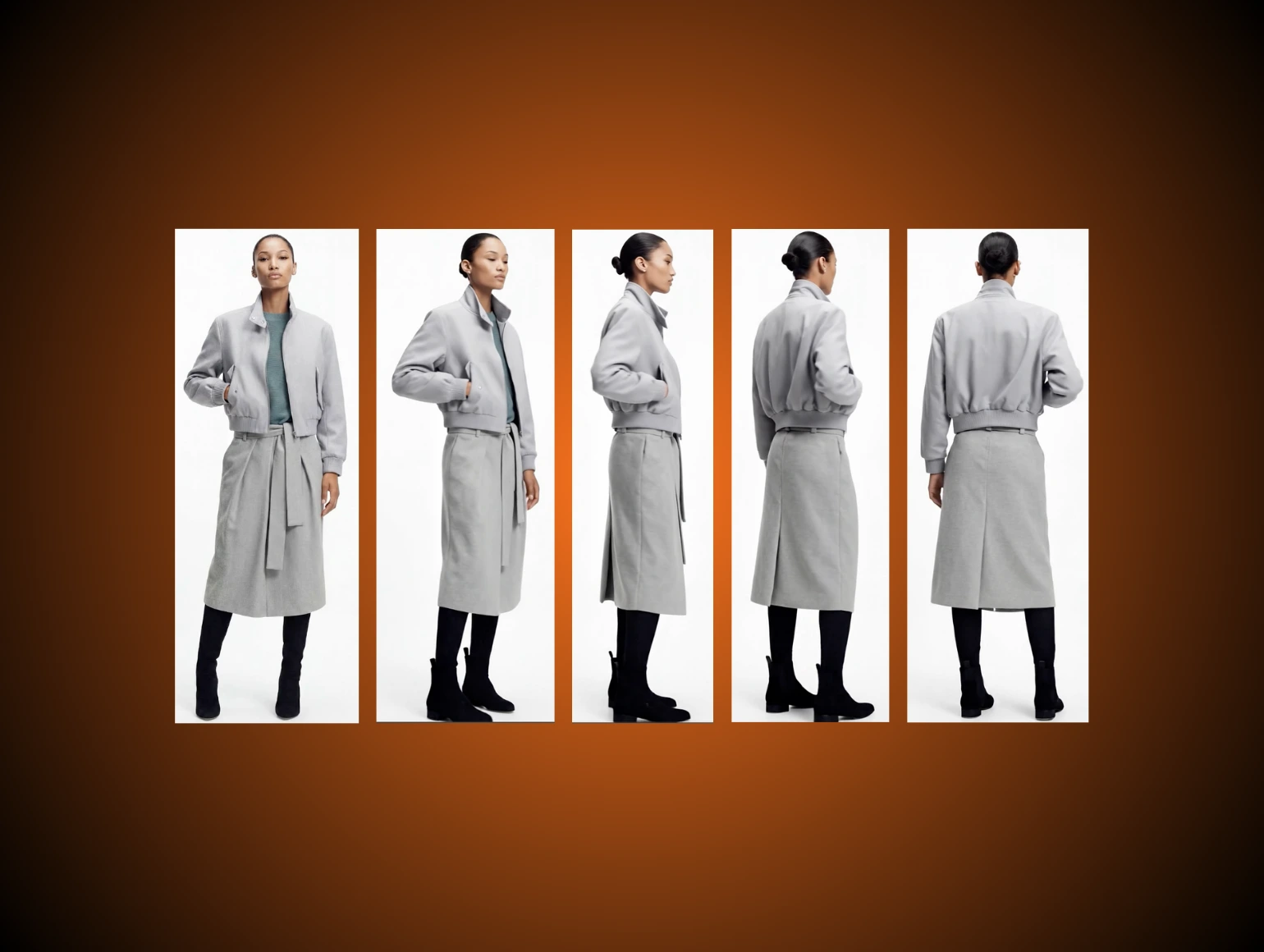
A leading fast fashion label may commission thousands of on-model images each season. Traditional shoots slow that pace with sample delays, castings, and post-production bottlenecks. This workflow strains budgets and makes rapid refresh cycles hard to sustain across markets. AI models for fashion, when guided with technical discipline, open new paths for catalog velocity, cost control, and brand consistency. Shortcutting human QC or ignoring generative artifacts will erase those gains. Perfection still needs people.
AI Models For Fashion
Reduce Shoot Delays
Booking models, styling, and retouching racks up days and dollars per look. When a studio shifts part of its production to AI-generated models, the immediate gain is time. Instead of multi-week scheduling headaches, turnaround can compress to hours. No call sheets. No reshoots due to model or sample issues. For teams under tight SLA adherence, that matters.
Scale Catalog Output
Ecommerce directors managing thousands of SKUs face hard trade-offs: launch the full range fast with flat lays, or delay high-value styles until a studio slot opens. AI workflows can output consistent model imagery across entire collections at once. Tools like Flux Pro and Weavy can batch-process stable model avatars while preserving hair, pose, and lighting across multi-SKU sets. Set a strict naming system before generation so version control does not collapse later. The rise of AI fashion models makes that scale increasingly practical.
Improve Garment Read
Buyers need garment fit, drape, and context for each colorway. Flat lays hide shape, and ghost mannequin images can distort shoulder lines or collar heights. Model generation based on LoRA training can preserve shoulder drop, sleeve pitch, and hem direction more reliably. Use fit references and measurement notes during prompt setup so the output stays aligned with product intent. For teams comparing formats, ghost mannequin photography can still be a useful source.
Support Inclusive Casting
Manual casting rarely delivers age, size, body type, and ethnicity coverage at volume on the same day. Midjourney and Runway Gen-4 can synthesize models for different demographics, and experienced creative directors can steer the results toward campaign needs. For brands serving multiple geographies, that flexibility outpaces physical casting. Build a representation matrix before generation so each market receives the right mix. The best AI image generators for ecommerce can support this kind of variation.
Virtual Model Workflows
Text-To-Model Paths
Most generative AI services begin with prompt engineering. Use descriptive text for pose, model look, camera angle, and lighting, then generate. This is fast, but outputs can drift. Diffusion-based tools like Stable Diffusion or Imagen 3 support fine-tuning, especially when trained with LoRA weights from prior catalog imagery. Keep prompt templates fixed so QC loops can spot changes faster. For ecommerce-specific prompting, best AI prompts for photos ecommerce can help teams standardize inputs.
Flat Lay Conversion
Take an existing flat lay and feed it through a model generator such as Runway Gen-4. The algorithm projects garments onto a 3D mesh, then renders onto chosen avatars and backgrounds. It works best with flat, well-lit, high-resolution tops, and struggles with sheer or multi-layer items. Retain clipping paths for later editing and rerouting in Photoshop. Related workflows are often covered in how Runway AI transforms ecommerce.
Ghost Mannequin Conversion
Start from a typical ghost mannequin shot and merge it with pre-built model avatars using Kling or Flux Pro. Texture mapping overlays the garment, but collar and sleeve intersections often need precision correction. Build a QC loop here with human retouchers who can re-sculpt awkward shoulder edges and remove plastic skin shine. This step usually saves time later in post-production bottlenecks. It also overlaps with high-end photo retouching.
Try-On Versus Catalog
Virtual try-on is designed for interactivity, not catalog fidelity. Many try-on tools, including Shopify AR and Zeekit, lack fine hem alignment and can introduce scale drift. Pure imagery for ecommerce needs higher input precision and stricter review before launch. Use try-on for engagement, then keep product detail pages tied to cleaner stills. Product detail page best practices still favor clarity over novelty.
Choose The Right Tool
Compare Output Quality
Run the same garment through several engines. Runway Gen-4 often handles fabric simulation well, while Weavy can produce stronger facial detail and hand realism. Midjourney makes striking silhouettes but can struggle with knits and striping at the hem. Compare results under identical lighting specs and same crop ratios so the review is fair. If needed, reference how to use Midjourney for better control.
Match Volume To Budget
Flux Pro and Kling fit better for high-volume teams because they support batch export, saved models, and API controls. Mid-sized studios can iterate manually in Imagen 3 or Photoshop. For high-SKU programs, API-first tools help keep cost per image within a workable range. Reduce tool churn by keeping a single handoff path from generation to retouch. This is one reason why AI product photography matters for ecommerce.
Check Channel Needs
Confirm output format before production starts. Does the feed require JPEGs, transparent PNGs, or specific ratio sets such as 1:1 and 4:5? Only some AI generation tools handle strict export ratios cleanly in batch. Make sure Shopify, Amazon, or Zalando delivery requirements are mapped in advance, or manual mapping will eat the time you saved. Marketplace product image guidelines ecommerce should be reviewed early.
Prioritize Persistent Characters
Brand recall improves when faces, poses, and body types stay stable across a collection. Weavy and LoRA-trained models support persistent avatars for that purpose. Many open-source diffusion models drift batch to batch, which breaks continuity and forces extra retouching. Lock the character set before launch and keep it unchanged until the line is live. Persistent styling matters across ecommerce marketing trends as well.
Prepare Inputs That Work
Use Clean Source Files
Avoid heavy shadows. Even diffusion engines hallucinate fabric folds in underexposed areas. Source images need even lighting on the garment body, visible collar and hem, and no mid-line creasing. If the input is weak, the generator will amplify the flaw. Camera settings for product photography can help teams avoid this.
Shoot Plain Backgrounds
Patterned or colored backdrops interfere with segmentation, especially when feeding flat lays or ghost mannequins into Stable Diffusion workflows. Use gray or white seamless backdrops. Remove unwanted shadows with Capture One before upload. Keep the set simple so the algorithm does not invent background noise. Clean captures support better image color correction for ecommerce.
Test Hard Skus First
Pleated skirts, sequined dresses, and translucent knits stress-test a workflow quickly. Run those pieces through every tool before you commit to a pipeline. If the process fails on difficult items, it will fail harder at scale. Use the worst-case garments as your benchmark. This is especially relevant for fashion digital twins.
Preserve Prints And Texture
Most engines blur embroidered logos or flatten contrast unless they are retrained. For key branding or art-driven prints, use LoRA training on a library of past shoots, or add a second retouch pass before feeding the image into a generator. Flag those items for visual QC. Texture mapping should be checked line by line on any detailed surface. That level of care aligns with fashion photo editing.
Build A Production Playbook
Upload Asset Sets
Centralize all sample shots, flat lays, and ghost mannequin files. Organize by SKU, colorway, and variant. Then feed them into the generation tool by API or batch loader. Keep file names consistent so the handoff does not break under volume. A structured workflow pairs well with ecommerce photo editing service.
Select Model And Pose
Choose from pre-trained model sets. Use static poses for PDP images and motion-friendly poses for campaign work. Keep pose libraries version controlled, especially if creative teams are running parallel launches. That makes comparison easier when a rerun is needed. Lookbook photoshoot planning can guide these creative choices.
Generate Variations
For each SKU and colorway, output three or four angles or model options. Store extra versions as backups, not as live assets. Style locking in tools such as Weavy or Kling helps freeze facial structure and lighting across runs. Save all prompts and seeds for later audit. This also supports fashion photography trends of this year.
Review And Refine
QC everything. Garment alignment, neck seams, finger outlines, jewelry, and sleeve edges all need attention. Expect a share of images to require Photoshop paintback or retouch. A triple-check loop with auto, human, and client review catches plasticity and odd artifacts before export. At Pixofix, this review structure on AI model batches typically catches shoulder alignment failures and hand artifacts that automated QC misses entirely. The importance of editorial retouching in e commerce applies here too.
Export To Channels
Deliver in channel-optimized formats. Use preset crop ratios by destination: web PDP, mobile, and PLA. Save universal crops and metadata for archive consistency. If an image will also feed marketplace listings, verify background and label rules before approval. The complete guide to ecommerce website design that converts also depends on clean visual delivery.
Keep Catalogs Consistent
Lock Lighting And Framing
Standardize key, fill, and background light. Variation across SKUs breaks visual flow. Use reference frames to batch-correct outputs before export. Keep the camera height fixed so body proportions do not drift from one product to the next.
Reuse Saved Styles
Persistent avatars work well for brand loyalty. Maintain a master library of core model faces and style codes, then refresh only for new seasons or geographic variants. This keeps visual language steady while still allowing seasonal updates. Do not rebuild characters unless the campaign requires it.
Standardize Crops And Ratios
Every collection should maintain matching width, height, and margin structure. Automate crop checks in Photoshop or use batch tools in Flux Pro. Small differences become obvious when assets sit beside each other in a grid. Consistent framing also reduces manual cleanup after upload. How to optimize images for the web is worth applying here.
Maintain Channel Branding
Keep the look aligned from web PDP to Zalando, Farfetch, or ASOS listings. Build retouch macros that embed backgrounds, lighting LUTs, and overlay branding as needed. Flag any batch that diverges in skin tone or framing for manual correction. Pixofix uses per-channel LUT references and a dedicated QC gate for cross-market catalog drops to prevent this drift from reaching storefront. Cross-channel consistency saves review time and protects the product story.
Optimize Ecommerce Channels
Shopify Product Pages
Export images in the exact size and ratio spec. Shopify punishes inconsistent dimensions with messy layouts and uneven thumbnails. Add model ethnicity, height, and fit notes only where the storefront design can support them. If metadata is used, verify it stays consistent with the image set.
Marketplace Listings
Follow strict marketplace guides for Amazon and Zalando: pure white background, set bleed, and no embedded logos except on the product. Automated checks catch most issues, but manual review is still needed for jewelry and accessories. Reflective surfaces and small hardware tend to fail first. Inspect these items at full zoom before approval. Amazon product photo editing often focuses on these details.
Lookbooks And Campaigns
For campaign and editorial work, use more creative angles and non-standard crops. Keep garment detail readable, especially on sheer panels or fine lace. AI can overstyle these shots and bury the product, so review the item first, then the mood. The image should still sell the clothing. For broader inspiration, lookbook photoshoot remains relevant.
Social Commerce Creative
Customize outputs for vertical, square, and story formats. Auto-crop can cut heads or sleeves, so test each ratio and keep backup crops. Use platform-specific templates before final export. A quick ratio audit saves a lot of rework later. Social commerce often rewards that flexibility.
Compare Output Types
Flat Lay Versus On-Model
Flat lays compress dimension. Model imagery, even virtual, reveals waist shape, length, and true color under skin tone. AI-generated bodies sell proportion more than placement. Use on-model assets when fit language matters, and reserve flats for support imagery. This is why the rise of AI fashion models is reshaping catalogs.
Studio Shoot Versus AI
Traditional shoot-to-live cycles can stretch to many days when reshoots and manual retouch are included. AI pipelines reduce that window when inputs are controlled and checkpoints are tight. Cost per image drops as volume rises, but only if curation stays disciplined. If QC slips, the savings disappear quickly. Choosing the right post production partner services can still matter in hybrid workflows.
Single Image Versus Full Set
One-off generations can outperform retouched flats for social posts. Catalog work is different. Every angle, every colorway, and every background match needs to stay aligned. The real challenge is keeping the set coherent when file counts rise. This is where ecommerce video can complement stills.
Lifestyle Versus PDP
Lifestyle images allow more creative latitude, but AI models can fail under complex props or messy environmental lighting. PDP work needs repeatability. Watch for model drift, where avatars change subtly from one image to the next. Tight pose libraries and lighting controls help reduce that risk. Product detail page best practices should guide the final split.
Avoid Common Mistakes
Watch Garment Warping
AI engines, even with LoRA training, can distort hems and sleeves if the source images have poor folds or occlusion. The result is an unusable silhouette that damages PDP trust. Use high-resolution inputs and pre-approve pose libraries per garment type. If the structure is unstable, stop the run and correct the source. That is one of the core lessons in stable diffusion AI.
Check Skin And Proportions
Over-tuned diffusion models often output skin that looks too plastic, reflective, or oddly shaded under studio light. Background spill can also wash out darker skin types when the set is pale. Retouchers should grade skin manually, compare against real campaign references, and validate diversity matrices before batch approval. Hands, jewelry, and shoulder structure deserve a close look, because those areas fail often. The future of photo retouching depends on this balance.
Avoid Bad Shadows
AI cannot read lighting reference the way a human DOP can. Misaligned shadows, multiple light sources, and floating feet break realism. Runway Gen-4 and Flux Pro let teams set scene-wide lighting maps, which helps reduce these errors. Review shadow direction before export, not after. Strong lighting discipline also supports camera settings for product photography.
Prevent Over-Retouching
Over-aggressive blur filters or AI beautification can strip garments of texture, especially on denim, knits, and embroidery. Final QC should compare the output to studio RAWs and restore missing weave or print contrast in Photoshop. Keep edits surgical. Excess smoothing usually causes more harm than the original defect. High end photo retouching is best kept precise.
Keep Human QA
No batch should be treated as fire and forget. Every AI model image must pass human QC. A three-tier review structure with specialized retouchers and brand standards in the sign-off checklist keeps bad files out of the catalog. That review step is where most preventable mistakes are caught. It also echoes the importance of editorial retouching in e-commerce.
Measure Performance And ROI
Track Turnaround Time
Traditional shoots typically stretch from shot to site across multiple days, with reshoots compressing launch windows further. Virtual model workflows can reduce this to 24 to 48 hours for ready-to-use SKUs when inputs are clean and checkpoints are tight. Measure from asset upload to live publish, not just from generation to export. That gives a true view of operational speed.
Measure Regeneration Rate
Track how many images need regeneration because of alignment drift, hand artifacts, or warped logos. Track your rerun rate by category. If reruns are climbing, the issue is usually upstream in source file quality or pose library consistency, not in the final generation stage. If reruns rise, the issue is usually upstream, not in the final retouch stage. Review the source files before blaming the generator. This is part of any solid AI in post production workflow.
Monitor Quality Scores
Use quantitative quality scoring with pixel error rates, misalignment metrics, and garment coverage percentages. Also monitor how often images pass first-round visual QC without retouch. These KPIs show whether a workflow is stable or simply fast. If scores weaken, reduce batch size before the defect count spreads. The same logic applies in best photo editing software for ecommerce.
Compare Cost Per Usable Image
Roll up tool license fees, compute, human retouch, and management time. High-performing studios can keep cost per usable image below a workable threshold at scale. Compare that number against studio photography, not against a rough AI-only estimate. The business case only holds when full production cost is counted. That calculation also informs why AI product photography matters for ecommerce.
Watch Live Performance
Track PDP conversion, return rates, and bounce rates after launch. Tie each batch to UTM parameters or equivalent catalog tags so results can be read cleanly. If virtual images raise clicks but also raise returns, inspect fit portrayal and color accuracy. Strong creative should support sales, not create downstream friction. The complete guide to ecommerce ad platforms that drive sales can help attribute outcomes.
Implementation Checklist
Define Visual Rules
Set explicit rules for hero angles, crop ratios, allowed backgrounds, and model demographics. Put them in a style guide referenced at every workflow stage. That reduces subjective decisions and keeps review consistent. Make the guide visible to both creative and ecommerce teams. It supports a stronger complete guide to ecommerce website design that converts.
Choose Primary Tools
Always keep a fallback workflow. If the main tool bottlenecks, have a tested secondary path ready, whether that is Kling, Flux Pro, or Imagen 3. This prevents schedule slips when one service slows down. Backup plans should be tested before launch, not during it. The best AI image generators for ecommerce often depend on this redundancy.
Set Review Thresholds
Build tolerance matrices for hem drift, skin retouch range, and output error bands. Train QC teams to escalate anything above threshold. Clear thresholds reduce debate during review. They also make sign-off faster. Those same review habits support the importance of editorial retouching in e commerce.
Document Export Specs
Bake channel requirements into export automation. That avoids manual cropping, format mistakes, and rejected uploads. Include file naming, ratio, color profile, and destination rules in the same document. One source of truth is easier to maintain than scattered notes. This is especially useful for marketplace product image guidelines ecommerce.
Train Team Roles
Cross-train art directors on prompt engineering and LoRA fine-tuning, retouchers on AI paintback, and ecommerce managers on batch QA. Keep documentation current and schedule recurring refresh cycles. Skills decay quickly when tools change. Regular training keeps the production chain stable. The future of photo retouching points in this direction.




.png)
.png)
